TL;DR
Meta Ad Metrics fall into two groups. Leading indicators like CTR, CPC, and CPM explain why your ads perform a certain way, while lagging indicators like CPA and ROAS show what results you got. Always check CPA or ROAS first, then use the other numbers to diagnose problems. A high CTR but poor ROAS means the ad works but the offer fails. Low CTR means the creative is weak. High CPM points to expensive audiences. Good ROAS but low volume means you need more scale. The story is simple: focus on sustainable CPA or ROAS, and let the other metrics guide your fixes.
Open Ads Manager, and you’re hit with numbers everywhere. CTR, CPC, CPM, ROAS, CPA, the list keeps growing. For many advertisers, it feels less like data and more like noise. You scroll through the dashboard and wonder which number is worth your attention.
Meta Ad Metrics are the numbers inside Ads Manager that explain both why your ads behave the way they do and what results they bring. The problem is, most advertisers try to track all of them and end up confused.
The truth is, not every metric matters. What you need is a simple way to read the story behind the numbers. Some metrics explain why performance looks a certain way. Others show what the business actually achieved.
In our earlier piece, Understanding Meta Ads, we covered the mindset you need before running ads. This article builds on that foundation by showing you how to separate signal from noise and focus on the numbers that tell the real story.
What Are Leading vs Lagging Indicators?
One of the fastest ways to make sense of Meta Ad Metrics is to split them into two groups: leading indicators and lagging indicators. This simple shift can stop you from drowning in numbers and help you focus on what matters most.
Leading indicators are the early signals that tell you how healthy your ads are. These include:
-
CTR (Click-Through Rate): Shows how many people click after seeing your ad.
-
CPC (Cost Per Click): Tells you how much you pay for each click.
-
CPM (Cost Per Mille): The cost to reach one thousand people in your chosen audience.
These Meta Ads Manager metrics don’t prove business success, but they explain why your ads are performing the way they are. If clicks are low or costs are high, the issue is often with your creative, audience, or message.
Lagging indicators are the result metrics that show the outcome of your campaigns. The key ones are:
-
CPA (Cost Per Acquisition): How much it costs to win a customer.
-
ROAS (Return on Ad Spend): The revenue generated for every dollar spent.
These are the numbers you care about most, because they prove whether your ads are delivering sustainable growth.
Many advertisers confuse the two. They panic when CTR dips, even though ROAS is strong. Or they celebrate a high CTR while ignoring that ROAS is weak. Both mistakes lead to poor decisions. The right way is to check lagging indicators first, then use leading indicators to diagnose the reasons behind them.
Your funnel stage also plays a role. In How to Build a Meta Ads Funnel That Converts, we showed how awareness ads behave differently from conversion ads. The metrics you watch will shift with each stage of that funnel.
For more details on how Meta reports these numbers, see Meta’s official guide on Ads Reporting. The key is simple: leading tells you why, lagging tells you what. Always read Meta Ad Metrics in context, not in isolation.
How Do You Read the Story in Meta Ad Metrics?
Every number in Ads Manager plays a role in a bigger story. Some metrics act like early hints, while others are the final chapter. When you connect them, you can spot where things go wrong and where they are working.
Think of it like this: lagging indicators (CPA, ROAS) tell you the ending of the story. Leading indicators (CTR, CPC, CPM) explain how you got there. If the ending looks bad, the early clues help you figure out why.
Here are four common scenarios and the stories they tell:
-
Scenario A: High CTR, bad ROAS
Story: The ad grabs attention, but people don’t buy once they click. This means the creative is strong, but the landing page, pricing, or offer is failing to convert.
Fix: Review the page experience and tighten the offer before spending more. -
Scenario B: Low CTR
Story: Very few people click, which means the creative and copy are not resonating with the audience. The hook is weak.
Fix: Test new angles, stronger headlines, or fresh visuals. Even small changes can lift CTR. -
Scenario C: High CPM
Story: You are paying a high price just to reach people. That usually means the audience is expensive or highly competitive.
Fix: Expand the audience, refine targeting, or test different placements. Platform choice also matters — CPM and CPC can vary between networks, as explained in The Truth About Google Ads vs Facebook Ads. -
Scenario D: Great ROAS, but low volume
Story: The ads are profitable, but you are not getting enough scale. This happens when targeting is too narrow or budgets are capped.
Fix: Broaden the audience, raise spend gradually, or add new creative variations to reach more people.
These stories repeat across campaigns. Each one shows how leading indicators point to the cause behind lagging results. The mistake is to treat Meta Ad Metrics in isolation. When you read them together, you see the full picture.
The real skill is diagnosis. You don’t stop at “CTR is low” or “ROAS is bad.” You ask what the story is behind those numbers. That shift changes the way you troubleshoot. Instead of guessing, you follow the clues. And once you see the story, you know exactly where to act.
The Metric That Truly Matters in Meta Ad Metrics
When you look at Meta Ad Metrics, it’s easy to get distracted by every number on the screen. CTR, CPC, and CPM matter, but they don’t decide if your ads are truly working. The ultimate test of success comes down to two numbers: CPA (Cost Per Acquisition) and ROAS (Return on Ad Spend).
These are the business metrics. CPA tells you how much it costs to win a customer. ROAS tells you how much revenue you generate for every dollar you spend. Together, they answer the only question that matters: is this campaign profitable and sustainable for the business?
The other Meta Ads Manager metrics are still important, but only as supporting signals. A low CTR can warn you that creative is weak. A high CPM can show that your audience is competitive. These clues help you diagnose why your CPA or ROAS looks good or bad. But on their own, they don’t mean much.
This is where many advertisers get lost. They celebrate a high CTR without realizing their ROAS is negative. Or they panic about a high CPM even though their CPA is efficient. The story can only be read correctly when you place the supporting metrics in context with CPA and ROAS.
Benchmarks can also help you understand if your numbers are in line with industry averages. According to WordStream’s PPC Benchmarks, average CTR, CPC, and conversion rates vary widely by sector. Knowing these ranges can stop you from chasing unrealistic goals or worrying about numbers that are normal for your industry.
The rule is simple: check CPA and ROAS first. If they look healthy, your ads are on track. If not, use the other metrics to diagnose why. Everything else is just a supporting actor in the bigger story.
Key Takeaways
Meta Ad Metrics only make sense when you know what role each number plays. Leading indicators such as CTR, CPC, and CPM explain why your ads perform the way they do. Lagging indicators like CPA and ROAS show what business results you actually achieved.
The scenarios we covered prove that every number tells part of the story. A high CTR but poor ROAS points to problems with your offer or landing page. Low CTR highlights weak creative. High CPM signals expensive audiences. Strong ROAS but low volume shows you need more scale. Each case is a diagnosis, not just a random figure on a dashboard.
The lesson is simple: success is measured by sustainable CPA or ROAS. The other Meta Ad Metrics are valuable only because they explain why those final numbers look the way they do. Read them as a story, not in isolation.
FAQ
What’s the difference between CPC and CPM?
CPC (Cost Per Click) is what you pay each time someone clicks on your ad. CPM (Cost Per Mille) is the cost to show your ad to one thousand people, whether they click or not. CPC measures engagement, while CPM measures the cost of reach.
Which metric matters in the first week of a campaign?
In the early days, focus on leading indicators such as CTR, CPC, and CPM. These Meta Ads Manager metrics show if your creative and targeting are working before you have enough purchase data to judge CPA or ROAS. Once results build up, shift your focus to lagging indicators.
Can a high CTR still mean a losing campaign?
Yes. A strong CTR only proves your ad grabs attention. If ROAS is weak, the landing page or offer is not converting those clicks into customers. High engagement without sales means the campaign is failing, even though CTR looks good.
How do I know if my CPM is too high?
Compare your CPM against industry averages. Some audiences, like finance or software, will naturally cost more. If CPM is high across all audiences, your targeting may be too narrow or too competitive.
What’s more important: CPA or ROAS?
Both matter, but CPA tells you if you can afford to keep acquiring customers, while ROAS shows if the campaign generates enough revenue. Together, they reveal if your ads are truly sustainable.
The post How to Read Meta Ad Metrics Without Getting Lost appeared first on Best Media Agency.
]]>TL;DR: Understanding Meta Ads
Before you spend on Meta Ads, it’s important to get the mindset right. Unlike Google, Meta is not intent-based. You’re interrupting someone’s scroll, not answering a question. That means your ad needs to earn attention. Meta rewards ads that create a good user experience, not just the ones with high budgets. It works like an auction, where quality and relevance often beat money. The key is to test like a scientist, track what works, and treat every result as data. If you understand these four ideas, you’re already ahead of most beginners.
Understanding Meta Ads isn’t about knowing where to click. It’s about learning how to think. Most beginners jump into Ads Manager hoping the settings will do the work. But Meta doesn’t reward buttons. It rewards a mindset. Before you run your first campaign, you need to see Meta for what it is: a social platform protecting its users, not a vending machine for leads. This isn’t a how-to-click tutorial. It’s a how-to-think guide. In the next few minutes, you’ll learn four core mind-shifts that separate confident advertisers from those who waste their budgets and blame the algorithm.
Understanding Meta Ads as an Interruption: Why Attention Is Earned, Not Given
People on Google are searching for something. People on Meta are not.
That’s the first mindset shift you need to understand. On search platforms like Google, users already have intent. They’re actively looking for a product, a solution, or an answer. If you show up with a relevant offer, they’re likely to click.
But on Meta platforms like Facebook or Instagram, no one came looking for you. They’re scrolling to relax, laugh, watch reels, or catch up with friends. Your ad is an interruption. That’s not a bad thing. But it means you need to earn attention instead of assuming you’ll get it.
Think of it like this: Google is like a hardware store. People walk in already wanting to buy something. Meta is more like a dinner party. If you suddenly stand up at the table and start pitching your product, people will tune out unless you say something that’s actually interesting or helpful.
That’s why your Meta ad must feel like content, not a commercial. It must hook someone within seconds, either with curiosity, usefulness, or entertainment. The goal isn’t just to get seen. It’s to get noticed and remembered.
Try this: Instead of starting your ad by talking about your brand or features, open with a problem your audience faces, a bold question, or a surprising statement. Give them a reason to stop scrolling.
If your ad feels like an extension of what they were already enjoying, they’re far more likely to engage. That’s how you go from being an interruption to being welcome.
How Does the Three-Way Value Exchange Control Your Costs?
When you advertise on Meta, you’re not the only one with a goal. There are three players in the mix: you, Meta, and the user. And all three must benefit.
Let’s break it down.
-
The user opens Instagram or Facebook for entertainment or connection.
-
Meta wants to keep that user engaged on the platform.
-
You want to reach that user and drive a result, like a sale or lead.
Here’s the deal. If your ad makes the user stop, smile, watch, or click, Meta sees it as a good experience. That helps Meta retain the user. In return, they reward you by showing your ad more often and lowering your cost.
But if people skip or hide your ad, Meta sees it as bad content. Your reach drops. Your costs go up. Even if you’re spending a lot, poor creatives gets penalized.
That’s why it’s not just about budget or targeting. What matters most is how your ad makes people feel when they see it.
Here’s the mindset shift: You’re not buying attention. You’re earning it by respecting the user’s feed.
Tip: Test 2 or 3 different creatives at once. Compare performance. Focus on the version that gets likes, comments, saves, or clicks. Those signals tell Meta that people care. That’s how you reduce your cost and improve results.
Why Meta Ads Work Like an Auction, Not a Vending Machine
Many beginners treat Meta Ads like a vending machine. They assume that if they put in more money, they’ll automatically get better results. But Meta doesn’t work that way. Meta Ads run on a live auction system. To win, you need more than just money.
Each time an ad is about to appear, Meta holds a quick auction. You’re competing with other advertisers for the same viewer. But your bid is not only about how much you’re willing to pay. It’s made of three parts:
-
Your monetary bid
-
Your ad’s quality
-
Your ad’s relevance to the viewer
Meta calculates a total value for each ad based on these three inputs. The ad with the highest value wins the slot. This means that a smaller budget can still win if the ad is better targeted and more engaging.
If people stop scrolling to watch, read, or interact with your ad, Meta sees it as high-quality. Since Meta wants people to enjoy the platform, it rewards good ads by showing them more often and at a lower cost.
This is why relevance and quality matter more than just increasing your budget.
Pro tip: Don’t just spend more. Make better ads. Use Meta’s Ad Quality Guidelines to check your creative before you launch.
How to Think Like a Scientist When Running Meta Ads
Understanding Meta Ads means looking beyond wins or losses. It’s about treating every campaign like an experiment. One of the biggest mindset shifts in understanding Meta Ads is removing emotion from performance. A campaign that “fails” isn’t a failure. It’s a data point.
Think of yourself as a scientist in a lab. Each campaign is an experiment. You start with a hypothesis. For example, “This message will work best with this audience.” Then you test one variable at a time. That could be the headline, visual, audience, or offer. When results come in, don’t panic and don’t celebrate too soon. Just review what the data tells you. What worked? What didn’t?
This way, you stay calm and strategic. Over time, your process becomes less about guessing and more about refining what works.
Pro tip: Create a “learnings” file for every campaign. Add quick notes after each test. You’ll build your own playbook faster than most.
Want a deeper comparison between what works on Meta versus Google? This article breaks down what most marketers ignore: The Truth About Google Ads vs Facebook Ads: What No One Tells You
Conclusion: Mindset Before Mechanics
Understanding Meta Ads starts in your head, not in Ads Manager. Before you launch your first campaign, here’s a quick recap of the four mindset shifts you need:
-
Be a welcome interruption – Lead with value or curiosity to earn attention in a social feed.
-
Respect the value exchange – Create ads that users enjoy, so Meta rewards you with lower costs.
-
Think in auctions, not vending machines – Winning isn’t about budget alone. Relevance and quality play a big part.
-
Act like a scientist – Run tests, track what you learn, and keep emotion out of the process.
Most beginners jump straight into settings, hoping to “get it right.” But what separates skilled advertisers from frustrated ones is this mindset. The real work happens before the ad is live.
What’s the next step after mindset?
Build your ad strategy. Start with the funnel blueprint in Part 2 to plan your campaign the right way.
FAQ: Understanding Meta Ads
1. How long before I see results from Meta ads?
Most advertisers start seeing initial data trends within 7 to 14 days. However, consistent results take time. Meta’s algorithm needs enough data to optimize delivery. If you rush or keep changing your ads, the learning phase resets. Patience and consistency are key to understanding Meta Ads’ performance over time.
2. Can small budgets win Meta ad auctions?
Absolutely. Meta’s ad auction isn’t just about who pays the most. It also weighs ad quality and relevance. A compelling, well-targeted ad with a small budget can beat a poorly crafted one with a large budget. Focus on resonance, not just reach.
3. Why do some ads cost more than others?
Your ad costs depend on how Meta scores your ad’s relevance and engagement. If users ignore or hide your ad, costs go up. If they watch, click, or comment, Meta rewards you with lower CPMs. The better your ad experience, the less you pay.
4. What makes Meta ads different from Google ads?
Meta ads are about interruption, not intent. Users don’t come to scroll looking for your offer. You must grab their attention with storytelling or value. If you want a full comparison, read this detailed guide.
5. Why do good creatives matter so much?
Creatives are the first thing users notice. Strong visuals and copy build curiosity or connection fast. In Meta’s auction, engaging creatives improve your quality score, which directly reduces your cost per result.
6. What does Meta look for in a “good” ad?
Meta favors ads that people don’t skip, hide, or ignore. That means clean visuals, clear messaging, and content that feels native to the platform. When your ad blends into the feed experience while still offering value, Meta shows it more often.
7. How do I know if my ad is actually working?
Don’t just chase clicks. Look at key metrics like CTR, engagement rate, and conversion events. Always ask: what did I learn from this? Understanding Meta Ads means treating every result, good or bad, as valuable data.
The post Understanding Meta Ads: How It Boosts Your ROI appeared first on Best Media Agency.
]]>Google Veo 3 helps small businesses create short, polished video ads using AI. You can use these videos in Google and Meta ads to grab attention, save time, and improve ad performance. This article explains how to integrate Veo 3 into your campaigns, test results, and boost ROI. Even if you have a small team or a tight budget.
What Is Google Veo 3?
Google Veo 3 is Google’s AI video tool for creating video content from text. These videos work well on platforms like YouTube, Meta, and the Google Display Network. Veo 3 generates full HD videos with natural movement, realistic visuals, and built-in sound like dialogue or ambient effects.
You can access Veo 3 through Google’s Flow platform, which is part of their AI filmmaking studio. To use it, you need the AI Ultra plan. The process is simple. Upload a script, select your style and tone, and the tool gives you a polished video. It often takes just a few minutes.
Unlike earlier video tools, Veo 3 supports realistic animation and sound together. You don’t need to stitch clips or add voice later. The export is complete and ready for advertising.
Integrating Google Veo 3 into your ads means using these videos across formats. You can run them in YouTube In-Stream ads, Google Discovery ads, or on social platforms like Facebook and Instagram. These short videos are designed to hold attention and encourage clicks.
In short, Google Veo 3 ad integration helps small businesses and startups create high-quality video ads fast. It cuts costs, saves time, and removes the need for production teams.
Benefits of AI Video Marketing Tools
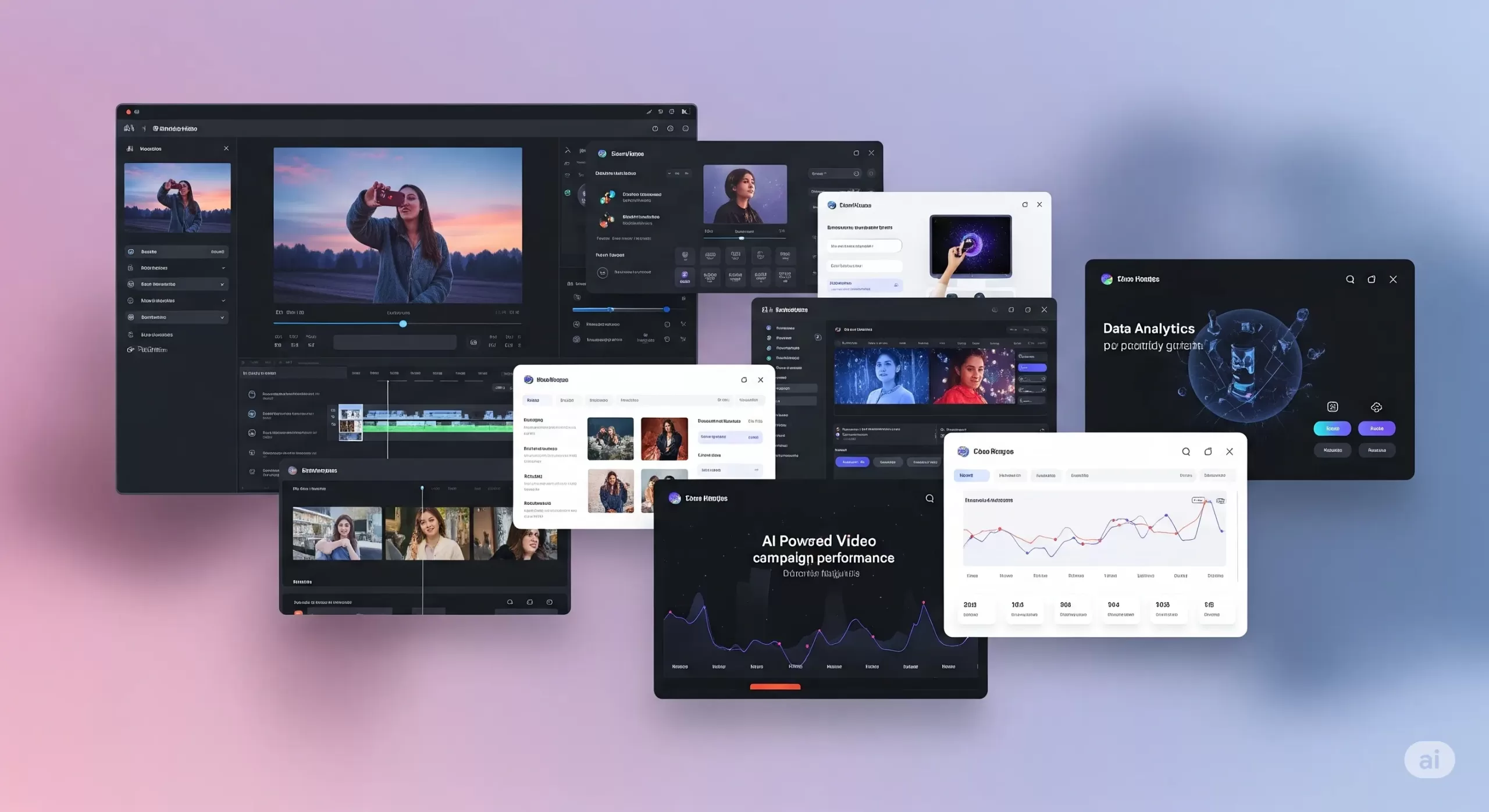
Integrating Google Veo 3 into ad campaigns makes a real difference. Video ads capture attention in ways static images cannot. With AI video ad tools, you can quickly create engaging clips without complex editing skills. These tools use advanced algorithms to generate smooth animations and dynamic visuals that feel professional.
How AI Video Helps Small Businesses Do More with Less
If you’re running a small business, you’re probably juggling ads, design, and content, and trying to stand out online. Traditional video production takes a lot—time, money, editing skills, and people. That’s why AI video marketing tools are changing the game.
With tools like Google Veo 3 integration, you can create short, high-quality videos without hiring a crew. You don’t need a camera. You don’t need actors. Just write a script or upload a few images, and the tool builds a video for you, complete with animation, voice, and background sound.
This helps you move faster. You can launch ads quickly and test more ideas without wasting time. Want to see which intro grabs attention? Or which version of your product video performs better? AI video ad tools let you create and compare variations in hours, not weeks.
Even better, these tools are built for small teams. The video quality looks polished. You can control the fonts, colors, and style, so everything feels on-brand. A small clothing brand can produce an Instagram reel that looks just as clean as a big-name fashion ad.
These AI-powered video marketing tools also give you an edge when it comes to performance. Video ads tend to get more clicks than static images. If your goal is leads or sales, this matters. The tools fit right into your performance-based marketing strategies. You can track views, clicks, or purchases, and only pay for the actions that matter.
Some tools even help make content safer. For example, Google filters content created with Veo to avoid misuse. That keeps your brand protected while still being creative.
In short, artificial intelligence video marketing tools help you create content that’s fast, consistent, and built to convert. They help small businesses compete without using up too much time or money.
Integrating Google Veo 3 into Google Ads Campaigns
A Beginner-Friendly Guide to Smarter Video Ads
Adding Google Veo 3 integration to your Google Ads campaign might sound complex, but it’s not. Whether you’re running your first ad or already experimenting with video, this guide breaks it down in simple terms.
Where Veo 3 Videos Can Show Up
You can use Veo 3’s AI-generated videos in three key Google ad formats:
-
YouTube In-Stream Ads (TrueView): These short videos play before or during other YouTube content. Viewers can skip after 5 seconds. Use this space for a 10–15 second clip that delivers your message fast.
-
Discovery Video Ads: These appear alongside YouTube search results and related videos. The video appears with a headline and thumbnail that invites clicks.
-
Display Network with Video: Instead of a static banner ad, your video can be shown across websites and apps that support video placements. Great for visibility across the web.
To add a Veo 3 video to your campaign:
-
Download your video as an MP4 from the Veo 3 dashboard.
-
Log in to Google Ads and create a new campaign.
-
Choose “Video” as the campaign type.
-
Select your goal, like “Website Conversions” or “Brand Awareness.”
-
Upload your video and follow the prompts.
No coding or special tools needed.
Google Ads Best Practices for Veo 3 Video
Want your video to perform well? Keep it simple and focused.
-
Grab attention early. Show your brand or message in the first 3–5 seconds.
-
Add a clear CTA. Text like “Shop Now” or “Learn More” should be on screen. Veo 3 lets you add these as text panels or end cards.
-
Use captions. Many viewers watch with the sound off. Add on-screen text to make your message clear.
Before launching, check these things:
-
Video resolution: at least 720p
-
Audio: Clear and not too loud
-
Text size: Easy to read on mobile
These small steps help with Google Ads campaign optimization.
Bidding and Targeting for AI Video Ads
When you run video ads, you need to set a budget and bidding method. Here are two common ones:
-
CPV (Cost per View): You pay only when someone watches 30 seconds or the full video.
-
CPA (Cost per Acquisition): You pay when someone takes a specific action, like signing up or making a purchase.
Targeting helps your video reach the right people:
-
Demographics: Age, gender, location.
-
In-market audiences: People actively shopping for products like yours.
-
Custom intent: You choose keywords your ideal customer might search.
If you notice that one group (say, women aged 25–34) is responding better, you can increase bids just for them. That’s how Google Ads optimization works—adjusting based on performance.
A/B Test Your Veo 3 Ads
Don’t guess. Test.
-
Create two versions of your Veo 3 video. One could have a voiceover, the other just text.
-
Run both at the same time with equal budget.
-
Compare these metrics:
-
View rate
-
Click-through rate (CTR)
-
Conversion rate
-
Pause the lower-performing ad and shift budget to the better one.
For more help, read our guide on the best Google Ads automation & optimization tools for 2025.
Track Performance Like a Pro
Once your ads run, check your metrics:
-
View Rate: How many people watched at least 30 seconds
-
CTR: How many clicked after seeing the video
-
Conversions: How many signed up, bought, or filled out a form
These numbers support performance ad strategies. If your goal is ROI, track cost vs. return. For example, if you spend $100 and make $500, your return is 5×.
Use these results to guide your next steps. Keep high-performing Veo 3 videos, and pause the rest. Over time, you’ll build a reliable library of content that works.
Enhancing Meta Ads with AI Video
How to Use Google Veo 3 Videos on Facebook and Instagram
Meta platforms like Facebook and Instagram are some of the best places to use short videos. People scroll fast, and a good video can get them to stop. If you’re already using Google Veo 3 integration, you can reuse those videos in your Meta campaigns for stronger engagement.
Where to Use Veo 3 Videos on Meta
There are several ways to place your videos across Meta platforms:
-
Feed Video Ads: These appear like regular posts in Facebook or Instagram feeds. A strong thumbnail and headline can increase views.
-
Stories and Reels: These are vertical, full-screen videos that appear in short-form formats. They work well on mobile devices and often get high reach.
-
Carousel Video Ads: Use this format to showcase different video clips. It’s useful when you want to display several products or steps in one campaign.
You can upload your AI-generated videos from Veo 3 directly into Meta’s Ads Manager.
Follow These Meta Advertising Best Practices
For better results, follow these proven tips based on Facebook and Instagram Ads best practices:
-
Use mobile-friendly formats. Square (1:1) or vertical (9:16) works best on phones.
-
Add captions. Many users watch videos on mute. On-screen text helps communicate your message clearly.
-
Catch attention early. The first three seconds matter most. Use movement, a bold headline, or your product right away.
-
Keep videos short. Meta recommends under 15 seconds for Stories and Reels.
These are simple ways to follow Meta advertising best practices and improve performance.
Test Video Performance With A/B Comparison
Not sure if video will work better than images? Test it.
-
Make two or more versions of your Veo 3 video. Change things like the voiceover, captions, or visuals.
-
Run them alongside a static image ad.
-
Check results. Look at click-through rate, video views, and conversions.
Keep the version that performs best. This is how many small businesses improve results using Meta ad strategies.
Smart Targeting for Better ROI
Meta has advanced targeting tools. Use them with your Veo 3 ads to reach the right people:
-
Interest targeting: Choose people interested in things like skincare, fitness, or tech.
-
Lookalike audiences: Find people similar to your current customers.
-
Custom audiences: Retarget users who visited your site or interacted with past posts.
You can also retarget people who watched your Veo 3 video but didn’t click. This is part of performance ad strategies. You only spend money on people who have already shown some interest.
Should You Use AI Video for Meta Ads?
Yes. Here’s why:
-
It helps your brand stand out in crowded social feeds.
-
It’s faster and cheaper than traditional video production.
-
It lets you test creative ideas quickly.
For a full comparison of ad platforms, read:
👉 The Truth About Google Ads vs Facebook Ads
Performance Marketing Strategies with AI Video
Simple Ways to Track Results and Improve Campaigns
If you’re spending money on ads, you should know exactly what you’re getting back. That’s what performance marketing strategies are all about. Instead of guessing, you track what works, fix what doesn’t, and keep improving. When you pair this with smart tools like Google Veo 3 integration, it’s easier to make better decisions, even on a small budget.
Focus on ROI, Not Just Views
It’s easy to chase likes or views. But for small businesses, the goal is usually action — a sale, signup, or message.
Here’s how to use ROI-driven marketing strategies:
-
Track conversions. How many people clicked your ad and did something useful, like buy a product or join your list?
-
Compare results. Did your Veo 3 video lead to more actions than a static ad?
-
Watch video completion. If people only watch a few seconds, try a different approach.
This shift from vanity metrics to real results is the core of performance-based marketing strategies.
Smarter Bidding to Save Time and Money
Ad platforms let you choose how to pay:
-
CPA (Cost Per Acquisition): You only pay when someone takes a specific action.
-
ROAS (Return on Ad Spend): You set a goal like “earn 3x what I spend.” The platform tries to meet that target.
Both work well when you track conversions. These are part of performance ad strategies that put results first.
Test, Learn, and Improve
The best thing about tools like Veo 3 is how quickly you can make new videos. If something isn’t working, update your creative and try again the same day.
Look at key data points like:
-
Click-through rate (CTR)
-
View duration
-
Cost per action
If one version performs better, shift more budget to it. Pause the others. That’s how you run smarter campaigns without spending more.
Stay Consistent Across Channels
If you’re using both Google and Meta ads, your messaging should match. Your audience should see the same tone, style, and offer wherever they go. This creates trust and helps guide people smoothly from ad to website.
Use Retargeting to Bring People Back
Sometimes a person watches your Veo 3 video but doesn’t take action. That’s normal. But you can bring them back.
Set up retargeting ads that show a second video, a new offer, or a reminder. You’re focusing on people who already showed interest. This often gives better results than starting from scratch.
Frequently Asked Questions
What is Google Veo 3 integration?
Google Veo 3 integration means using AI-generated videos from Google’s Veo 3 tool in your marketing campaigns. These videos are short, high-quality, and include natural sound and motion. Businesses can upload them to Google Ads or Meta Ads to make ads more engaging.
Can small businesses use Veo 3 without technical skills?
Yes. Veo 3 is designed to be simple. You upload a script or image, and the tool creates a ready-to-use video. Then, platforms like Google Ads or Meta Ads walk you through the steps to launch your ad. No advanced editing or coding is needed.
How do Veo 3 videos improve ad performance?
These videos often have higher click-through and view rates. That’s because they look professional and grab attention quickly. When paired with performance marketing strategies, they can lead to more conversions and better return on ad spend.
Where can I use Google Veo 3 videos?
You can use them in:
-
Google Ads (YouTube, Display, and Discovery ads)
-
Facebook and Instagram (Stories, Reels, Feed posts, and Carousels)
These videos work across platforms and devices.
Do I need a special plan to use Veo 3?
Yes. As of now, access to Veo 3 is included with Google’s AI Ultra plan under the Flow platform. It may change, so always check Google’s official documentation for current requirements.
Are these AI videos safe and brand-friendly?
Yes. Google Veo 3 includes filters to prevent inappropriate content. You can also control the visuals, tone, and message, ensuring everything aligns with your brand.
Can I test different Veo 3 video versions in ads?
Absolutely. A/B testing is easy with Veo 3. You can make multiple versions, change voiceovers, images, or calls to action, then track which version performs best using platform analytics.
How does this fit into a performance-based marketing strategy?
You only spend money when people take action, like watching a video or making a purchase. AI video tools like Veo 3 help you create better ads faster, test them quickly, and focus your budget on what works.
How do I connect Veo 3 videos to my website?
Use a landing page that supports video. Make sure it loads fast, looks good on mobile, and matches the message from your video ad. This helps improve user experience and increases conversions.
Conclusion and Next Steps
Google Veo 3 integration gives small businesses a way to create standout video ads without a big budget or team. These AI-powered videos are short, polished, and optimized for platforms like Google and Meta.
What matters most is performance. With the right strategy, AI video tools can increase engagement, reduce production time, and boost conversions. You get more from your ad spend, and you can track every step.
Even Google confirms that video-first strategies drive higher engagement and ROI, especially when paired with strong visuals and relevant targeting.
Source: Google Ads Help – Video Campaign Best Practices
If you’re ready to try this approach, start small. Test one Veo 3 video. Track your results. Build from there.
And if you need help?
Les Creatifs Studio can support you with AI video ads, Google Veo 3 setup, and campaign optimization.
Let’s make your ads work harder — without overcomplicating them.
The post Boost Your Ad Results With Google Veo 3 Integration appeared first on Best Media Agency.
]]>