Google Ads and Facebook Ads serve different purposes yet complement each other in many ways. Google Ads focuses on capturing intent—connecting you with users actively searching for solutions. It’s a tool for meeting immediate needs, making it invaluable for businesses targeting users searching for “urgent care near me” or “homes for sale in Miami.” On the other hand, Facebook Ads excels at creating demand by introducing your brand to audiences who may not yet realize they need your services. For instance, a coach can reach individuals interested in self-improvement, while a boutique hotel can entice travelers with stunning carousel ads showcasing its amenities.
This article delves deep into the unique benefits of Google Ads and Facebook Ads, providing actionable insights to help you understand how to make informed decisions. Whether you’re looking to build awareness, drive conversions, or maximize ROI, this guide will equip you with the knowledge needed to leverage these platforms effectively. Let’s get started.
The Growing Need for Online Advertising
In today’s digital-first world, online advertising is no longer optional—it’s a necessity. Businesses of all sizes are leveraging platforms like Google Ads and Facebook Ads to connect with their audiences, drive engagement, and achieve measurable results. But with the options available, knowing where to allocate your budget can be challenging. Each platform has unique strengths and caters to specific goals, which is why understanding their differences is key to success.
Why Online Advertising Matters
Online advertising allows businesses to target customers more effectively than traditional methods ever could. For instance:
- Precision Targeting: Ads can be tailored to specific demographics, behaviors, and locations.
- Cost Efficiency: With options like pay-per-click (PPC) or cost-per-thousand-impressions (CPM), businesses can control their ad spend and focus on results.
- Real-Time Insights: Platforms like Google and Facebook provide robust analytics, helping advertisers refine campaigns for better ROI.
Meeting Customer Expectations
Today’s consumers expect businesses to have an online presence. They rely on search engines and social platforms for recommendations, reviews, and solutions to their problems. By leveraging Google Ads, businesses can meet high-intent users actively searching for answers. Simultaneously, Facebook Ads help brands build relationships and introduce their offerings in a visually engaging way.
The Bottom Line
As competition intensifies, the ability to advertise online effectively can make or break a business. Google Ads and Facebook Ads aren’t just tools—they’re essential components of a winning digital strategy. Whether you aim to boost brand awareness or drive immediate sales, understanding these platforms’ unique benefits is the first step toward sustained growth.
Google Ads vs Facebook Ads: Comparing Key Features
When evaluating Facebook vs Google Ads, understanding their core features is essential to selecting the right platform for your business. Here’s a deep dive into their capabilities:
1. Targeting Capabilities
- Google Ads: Google Ads excels in intent-driven targeting. Users actively searching for specific products or services trigger ads based on keywords. For instance, a healthcare provider can target terms like “physical therapy near me,” while a real estate agent might focus on “luxury homes for sale.” Google also offers geo-targeting, device-based targeting, and time scheduling to refine campaigns further.
- Facebook Ads: Facebook leverages its vast database of user demographics, interests, and behaviors. It allows advertisers to target users based on age, location, interests, job titles, and even life events. A boutique hotel, for example, could target newly engaged couples planning their honeymoon, while a coach could reach individuals interested in leadership development.
Pro Tip: Use Google Ads for high-intent users and Facebook Ads for broad awareness and retargeting.
2. Ad Formats
- Google Ads:
- Search Ads: Text ads displayed at the top of search engine results pages (SERPs) triggered by keywords.
- Display Ads: Visual banners appearing on Google’s network of websites, ideal for building brand awareness.
- Shopping Ads: Product ads that include images, prices, and reviews, perfect for e-commerce.
- Facebook Ads:
- Image Ads: A single photo with compelling text.
- Video Ads: Short, engaging videos that tell your brand story.
- Carousel Ads: Showcase multiple products or features in one ad, allowing users to swipe through.
- Story Ads: Full-screen vertical ads optimized for mobile devices.
3. Cost Structures
- Google Ads: Operates on a pay-per-click (PPC) model, where advertisers are charged only when someone clicks on their ad. Costs vary based on keyword competition. For example:
- Keywords like “urgent care” or “buy homes in LA” can cost $5-$50 per click.
- Long-tail keywords may reduce costs while targeting niche audiences effectively.
For a detailed breakdown of Google Ads pricing trends, check out DesignRush.
- Facebook Ads: Works on a cost-per-thousand-impressions (CPM) model. Advertisers pay based on how often their ads are shown, regardless of clicks. Typical CPM rates range from $5 to $15, making Facebook Ads cost-effective for generating awareness.
4. Audience Reach
- Google Ads: Google captures high-intent users actively searching for solutions, making it an excellent tool for immediate conversions.
- Facebook Ads: Facebook targets passive audiences, leveraging its algorithm to introduce your brand to users likely to engage based on their activity and interests.
5. ROI Potential
Both platforms can deliver significant ROI when used correctly:
- Google Ads: Best for driving direct sales or leads from users ready to take action.
- Facebook Ads: Ideal for long-term engagement, building trust, and nurturing relationships.
Integrating Both Platforms for Maximum Impact
Combining Facebook Ads and Google Ads in your strategy can create a seamless marketing funnel. For example:
- Use Google Ads to capture search-driven leads at the top of the funnel.
- Retarget these users with Facebook Ads, showcasing testimonials or limited-time offers to drive conversions.
By understanding the strengths of both platforms, businesses can maximize their reach, engagement, and revenue.
Industry-Specific Strategies for Google Ads and Facebook Ads
When considering Google Ads vs Facebook Ads, tailoring strategies to your industry can make all the difference. Let’s explore how each platform can be utilized effectively across different sectors:
1. Healthcare
- Google Ads:
- Use keywords like “pediatric care near me” or “healthcare services for seniors.”
- Leverage call-only ads to connect potential patients directly with your facility.
- Include ad extensions such as sitelinks to direct users to services like urgent care or telemedicine appointments.
- Run display ads on health-related websites to build brand recognition.
- Facebook Ads:
- Create video ads showcasing patient success stories or new healthcare services.
- Target audiences based on behaviors like recent searches for health-related topics or fitness.
- Use carousel ads to highlight multiple services, such as wellness programs, vaccination drives, or diagnostic tests.
- Leverage Facebook’s “Lookalike Audiences” to find users similar to your current patient base.
2. Hospitality
- Google Ads:
- Bid on location-specific keywords like “luxury resorts in Bali” or “beachfront hotels near me.”
- Use dynamic search ads to automatically promote updated availability and pricing.
- Add call extensions for instant inquiries about room availability or amenities.
- Utilize remarketing lists for search ads (RLSA) to target past website visitors with personalized offers.
- Facebook Ads:
- Showcase amenities through carousel ads, such as spa treatments, rooftop pools, or fine dining options.
- Retarget users who browsed your booking page but didn’t complete the reservation with exclusive discount offers.
- Use immersive video ads featuring virtual tours of your property or testimonials from satisfied guests.
- Promote events or packages, like honeymoon specials or weekend getaways, to niche audiences.
3. Coaching (Life, Career, Personal)
- Google Ads:
- Target high-intent keywords like “business growth coaching” or “professional development programs near me.”
- Use responsive search ads with multiple headlines that emphasize benefits such as “increased productivity” or “career advancement.”
- Include call extensions to make it easier for potential clients to schedule consultations.
- Facebook Ads:
- Share client testimonials and success stories in video ads to build trust and credibility.
- Create lead generation ads offering free resources, such as eBooks or webinars, to attract new clients.
- Use targeted ads to reach audiences based on their interests in self-improvement, business growth, or personal development.
- Retarget users who engaged with your content but haven’t signed up for your services.
4. Real Estate
- Google Ads:
- Bid on keywords like “homes for sale in [location]” or “real estate agents near me.”
- Use Showcase Ads to present multiple property listings in a single ad.
- Employ geo-targeting to focus on users actively searching for homes in specific neighborhoods.
- Incorporate extensions to provide quick links to contact forms, virtual tours, or agent profiles.
- Facebook Ads:
- Run dynamic ads tailored to individual property preferences, showcasing homes users previously viewed.
- Use carousel ads to highlight various properties within a target area, including price and key features.
- Share success stories from buyers or sellers to build trust and demonstrate expertise.
- Target audiences based on life events, such as recently engaged couples or growing families, who may be in the market for a new home.
By aligning the strengths of Google Ads and Facebook Ads with the specific needs of your industry, you can create highly effective campaigns that drive meaningful results. Tailored strategies ensure that you not only reach your target audience but also convert them into loyal customers or clients.
The Power of Integration
Integrating Google Ads and Facebook Ads amplifies your advertising impact. For instance, use Google Ads to drive traffic to your website and Facebook Ads to retarget those visitors with tailored messages. By combining both platforms, businesses can create a robust funnel that captures attention, drives conversions, and fosters long-term relationships.
Common Misconceptions About Google Ads vs Facebook Ads
When evaluating Google Ads vs Facebook Ads, businesses often encounter misconceptions that can hinder effective decision-making. Addressing these myths can help create a clearer picture of the platforms’ strengths and how they complement each other.
1. Are Facebook Ads Too Expensive?
Many assume that Facebook Ads are costly and only suitable for big brands due to the perceived need for high budgets to achieve meaningful results. This misconception stems from comparisons to traditional advertising, where significant spending often correlates with greater impact. However, Facebook Ads offer unparalleled flexibility in budgeting, allowing campaigns to start as low as $5 per day. When compared to platforms like LinkedIn, which often have higher costs per click (CPC) and limited reach for smaller budgets, Facebook proves to be a cost-effective choice. Regular optimization of ad targeting, creative elements, and audience segmentation further ensures that even minimal budgets can yield high ROI.
2. Does Facebook Marketplace Ad Show in Google Organic Search?
Another common question is whether Facebook Marketplace ads appear in Google search results. The short answer is no. Facebook Marketplace operates as a closed ecosystem, meaning its ads are not indexed by Google. However, businesses can enhance visibility by linking their Marketplace listings to an SEO-optimized website. This strategy allows listings to benefit indirectly from Google’s organic search traffic.
3. Is It Worth It to Advertise on Facebook?
Absolutely. Facebook Ads are particularly effective for building brand awareness, fostering engagement, and creating customer relationships. For example, an independent fitness coach used Facebook Ads to reach a niche audience interested in wellness and personal growth. By running video ads that shared real-life client transformation stories, the coach gained significant traction. These ads were followed by retargeting campaigns offering free consultation slots to users who interacted with the initial videos. This strategy resulted in a 30% increase in client inquiries within a month, showcasing the power of storytelling and personalized follow-ups on Facebook.
4. Are Facebook Ads Limited by Privacy Regulations?
With recent updates like Apple’s iOS privacy changes, businesses may worry about the effectiveness of Facebook Ads. While these changes impact data tracking, Facebook has introduced tools such as the Conversions API to help advertisers track user activity more accurately. The Conversions API works by enabling businesses to send data directly from their servers to Facebook, bypassing browser limitations and mitigating the impact of tracking restrictions. For example, when a user completes a purchase or fills out a form on your website, the Conversions API ensures this data is securely sent to Facebook for campaign optimization. By aligning your first-party data with Facebook’s machine learning, advertisers can maintain accurate tracking and improve ad performance despite evolving privacy regulations.
5. Are Google Ads Better for Immediate Conversions?
It’s often believed that Google Ads outperform Facebook Ads for immediate sales. While Google Ads excel at capturing high-intent searches, Facebook’s retargeting capabilities can nurture leads over time, driving conversions in longer sales cycles. Combining both platforms allows businesses to capture intent-driven leads and re-engage them with compelling Facebook Ads. For instance, a boutique hotel ran a Google Ads campaign targeting search terms like “luxury hotels in Bali” and used Display Ads to attract travelers actively searching for vacation options. Simultaneously, the hotel utilized Facebook retargeting ads to showcase their amenities, such as spa treatments and rooftop pools, to users who clicked on their Google Ads but didn’t book. This dual-platform strategy not only increased website traffic by 40% but also led to a 25% boost in direct bookings within two months.
By dispelling these misconceptions and leveraging each platform’s unique strengths, businesses can create a balanced and effective digital advertising strategy.
For tips on crafting engaging headlines that improve ad performance, explore this guide: Write Headlines That Captivate in Just 8 Seconds. By dispelling these misconceptions, businesses can better understand the true potential of Facebook Ads and how they complement Google Ads in a robust digital strategy.
Case Study: Leveraging Facebook Ads and Google Ads for Hotels to Drive Bookings
Hospitality businesses are uniquely positioned to benefit from Google Hotel Ads, a specialized platform tailored to enhance visibility and bookings for hotels. By targeting high-intent travelers actively searching for accommodations, Google Hotel Ads ensures your property stands out when it matters most.
The Strategy in Action
A boutique hotel in New York utilized Google Hotel Ads to attract international tourists searching for “luxury resorts in New York.” By bidding on high-intent keywords like “beachfront hotels in NYC,” the hotel ensured its listings appeared prominently on Google’s search results and Maps. They also leveraged features like price filters and photos to engage potential guests.
Simultaneously, the hotel used Facebook Ads to retarget users who had visited their booking page but hadn’t completed a reservation. Using carousel ads showcasing amenities like a rooftop pool and gourmet dining, they drove repeat engagement.
The Results
The combined approach led to a 35% increase in direct bookings within three months. Google Hotel Ads captured users in the research phase, while Facebook Ads nurtured leads to finalize their bookings. This dual strategy highlights the power of combining platforms for maximum ROI.
Key Takeaway
For hotels and other hospitality businesses, integrating Google Ads for hotels with Facebook retargeting ads creates a comprehensive funnel. This approach captures intent-driven searches and nurtures potential guests, driving engagement and bookings effectively.
The Future of Google Ads and Facebook Ads in 2025
As we look ahead to 2025, the digital advertising landscape continues to evolve, with both platforms introducing innovations to stay competitive and relevant.
Trends in Google Ads
- AI and Automation: Google Ads is leaning heavily on AI-driven solutions like Performance Max campaigns, which automate bidding, targeting, and ad placements to optimize performance. These advancements help advertisers focus more on strategy and less on manual campaign management.
- Voice Search Optimization: With the rise of smart speakers and voice assistants, businesses should optimize their ads for natural language queries. This trend ensures better engagement with users searching via voice.
- Visual Search Integration: Google is exploring ways to integrate visual search into its advertising ecosystem, allowing users to shop or learn more about products simply by taking a photo.
Trends in Facebook Ads
- Enhanced Interactive Content: Expect Facebook Ads to offer more immersive ad formats, such as augmented reality (AR) and virtual reality (VR) experiences. These formats will provide brands with creative ways to engage users.
- First-Party Data: With increasing privacy regulations, advertisers will rely more on first-party data collected directly from customers. Facebook’s Conversions API and other tools will help businesses bridge data gaps effectively.
- Shopping Integration: Facebook and Instagram are becoming go-to platforms for social commerce. Features like in-app shopping and shoppable posts will continue to drive purchases directly from ads.
How to Stay Ahead
To stay competitive, advertisers need to adapt quickly to these trends. Whether it’s by leveraging AI tools in Google Ads or crafting interactive experiences on Facebook, staying informed is key.
For expert guidance on maximizing ROI with these platforms, check out Aishwarya Pillai: Certified Google Ads Expert. With years of experience, Aishwarya provides actionable strategies tailored to your business goals.
Conclusion
Both Google Ads and Facebook Ads offer distinct strengths, making them valuable assets in any digital marketing strategy.
Recap of Google Ads
Google Ads excels at capturing high-intent users who are actively searching for products or services. Its ability to connect businesses with audiences at the exact moment they need a solution makes it an essential tool for industries like healthcare, where immediacy is key, and real estate, where buyers actively search for listings.
Highlighting Facebook Ads
On the other hand, Facebook Ads thrive in building brand awareness and engaging users through visually compelling content. Its robust targeting capabilities allow businesses in industries like hospitality and coaching to create demand, foster connections, and build trust with potential customers.
Recommendation: A Combined Approach
A combined strategy leveraging both platforms can yield remarkable results. For example, using Google Ads to capture search-driven leads and Facebook Ads to retarget those users or nurture them further down the sales funnel is a highly effective method. This approach is particularly impactful for businesses in healthcare, hospitality, coaching, and real estate, where both intent and relationship-building play critical roles in conversions.
Start crafting your advertising strategy today by understanding the unique benefits of each platform and integrating them into a cohesive plan. To explore advanced strategies and expert tips, check out this resource from HubSpot: How to Create a Marketing Strategy. Combining insight with action will help you unlock new growth opportunities and thrive in the digital landscape.
The post The Truth About Google Ads vs Facebook Ads: What No One Tells You appeared first on Best Media Agency.
]]>Google Ads is a powerful platform for reaching potential customers, but its strict policies around marijuana-related content pose unique challenges. While medical marijuana is legal in many areas, including PA, Google prohibits ads promoting cannabis products or using terms like “cannabis,” “marijuana,” or “hemp.” These restrictions often leave businesses in the medical marijuana space wondering how to effectively advertise without violating guidelines.
For businesses offering medical marijuana card services in PA, the stakes are high. Violating Google’s policies can lead to ad account suspension, cutting off a vital source of leads and hindering business growth. However, with a clear understanding of Google Ads cannabis restrictions, you can avoid costly mistakes and run compliant campaigns.
In this article, we’ll break down Google’s latest guidelines, highlight common mistakes to avoid, and provide strategies to promote your medical marijuana card services in PA effectively. Let’s dive in and explore how to navigate the complexities of advertising in this industry while staying within Google’s rules.
Understanding Google Ads Policies for Medical Marijuana Card in PA
Google Ads Restrictions for the Cannabis Industry Explained
Google Ads is one of the most effective tools for reaching a wide audience, but it comes with strict rules when it comes to cannabis advertising. Despite medical marijuana being legal in Pennsylvania, businesses promoting a medical marijuana card in PA face significant challenges. Google’s policies prohibit ads that mention marijuana, cannabis, or related terms directly. This means businesses must carefully craft their ads to comply with these Google Ads cannabis restrictions while still attracting the right audience.
For example, using keywords like “marijuana card” or “cannabis certification” in your ad copy or landing page could result in your ad being disapproved. Instead, businesses need to focus on compliant terms, such as “medical card” or “MMJ card,” while ensuring that their content aligns with Google’s rules.
Why Google Ads Cannabis Restrictions Are Critical for Compliance
Understanding and adhering to Google Ads cannabis restrictions is crucial to avoiding penalties. When businesses violate these policies, their accounts risk suspension, which can disrupt marketing efforts and result in significant financial losses. For those promoting a medical marijuana card in PA, compliance not only protects your ad account but also builds trust with Google and your target audience.
Additionally, non-compliance can lead to wasted ad spend. Ads that are flagged or disapproved will never reach your intended audience, reducing your campaign’s effectiveness. By aligning with Google’s policies, businesses can run a successful ad campaign while avoiding unnecessary risks.
State-by-State Variations: How Pennsylvania Affects Cannabis Advertising
While Google applies its cannabis advertising rules globally, local laws also play a significant role. Pennsylvania, for example, has specific guidelines for promoting medical marijuana. Businesses must ensure their ads comply with both Google’s policies and Pennsylvania’s legal framework for medical marijuana card promotions.
This dual compliance can be tricky. For instance, Pennsylvania allows medical marijuana for certain conditions, but Google’s restrictions still prevent direct mentions of marijuana. Instead, advertisers need to focus on promoting the application process, eligibility, and certification without directly referencing marijuana. By tailoring your ads to Pennsylvania’s laws and Google’s policies, you can create campaigns that resonate with local audiences while staying compliant.
Challenges for Businesses Offering Medical Marijuana Card in PA
Advertising a medical marijuana card in PA on Google comes with unique challenges. Businesses cannot use straightforward terms like “cannabis” or “marijuana” due to Google Ads cannabis restrictions. Instead, they must rely on creative alternatives such as “medical card” or “MMJ card” to convey their message.
Another challenge is crafting compliant landing pages. Google closely monitors the content of websites linked to ads, so your landing page must avoid banned terms while providing clear, accurate information about your services. Transparency about the legal process, eligibility requirements, and application steps is key to building credibility with both Google and your audience.
Finally, location targeting is vital. Pennsylvania-based businesses need to ensure their ads are shown to the right audience—local residents who are eligible for medical marijuana. Using digital marketing strategies, like geo-targeting and audience segmentation, can help you reach potential customers without violating Google’s policies.
Common Mistakes That Lead to Google Ads Account Suspension

Advertising your marijuana medical card business on Google Ads can feel like walking a tightrope. One small mistake might get your ads rejected—or, even worse, your account suspended. Let’s break down the common mistakes that businesses make and how you can avoid them.
What Google Allows—and What It Doesn’t
First, it’s crucial to understand Google’s approach to marijuana-related advertising. While they do allow certain ads related to hemp-derived CBD products, these must meet strict criteria. For example:
✅ What’s Allowed:
- Ads for hemp-derived CBD products containing THC levels of 0.3% or less, such as creams, sprays, and lotions.
- Promotions for services like helping people apply for a medical marijuana card in PA, provided they comply with Google Ads policies.
However, Google is firm in restricting many cannabis-related ads:
🚫 What’s Not Allowed:
- Ads promoting marijuana or THC-containing products, even if for medical purposes.
- Ads for items that facilitate recreational drug use, such as pipes, bongs, or rolling papers.
- Ads offering instructional content on producing or using recreational drugs.
It’s important to note that these restrictions apply globally and aren’t influenced by state-level marijuana legality. Google adheres to federal and global regulations, so even in Pennsylvania, where medical marijuana is legal, businesses must carefully navigate these rules.
For more details, you can review Google’s official advertising policies.
Risks of Violating Google Ads Cannabis Restrictions
Failing to comply with Google’s rules can have serious consequences. Ads that don’t align with Google Ads cannabis restrictions are quickly disapproved, and repeated violations may lead to account suspension. For businesses relying on paid search or pay-per-click campaigns, losing access to Google Ads can significantly impact revenue and growth.
Additionally, account suspensions are often time-consuming to resolve and can harm your business’s reputation. The wasted budget on non-compliant campaigns is another risk that can easily be avoided with proper planning and adherence to the rules.
How to Apply for Certification for CBD or Cannabinoid Ads
For businesses offering CBD or cannabinoid-related services, Google provides a certification program that allows limited advertising. While this program doesn’t cover ads for marijuana itself, it may be applicable for promoting related products like topical CBD or hemp-derived goods.
The process involves submitting an application and providing documentation to prove compliance with both local laws and Google’s requirements. You can learn more about the CBD certification process directly from Google by visiting their policy page on CBD Ads.
Frequent Errors in Medical Marijuana Card Advertising
Some of the most common mistakes businesses make include:
- Using restricted terms: Phrases like “cannabis,” “weed,” “hemp,” or “marijuana” in ad copy or landing pages often result in disapproval.
- Non-compliant landing pages: Ads linking to websites that promote cannabis products or use banned keywords are flagged by Google.
- Neglecting policy updates: Google frequently updates its policies, and failing to stay informed can lead to unintentional violations.
- Improper targeting: Ads targeting regions where medical marijuana isn’t legal can also cause issues.
Staying Compliant with Google’s Cannabis Advertising Policies
To avoid these pitfalls, consider the following tips:
- Focus on approved terms: Use phrases like “medical card” or “MMJ card” instead of restricted terms.
- Review Google’s policies regularly: Policies for cannabis Google Ads evolve over time, so it’s essential to stay updated.
- Hire experts for guidance: Working with experienced cannabis Google Ads consultants can save time and ensure compliance.
By following these best practices, you can confidently run Google Ads campaigns for your medical marijuana card in PA without risking disapproval or account suspension.
Effective Marketing Strategies for Medical Marijuana Card in PA
It’s important to follow Google’s stringent advertising guidelines if you want your marijuana medical card firm to run a successful Google Ads campaign. Despite their seeming limitations, these rules are doable with the correct strategy. Here are some crucial advertising guidelines to assist you efficiently market your services while remaining in compliance.
Advanced Keyword Tactics: Focus on Keywords like “Medical Card” or “MMJ Card”
Using the right keywords is crucial for creating a compliant and effective Google Ads campaign. Since terms like “marijuana” and “cannabis” are restricted, focus on alternatives such as “medical card,” “MMJ card,” or “apply for certification.” These compliant terms can help your ads reach the right audience without violating Google Ads cannabis restrictions.
Long-tail keywords like “how to get a medical card in PA” or “eligibility for medical card in Pennsylvania” can also be valuable. These phrases target users searching for specific information, increasing the likelihood of attracting high-intent traffic to your ads.
Location Targeting for Pennsylvania
For businesses offering a medical marijuana card in PA, location targeting is essential. Use geo-targeting tools in Google Ads to focus on Pennsylvania residents, ensuring your ads are shown only to relevant audiences.
Additionally, tailor your ad copy to highlight Pennsylvania-specific details. For example:
- Compliant Example: “Need a medical card in Pennsylvania? Check eligibility today!”
- Non-Compliant Example: “Get your marijuana card fast in PA!”
This approach increases relevance and reduces the risk of violating Google’s policies.
Provide Clear Legal Information
Your landing page must clearly outline the legal requirements for obtaining a medical marijuana card in PA. This includes detailing who qualifies, what documents are needed, and how the process works. Adding disclaimers where necessary ensures you comply with both state and federal laws.
Transparency is critical. Clearly communicate any fees, timelines, or necessary steps for users to apply for certification. This builds trust with your audience and avoids confusion about your services.
Crafting Compliant and Creative Ad Copy
Creating compelling ad copy while adhering to Google Ads cannabis restrictions can be challenging but achievable. Avoid restricted terms and focus on user-friendly language. For instance:
- Highlight benefits such as “quick application process” or “certification assistance.”
- Use clear, concise calls-to-action like “Apply for a medical card today” or “Check eligibility now.”
Transparency is key. Include any legal disclaimers or eligibility information directly in the ad copy or on the landing page to build trust and comply with regulations.
Use Creative and Compliant Language
Even with Google’s restrictions, you can still craft engaging ad copy that complies with their policies. Highlight the medical and legal benefits of your services using terms like:
- “Legal medical card access.”
- “Certified medical card provider.”
- “Easy application for a qualified health service.”
Avoid using prohibited terms like “cannabis” or “weed” in both your ads and landing pages. Instead, focus on the professional and compliant aspects of your business to attract clients.
Leveraging Paid Search and Digital Marketing
A successful paid search strategy integrates Google Ads with broader digital marketing efforts. For example, pairing a pay-per-click campaign with an organic content strategy ensures consistent visibility.
Regularly monitor your campaign performance using tools like Google Ads Manager. Optimize for metrics like click-through rate (CTR), cost-per-click (CPC), and conversion rates to maximize your return on investment (ROI).
Optimizing Landing Pages for Compliance
Your landing page is just as important as your ads. Google places a strong emphasis on transparency, meaning your page must provide clear and honest information about obtaining a medical card in PA. Misleading or exaggerated claims can lead to ad disapproval, or worse, account suspension.
Ensure your landing page is accurate and user-friendly. Clearly outline the steps users need to follow to apply for a medical card in Pennsylvania, including eligibility requirements and legal guidelines. For businesses targeting multiple regions, it’s essential to include specific legal requirements for each state to avoid compliance issues.
Key elements to include on your landing page:
- Eligibility Requirements: Outline who qualifies for a medical card in PA and under what conditions.
- Application Steps: Provide a simple, step-by-step guide for users to follow.
- Transparency: Use compliant language and avoid overpromising results, which can be flagged by Google.
If you need expert guidance in creating a high-performing, compliant landing page or website, check out The Ultimate Guide to Choosing the Right Website Design Agency. This resource can help you find the right partner to design a page that meets both user expectations and Google Ads requirements.
By focusing on transparency and accuracy, you can build trust with both your audience and Google, reducing the likelihood of ad disapprovals and maximizing your campaign’s performance.
Leveraging Expertise: Cannabis Google Ads Consultants
The Importance of Expert Guidance
Advertising in the cannabis industry comes with unique challenges, especially under Google Ads cannabis restrictions. Navigating these policies on your own can be risky and time-consuming. Even minor missteps—like using restricted terms or linking to a non-compliant landing page—can result in ad disapprovals or account suspension.
Consulting with experts who specialize in cannabis advertising ensures your campaigns are not only compliant but also optimized to connect with the right audience. These professionals understand the complexities of Google’s policies and know how to craft strategies that deliver results while adhering to all regulations.
How Cannabis Google Ads Consultants Can Help
Cannabis Google Ads consultants are skilled at designing effective, compliant ad campaigns tailored to businesses like yours. Here’s how they can help:
- Keyword Optimization: They choose compliant terms such as “medical card” or “apply for certification” while avoiding restricted words like “marijuana” or “weed.”
- Targeting Strategies: Using tools like geo-targeting and audience segmentation, they ensure your ads reach Pennsylvania residents seeking a medical marijuana card in PA.
- Policy Adherence: Consultants ensure every element of your campaign, from ad copy to landing pages, complies with Google Ads cannabis restrictions.
- Performance Monitoring: They regularly analyze metrics like click-through rates (CTR) and conversions to fine-tune campaigns for optimal results.
With their expertise, consultants can turn policy limitations into opportunities, crafting creative ways to promote your services while staying compliant.
Key Benefits of Hiring a Consultant
Working with a cannabis Google Ads consultant offers several advantages:
- Time and Cost Savings: Avoid wasting resources on trial-and-error campaigns. Consultants have the experience to design strategies that work.
- Maximized ROI: Their expertise ensures you get the most out of your pay-per-click (PPC) and digital marketing campaigns.
- Risk Mitigation: They help you avoid ad disapprovals or account suspensions by ensuring full compliance with Google’s policies.
- Scalability: As your business grows, consultants can help scale your campaigns to reach larger audiences.
For an example of an expert with a proven track record in creating high-performing ad campaigns, check out Aishwarya Pillai – Google Ads Expert. Her expertise in crafting strategies for complex industries can make a significant difference in achieving your advertising goals.
What to Look for in a Consultant
When selecting a consultant, consider the following:
- Certifications: Ensure they are certified in Google Ads and have experience in the cannabis industry.
- Proven Results: Look for case studies or references that showcase their success in cannabis advertising.
- Transparency: Choose someone who can clearly explain their strategies and share regular updates on your campaigns.
- Adaptability: Ensure they stay informed on evolving Google Ads policies and can adjust campaigns as needed.
When to Consider Hiring a Cannabis Google Ads Consultant
You might benefit from hiring a consultant if:
- Your campaigns are underperforming despite your best efforts.
- You’ve experienced ad disapprovals or difficulty adhering to Google Ads cannabis restrictions.
- You’re looking to scale your business and need expert advice for growth.
- You lack the time or expertise to manage complex advertising campaigns effectively.
Investing in a cannabis Google Ads consultant can be a game-changer for your business. With the right guidance, you can navigate restrictions, reach your target audience, and maximize your ad campaign’s performance.
How to Safeguard Your Google Ads Account
It takes more than simply knowing the guidelines to run a successful Google Ads campaign for your marijuana medical card business; you also need to remain ahead of the competition and safeguard your account. One mistake could lead to your advertising being rejected or, worse, your account being suspended due to Google’s stringent restrictions. But don’t worry; with a little care and attention, you can keep your account safe while maximizing your ad performance. Here’s how:
Staying Updated with Google’s Advertising Policies
Google’s advertising policies, particularly those related to the cannabis industry, are continually evolving. Staying updated on these changes is essential to keeping your campaigns compliant. For instance, a recent update might allow certain ads for CBD products, but restrictions on terms like “marijuana” or “cannabis” remain firmly in place.
Monitoring changes in marijuana laws at both state and federal levels is equally important, especially if you’re targeting Pennsylvania residents seeking a medical marijuana card in PA. Since Google adheres to federal regulations, understanding how these intersect with state laws helps you align your campaigns accordingly.
How to Stay Updated:
- Regularly check Google’s advertising policy page.
- Subscribe to industry newsletters and blogs that report on cannabis-related advertising updates.
- Consider working with a cannabis Google Ads consultant who stays ahead of policy changes and can adjust your campaigns proactively.
Being proactive ensures your campaigns stay compliant and avoids unnecessary disruptions caused by policy updates.
Building an Effective Ad Review Process
Before launching any campaign, a robust ad review process is critical to ensure compliance with Google Ads cannabis restrictions. This process helps you identify and fix potential issues before they lead to disapprovals or suspensions.
Steps to Build a Reliable Review Process:
- Keyword Check:
- Verify that all keywords comply with Google’s policies. Avoid restricted terms like “marijuana,” “weed,” or “cannabis” and instead use compliant phrases like “medical card” or “MMJ card.”
- Ad Copy Review:
- Ensure your ads avoid exaggerated claims and focus on transparency. For example:
- Compliant: “Apply for a medical card in Pennsylvania quickly and legally.”
- Non-Compliant: “Get your marijuana card fast with no paperwork!”
- Ensure your ads avoid exaggerated claims and focus on transparency. For example:
- Landing Page Audit:
- Confirm your landing page includes accurate, transparent information about eligibility and application processes. Ensure it avoids restricted terms while providing clear legal disclaimers.
- Final Approval:
- Use tools like Google Ads Manager to preview and validate your campaigns before they go live.
By following these steps, you reduce the chances of non-compliance and improve the overall success of your campaigns.
Utilizing Google’s Compliance Resources and Tools
Google provides several resources to help advertisers maintain compliance and optimize campaigns. Leveraging these tools ensures your campaigns adhere to Google Ads cannabis restrictions while maximizing performance.
Key Resources to Use:
- Policy Documentation: Regularly review Google’s official guidelines to stay informed about what is and isn’t allowed.
- Account Notifications: Pay attention to warning messages or disapproval notices in your Google Ads dashboard. These can provide valuable insights into potential issues with your campaigns.
- Keyword Planner: This tool helps you discover compliant keywords and avoid restricted terms. For example, it can suggest alternatives like “medical card services” instead of prohibited terms like “marijuana certification.”
Using these resources not only ensures compliance but also gives you a clearer understanding of how to craft campaigns that resonate with your audience.
Monitoring Campaign Performance
Once your campaigns are live, regular monitoring is essential to maintain performance and compliance. Tracking key metrics allows you to identify underperforming elements and make necessary adjustments.
Key Metrics to Monitor:
- CTR (Click-Through Rate): Low CTR may indicate that your ad copy isn’t compelling or relevant to your audience.
- CPC (Cost-Per-Click): High CPC could mean your targeting needs refinement or your keywords are too competitive.
- Conversion Rates: Evaluate whether your ads are driving users to take the desired actions, such as applying for a medical marijuana card in PA.
How to Optimize Performance:
- Test different ad variations to see which resonates best with your audience.
- Use A/B testing to refine ad copy and landing pages.
- Regularly audit campaigns to identify and fix any non-compliant elements.
Monitoring your campaigns ensures they remain effective while reducing the risk of violations.
Avoiding Account Suspensions
Account suspensions can significantly impact your advertising efforts, but they’re avoidable with proactive measures. Google suspends accounts that repeatedly violate policies, so taking steps to ensure compliance is crucial.
How to Prevent Suspensions:
- Be Transparent: Clearly communicate your services in your ad copy and on landing pages. Misleading or exaggerated claims can lead to immediate disapproval.
- Avoid Restricted Keywords: Ensure no banned terms like “marijuana” or “cannabis” are used in your ads, keywords, or landing pages.
- Stay Proactive: Conduct regular audits of your campaigns, ad copy, and landing pages to ensure they remain compliant with evolving policies.
Proactive Tip: Partnering with an experienced cannabis Google Ads consultant can provide peace of mind. These experts can identify potential risks, optimize campaigns, and ensure long-term compliance, helping you focus on growing your business.
By implementing these strategies, you can protect your Google Ads account from suspensions, ensure your campaigns are compliant, and maximize their effectiveness. Staying informed, vigilant, and transparent is the key to achieving success in the highly regulated cannabis advertising space.
Staying Ahead in a Changing Cannabis Industry
The marijuana market is always changing, particularly in the medicinal marijuana sector. Maintaining compliance is even more important as state regulations alter and evolve, particularly when marketing your marijuana medical card services. Because of its stringent guidelines, Google advertisements demands that you keep up to date in order to prevent penalties and guarantee that your advertisements function properly. To keep ahead of the curve and manage these changes, use these tips:
Tracking Legal Changes on Shifting Marijuana Laws
The cannabis industry is evolving rapidly, with state and federal laws frequently changing. For businesses promoting a medical marijuana card in PA, staying informed about legal updates is essential. Pennsylvania’s medical marijuana program has its own regulations, and understanding these laws ensures your advertising efforts align with both state and federal requirements.
Why It Matters:
Google’s policies are shaped by federal laws, so even if marijuana is legal at the state level, federal restrictions can still impact your campaigns. Keeping track of these changes helps you adjust your advertising strategies to stay compliant.
How to Stay Updated:
- Follow updates from official sources like Pennsylvania’s Department of Health.
- Monitor industry news through trusted cannabis business platforms.
- Regularly review Google’s advertising policies for changes related to cannabis advertising.
For more information on marijuana regulations, visit the National Institute on Drug Abuse (NIDA).
Adapting Marketing Strategies to Regulatory Changes
Flexibility is crucial when dealing with a dynamic industry like cannabis. Shifts in laws or Google Ads cannabis restrictions require you to adapt your advertising campaigns quickly.
How to Adapt:
- Adjust Keywords: Replace non-compliant terms like “marijuana” with approved alternatives like “medical card” or “MMJ card.”
- Refine Targeting: If regulations change, update your location targeting to ensure your ads only reach eligible audiences.
- Modify Messaging: Ensure your ad copy reflects the most current legal requirements and eligibility criteria for a medical marijuana card in PA.
By reviewing campaign performance and audience feedback, you can identify areas that need adjustment and implement changes to improve results.
Keeping Up with Google Ads Policy Updates
Google frequently updates its advertising policies to align with changing laws and societal norms. As a business in the cannabis industry, staying ahead of these updates is critical to maintaining compliance.
Tips for Staying Informed:
- Regularly visit Google’s advertising policy page.
- Set up alerts for Google Ads updates to receive notifications about new restrictions or allowances.
- Work with a cannabis Google Ads consultant who specializes in monitoring and adapting to policy changes.
Anticipating these updates allows you to prepare your campaigns in advance, minimizing disruptions and ensuring continuous performance.
Prioritizing Clear Communication and Transparency
Transparency is not just a compliance measure—it’s also a way to build trust with your audience. Clear, honest messaging helps potential clients understand your services and reduces confusion about eligibility and legal requirements.
Best Practices for Transparency:
- Clearly explain the process for obtaining a medical marijuana card in PA, including eligibility requirements and any necessary documentation.
- Avoid vague or misleading claims, such as “Guaranteed approval!” or “Instant marijuana card.”
- Use compliant phrases like “certified medical card provider” or “apply for legal access to medical marijuana.”
When your messaging is clear and direct, it not only aligns with Google’s policies but also resonates with your audience, encouraging more conversions.
Proactive Steps to Stay Ahead
In an industry as dynamic as cannabis, proactivity is key. Regularly auditing your campaigns and investing in continuous learning ensures your business remains competitive and compliant.
Proactive Measures:
- Conduct Regular Audits: Review your ad copy, keywords, and landing pages to ensure ongoing compliance with Google Ads cannabis restrictions.
- Invest in Learning: Stay updated on advertising trends and best practices in the cannabis industry.
- Partner with Experts: Working with experienced consultants or agencies can provide insights into emerging trends and help you maintain compliance effortlessly.
By staying informed, adapting your strategies, and prioritizing transparency, you can successfully navigate the challenges of advertising in the cannabis industry. These practices not only help you comply with Google Ads cannabis restrictions but also build trust and credibility with your target audience.
Conclusion: Your Roadmap to Success in Cannabis Marketing
Recap of Key Strategies
Advertising in the cannabis industry comes with unique challenges, but success is achievable with the right approach. From understanding Google Ads cannabis restrictions to optimizing landing pages and crafting compliant ad campaigns, each step plays a vital role in reaching your audience effectively and legally. Staying proactive through regular audits and monitoring policy updates ensures your campaigns remain compliant and competitive.
Balancing Compliance and Creativity
The key to thriving in this industry is striking a balance between compliance and creativity. By focusing on transparent messaging and using compliant terms like “medical card” or “MMJ card,” you can craft engaging campaigns that resonate with your audience. Creativity within these boundaries allows your ads to stand out while adhering to Google Ads policies.
The Role of Experts in Long-Term Success
Navigating complex cannabis advertising regulations can be daunting, but you don’t have to do it alone. Partnering with experienced cannabis Google Ads consultants ensures your campaigns are compliant, optimized, and effective. Experts can save you time, reduce risks of ad disapprovals, and maximize the return on your marketing investment.
If you’re looking for expert assistance, check out Aishwarya Pillai – Google Ads Expert, who specializes in crafting high-performing campaigns in challenging industries like cannabis.
Encouragement to Stay Ahead
In the rapidly evolving cannabis industry, staying informed and adaptable is essential for long-term success. Keep learning about changes in laws, advertising policies, and industry trends. By staying proactive, you’ll not only protect your campaigns but also position your business as a trusted provider in the medical marijuana card in PA market.
Now is the time to take your campaigns to the next level. Whether you need help creating compliant landing pages or crafting effective ad strategies, resources are available to guide you. Visit The Ultimate Guide to Choosing the Right Website Design Agency to learn how to build a website that aligns with Google’s requirements and drives results.
By following these strategies and partnering with the right experts, you can confidently grow your business while navigating the challenges of Google Ads cannabis restrictions. The future of cannabis marketing is full of opportunity—take the first step today!
The post Medical Marijuana Card PA: Google Ads Cannabis Restrictions Explained appeared first on Best Media Agency.
]]>Whether you’re launching a startup, sharing a personal project, or building a portfolio, this guide will walk you through each step. From choosing the right platform to designing a user-friendly layout, we’ll explore everything you need to get started without any technical background.
By the end, you’ll have the knowledge and confidence to build a functional, professional-looking website that reflects your unique style and meets your goals—all without writing a single line of code.
Why Building Your Own Website is Beneficial
A strong online presence isn’t just a plus—it’s essential. Building your own website gives you control over how you represent your brand or project, allowing you to connect directly with your audience on your own terms. Whether you’re a startup founder, freelancer, or creative, a website provides an effective platform to showcase your work, sell products, or simply share your vision with the world.
Benefits of Building Your Own Website
- Cost Savings: Hiring a professional web developer can be costly, especially for startups or small projects. By creating your own website, you save significantly on setup costs while achieving a result that meets your goals.
- Creative Control: When you design your website, you decide on the look, feel, and overall experience. Every design choice—from layout to color scheme—reflects your unique brand identity, offering a personalized touch that may be harder to achieve with pre-packaged services.
- Flexibility and Independence: Building and managing your website lets you update content as needed, anytime. Whether you’re adding new products, updating a blog, or refreshing design elements, this flexibility is invaluable, especially for fast-evolving startups.
For more insights on setting a strong online foundation, check out our article on 10 Essential Tips for Building a Website for Startups.
Planning Your Website’s Purpose, Audience, and Content
Before diving into design or choosing a platform, it’s essential to start with a clear plan. Defining your website’s purpose, identifying your target audience, and mapping out essential content will ensure that your website is structured and engaging from the start.
Define Your Website’s Purpose
Ask yourself: What is the primary purpose of my website? Different types of websites serve different goals, so being clear on your objectives will help you prioritize features and design elements. Here are a few common website purposes:
- Portfolio: Perfect for freelancers, designers, writers, or anyone showcasing their work. This type of site emphasizes visual appeal and provides examples of past projects.
- E-commerce: If you’re selling products or services, your website will need a user-friendly shopping experience with secure payment options.
- Informational: Often used for blogs, educational platforms, or service-based businesses, these sites prioritize content that educates, informs, or engages visitors.
Identify Your Target Audience
Knowing who will visit your site is essential. Are you aiming to reach potential clients, customers, or collaborators? Define your audience’s demographics, interests, and online behavior. This information will guide design decisions, language tone, and functionality, ensuring that your website resonates with the people who matter most.
Create a Content Blueprint
Once you know your website’s purpose and target audience, it’s time to outline the core sections that will bring your vision to life. Here are some essential pages and elements to consider:
- Home Page: Your first impression, with a clear message and an inviting design.
- About: Share your brand story, mission, and values to build trust with visitors.
- Services/Products: Detail what you offer, using clear descriptions and visuals.
- Contact: Make it easy for visitors to reach you with a dedicated contact form or page.
- Blog: Regular content updates keep your site fresh, improve SEO, and provide value to visitors.
For a deeper understanding of how to maintain brand consistency across these sections, check out Why Brand Identity and Brand Guidelines Matter for Success.
Planning with a solid purpose, a defined audience, and a thoughtful content structure will make the actual building of your website smoother and more effective, setting you up for success from the beginning.
Choosing a Platform – No Coding Required!
If you’re ready to build your own website without touching a single line of code, you’re in luck! Several beginner-friendly platforms make it possible to create a professional and functional website on your own. Let’s take a closer look at the top options, factors to consider, and some helpful tips to get started.
Best Platforms for No-Code Website Building
These platforms offer a range of tools and templates that make it easy to create your own website:
- Wix: Known for its drag-and-drop interface, Wix is ideal for beginners looking for simplicity. It provides an extensive library of templates, and you can customize each element with just a few clicks.
- WordPress: While slightly more advanced, WordPress offers unmatched flexibility and scalability. With numerous plugins and themes, WordPress can grow alongside your business, adapting to changing needs and industry trends.
- Squarespace: Popular for its sleek, designer-quality templates, Squarespace works well for portfolios, personal brands, and small businesses. It’s intuitive and visually oriented, making it an excellent choice for those focused on aesthetics.
Factors to Consider When Choosing a Platform
Choosing the right platform depends on several factors, including ease of use, customization options, SEO-friendliness, and scalability. Here’s what to consider:
- Ease of Use: If you’re new to web development, choose a platform that’s intuitive and doesn’t require much technical know-how. Both Wix and Squarespace excel in ease of use, with straightforward drag-and-drop editors that allow you to visually arrange elements.
- Customization Options: For a unique look, you’ll want a platform that offers flexibility in design and layout. WordPress, in particular, offers thousands of themes and plugins, giving you almost limitless customization options.
- SEO-Friendliness: Good SEO is crucial for driving traffic to your website. Platforms like WordPress are highly customizable for SEO, allowing you to optimize your site to rank well on search engines. If SEO is a priority, check out this Moz guide on optimizing your site to learn more about the benefits of choosing an SEO-friendly platform.
- Scalability: Your website needs may grow over time. WordPress is often favored by those planning for long-term scalability, as it supports everything from basic blogs to complex e-commerce setups. However, if you’re starting with a smaller budget and simpler needs, Wix and Squarespace also offer scalable features, albeit with some limitations compared to WordPress.
Tip for Beginners: Match Platforms to Your Needs
Each platform has its strengths, so choose one that aligns with your goals and comfort level:
- If you’re looking for simplicity: Wix is a solid choice with plenty of templates and an easy-to-use editor.
- For flexibility and growth potential: WordPress is your best bet, especially if you want to build your own website with plenty of customization options.
- If aesthetics are a priority: Squarespace is ideal for creatives or businesses focusing on visual appeal.
Selecting the right platform is a crucial step when you create your own website, as it influences everything from design capabilities to SEO potential. With these user-friendly platforms, you’ll have the tools you need to create a polished and professional website that fits your vision and goals.
How to Make Your Own Website – Step-by-Step Guide

Focused on building a website from scratch, this beginner is diving into the essentials of web design.
Now that you’ve chosen your platform, it’s time to dive into the essential steps to build your own website. This section breaks down each step to ensure a smooth and efficient process. By following these steps, you’ll be on your way to understanding how to make your own website that’s both professional and user-friendly.
Step 1: Choose a Domain Name
A domain name is your website’s unique address on the web. Here are some tips for selecting a domain name that best represents your brand:
- Keep it Simple: Choose a name that’s easy to spell, pronounce, and remember.
- Reflect Your Brand: The domain name should align with your business name or reflect your industry.
- Consider Extensions: While .com is the most popular, consider others like .net or .io if your preferred .com is taken.
Once you’ve chosen a name, you can check its availability on sites like Namecheap or GoDaddy and purchase it directly.
Step 2: Secure Hosting
Hosting is the service that keeps your website accessible online. When selecting hosting, consider factors like reliability, speed, and customer support. Here are a few popular types:
- Shared Hosting: Affordable but shares resources with other websites. Suitable for small startups or personal projects.
- VPS Hosting: A virtual private server offering dedicated resources, suitable for websites with growing traffic.
- Managed WordPress Hosting: If you’re using WordPress, managed hosting handles maintenance tasks, like updates and security.
Platforms like Bluehost, SiteGround, and WP Engine are popular choices. Take some time to explore their offerings to find one that suits your budget and needs.
Step 3: Install and Set Up Platform
With your domain and hosting ready, it’s time to set up your website platform. Here’s a quick overview for the top platforms:
- WordPress: Most hosting providers offer one-click installation for WordPress. Once installed, you’ll have access to the WordPress dashboard, where you can start building your site.
- Wix: Wix simplifies the setup process, guiding you through creating an account and choosing a template directly on their website.
- Squarespace: Similar to Wix, Squarespace offers an easy onboarding process that lets you choose a design and add content immediately.
Each platform has its unique setup, so follow the specific prompts, and you’ll be up and running in no time.
Step 4: Select a Template or Theme
Your website’s template or theme sets the tone for your brand’s online presence. Here’s how to choose a theme that aligns with your vision:
- Stay Aligned with Your Brand: Whether you’re building a professional or playful website, choose a theme that reflects this.
- Prioritize Simplicity and Usability: Make sure the theme has a clean layout with clear navigation.
- Check for Mobile-Responsiveness: Many visitors access websites from mobile devices, so choose a responsive theme.
For those considering more tailored design assistance, explore The Ultimate Guide to Choosing the Right Website Design Agency to find expert design support that matches your brand’s needs.
Step 5: Add Essential Content
To create your own website, focus on adding high-quality content to essential pages:
- Homepage: Offer a brief introduction, your unique value proposition, and clear calls-to-action.
- About Page: Share your brand’s story, mission, and values to connect with visitors.
- Services/Products Page: Describe your offerings, including features, benefits, and pricing.
- Contact Page: Make it easy for users to get in touch by providing an email, phone number, or contact form.
Step 6: Optimize for SEO and Launch
Once your site is designed and populated with content, optimizing it for search engines is key to attracting visitors:
- Add Relevant Keywords: Place target keywords naturally within your titles, meta descriptions, and headings.
- Optimize Images: Reduce image file sizes to enhance loading speed, and add alt text for accessibility.
- Create Internal Links: Link to related pages within your site to guide visitors and improve SEO. For instance, check out our guide on startup website essentials.
When everything’s set, hit “publish” and celebrate—you’ve just completed how to make your own website! By following these steps, you’re equipped to build your own website that’s optimized, user-friendly, and ready to impress.
Designing Your Website’s Layout and Visuals
Now that you’ve got the structure in place, let’s focus on the visual design and layout—core elements that will shape how users experience your website. When you build your own website, your design should reflect your brand’s identity while keeping user experience (UX) at the forefront. Here’s how to create your own website with an effective design that leaves a lasting impression.
Core Elements of Design
A cohesive and well-thought-out design helps communicate professionalism and build trust with visitors. Here are some essentials to consider:
- Layout: Choose a layout that feels clean and uncluttered. Keep key information above the fold (the portion visible without scrolling) to capture attention immediately.
- Color Scheme: Your color choices should reflect your brand’s personality. A well-chosen color palette can evoke emotions, build brand recognition, and make your site visually engaging.
- Fonts: Fonts are also a significant part of your brand’s image. Select fonts that are easy to read and align with your brand’s tone, whether that’s playful, professional, or elegant.
- Images and Visuals: High-quality images and graphics contribute to an engaging design. Use visuals that are relevant to your content and represent your brand accurately.
User Experience (UX) Tips
A successful website isn’t just visually appealing; it’s also user-friendly. Good UX design will guide visitors seamlessly through your site, helping them find what they need with minimal effort. Here are some UX principles to keep in mind as you create your own website:
- Intuitive Navigation: Use a clear and straightforward menu structure. Visitors should be able to find key pages, like About, Services, and Contact, easily.
- Mobile Responsiveness: With the majority of users browsing from mobile devices, ensuring your site adapts to different screen sizes is essential. A mobile-responsive design enhances user engagement and improves your search engine rankings.
- Clear Calls-to-Action (CTAs): Strategically place CTAs on each page to encourage actions, like “Contact Us,” “Learn More,” or “Get Started.” These buttons guide visitors and make it easy for them to engage with your business.
Brand Consistency
Consistency across design elements, such as colors, fonts, and logos, strengthens your brand’s identity and makes your site memorable. Each visual element should align with your branding to reinforce recognition and professionalism. For a deeper dive into creating a cohesive brand, explore What Makes Online Branding Effective.
Here’s how to maintain brand consistency as you build your own website:
- Logos: Place your logo in prominent areas, like the header or footer, to reinforce brand visibility.
- Color Palette: Stick to a consistent color palette across all pages to establish a unified look. This also contributes to brand recall for returning visitors.
- Typography: Use the same fonts throughout the site. Consistent typography creates a polished, cohesive look that aligns with your brand’s tone and message.
By incorporating these design principles, you’ll create your own website that not only looks great but also offers a seamless user experience. A well-designed site fosters trust and engagement, making visitors more likely to stay, explore, and ultimately take action.
Crafting Content That Engages and Converts
As you build your own website, one of the most critical steps is crafting content that speaks directly to your audience and encourages them to take action. Effective content goes beyond simple information; it tells your brand story, builds trust, and provides valuable insights that keep visitors engaged. Here’s how to create your own website content that captivates and converts.
Content Essentials
When it comes to website content, certain pages are essential for presenting a complete picture of your brand. Here are the must-have pages and what they should include:
- Homepage: This is often the first page visitors see, so make a strong impression. Highlight your unique value proposition, showcase key offerings, and include clear calls-to-action (CTAs).
- About Page: Tell your brand’s story. Share your mission, vision, and values to help visitors connect with your purpose and personality.
- Services or Products Page: Detail your offerings in a way that addresses customers’ needs. Be clear about benefits and features, and use concise descriptions.
- Contact Page: Make it easy for visitors to reach out. Include a contact form, email, phone number, and possibly a map if you have a physical location.
SEO Basics
To make your website visible in search results, you’ll need some foundational SEO knowledge. Fortunately, SEO can be beginner-friendly when broken down into manageable steps, even for those with no coding background.
- Keywords: Use relevant keywords naturally throughout your content. This helps search engines understand your site’s topics and rank it for relevant searches.
- Meta Descriptions: Write concise, descriptive summaries for each page, and include your primary keyword. Meta descriptions provide a snapshot of your content in search results, encouraging clicks.
- Image Optimization: Compress images for faster loading, and add descriptive alt text to help search engines understand what each image represents.
For more in-depth guidance on SEO strategies, check out this external resource from Ahrefs that covers essential SEO practices.
Tone and Messaging
The tone of your website’s content should reflect your brand’s personality and speak directly to your audience. Consistent tone and messaging enhance brand recognition and help build trust with visitors.
- Identify Your Brand Voice: Is your brand friendly, professional, or playful? Establishing a consistent voice will guide your content creation and help you connect with your target audience.
- Stay Consistent: Ensure that every piece of content on your site maintains the same tone, from blog posts to product descriptions. Consistency reinforces your brand’s identity.
- Engaging CTAs: Each page should have a clear CTA. Phrases like “Learn More,” “Get Started,” or “Contact Us” prompt readers to take the next step in their journey with your brand.
By following these content principles, you’ll create your own website with information that not only engages visitors but also converts them into loyal customers. Whether it’s your homepage or a product description, well-crafted content is essential to building trust, enhancing user experience, and achieving your site’s goals.
Adding Essential Features Without Coding
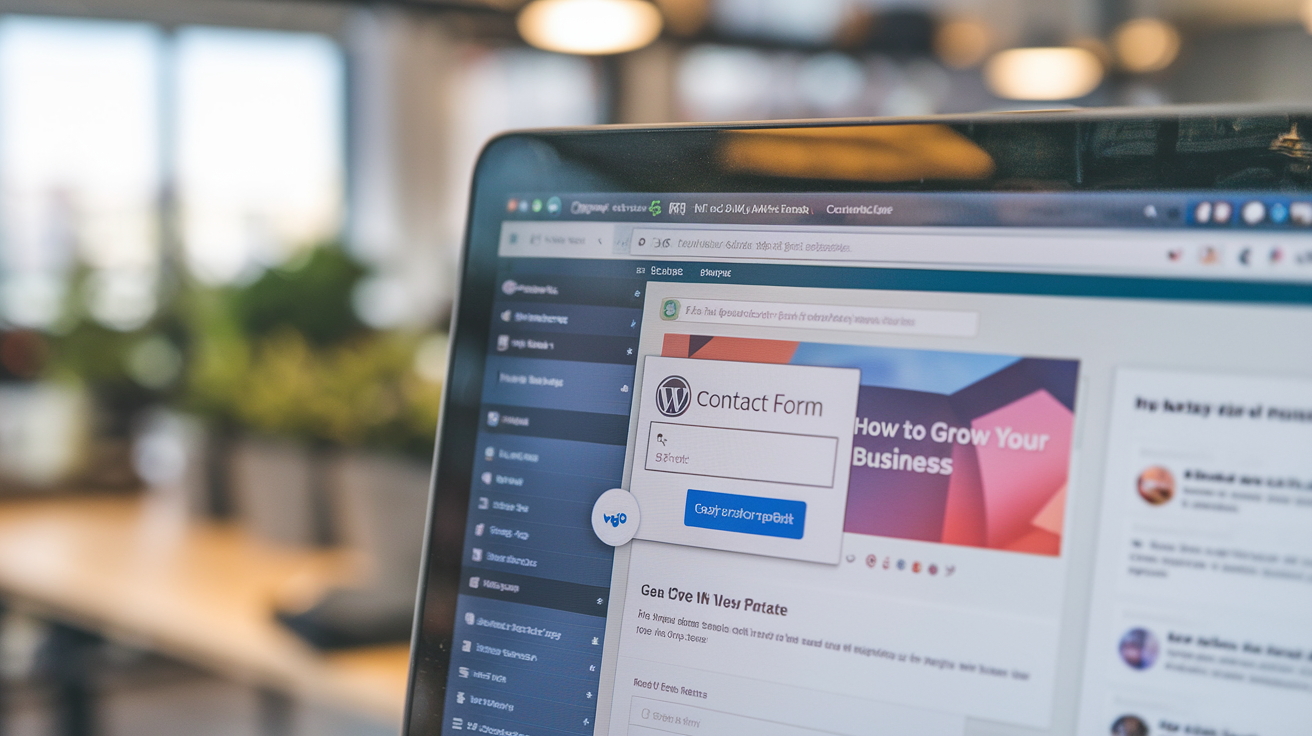
A WordPress contact form setup for increased user interaction and lead generation, essential for businesses looking to grow online.
Once you build your own website with a solid foundation and engaging content, adding essential features can elevate its functionality, user experience, and search visibility. The best part? Many of these enhancements require no coding skills and can be implemented using plugins, add-ons, or built-in features on popular platforms. Here’s how to create your own website with essential features that optimize usability, boost security, and enhance SEO.
Key Functionalities to Enhance User Experience
A website’s functionality directly impacts user satisfaction. With plugins and add-ons, you can easily introduce features that keep users engaged and encourage interaction.
- Contact Forms: Make it simple for visitors to reach out by adding a contact form to your site. Many platforms have form-builder plugins, like WPForms on WordPress, that allow you to customize forms without any code.
- Image Galleries and Media: Showcase your work, products, or projects with visually appealing galleries. Tools like NextGEN Gallery for WordPress allow you to add image galleries and slideshows.
- Social Media Integration: Integrating social media icons and share buttons allows visitors to engage with your brand across multiple platforms. This can be done using simple plugins, helping you extend your reach.
Beginner-Friendly SEO Plugins
Effective search engine optimization is crucial for driving organic traffic, but it doesn’t have to be complicated. Using SEO plugins designed for beginners, you can optimize your website for search engines with minimal effort.
- Yoast SEO (WordPress): This popular plugin makes SEO simple by guiding you through key elements like meta descriptions, keywords, and readability scores. Yoast provides feedback on each page’s SEO and helps you follow best practices, so you rank higher in search results.
- Rank Math (WordPress): Another beginner-friendly option, Rank Math, offers advanced features like keyword tracking and SEO analysis while remaining user-friendly. Both plugins support how to make your own website visible to a broader audience by optimizing each page.
Security and Performance Enhancements
Maintaining website security and performance is essential to protect user data and ensure a smooth experience. Here are a few ways to boost both without any coding.
- SSL Certificates: Secure Socket Layer (SSL) certificates are essential for encrypting data and building user trust. Most platforms or hosting providers offer easy SSL installation, often included in their packages, adding the “https” to your URL for a secure browsing experience.
- Caching and Speed Optimization: Fast load times are critical for retaining visitors. Plugins like WP Super Cache or Autoptimize for WordPress help reduce load times by caching your pages and optimizing code.
- Regular Backups: Protect your content by regularly backing up your site. Plugins like UpdraftPlus automatically save your site data, so you can restore it if issues arise.
Adding these essential features ensures your website is fully functional, user-friendly, and optimized for search engines. By using plugins and built-in platform tools, you can create your own website that performs well, looks professional, and provides a secure experience for your visitors—all without touching a line of code.
With the right mix of plugins, you’ll set up a website that not only meets your goals but also keeps users engaged and satisfied.
Testing and Launching Your Website
After all the hard work of creating content, designing layouts, and adding features, it’s time to test and launch your website. Proper testing ensures your site delivers a seamless user experience across all devices and browsers, which is essential to build your own website successfully. Here’s how to wrap up your project and launch with confidence.
Testing Tips: Ensuring Device and Browser Compatibility
As you create your own website, it’s vital to verify that it functions smoothly for all users, regardless of device or browser. Here are some essential testing steps:
- Cross-Device Testing: Ensure your website is mobile-friendly by testing it on various devices, such as smartphones, tablets, and desktops. Most website platforms offer previews for different screen sizes, but testing on actual devices is recommended for accuracy.
- Browser Compatibility: Test your website on major browsers, including Chrome, Firefox, Safari, and Edge. Differences in browser rendering can sometimes affect the appearance or functionality of certain elements.
- Navigation and Links: Go through each page to confirm that all links and menu items work as intended. Broken links or missing buttons can frustrate visitors, so double-check all internal and external links.
Pre-Launch Checklist: Final Touches for a Smooth Launch
Before going live, run through this checklist to make sure your website is fully optimized and polished:
- Page Load Speed: Ensure fast loading times by optimizing images and minimizing large files. Speed can impact both SEO and user experience, so it’s crucial to address any delays.
- SEO Basics: Review each page’s SEO settings. Check that all meta descriptions, keywords, and alt text are in place and optimized. Using SEO plugins can streamline this process and help boost your site’s visibility.
- Readability and Spelling: Go over your content to confirm it’s clear, concise, and free of grammatical errors. It’s easy to overlook typos, so consider using proofreading tools or asking a colleague to review your content.
- SSL and Security: Double-check that your SSL certificate is active, ensuring your website is secure for visitors.
Launching and Promoting Your Website
Once testing is complete, it’s time to launch. A well-promoted launch can generate excitement and attract your target audience to your new website.
- Social Media Sharing: Announce your website’s launch on social media platforms like Facebook, LinkedIn, and Instagram. Include a compelling description and a clear link to drive visitors to your site.
- Email Newsletter: Send an email to your subscribers, introducing them to your new website. Highlight what they can expect to find, such as helpful resources, new products, or an exciting blog section.
- Collaborate and Network: Reach out to industry influencers or partners who may be interested in sharing your website with their followers. Networking is a powerful way to expand your reach and build credibility.
Completing these steps prepares your site for a successful launch, ensuring a smooth experience for your audience. Testing thoroughly and promoting effectively are key to making sure all the effort to build your own website translates into a positive, impactful launch.
Now that you know how to make your own website and have taken all necessary steps for a successful launch, you’re ready to share your brand with the world. Embrace this final phase with enthusiasm, and watch your website connect with new audiences and help you reach your goals.
Post-Launch Maintenance and Updates
After the excitement of launching, your work doesn’t end there. Regular maintenance and updates are essential to ensure your site remains secure, engaging, and functional. Once you build your own website, keeping it updated and performing optimally is crucial to sustain growth and retain visitors.
Importance of Regular Updates and Maintenance
Maintaining a website goes beyond its initial setup. When you create your own website, you’ll need to prioritize regular updates to keep it secure and relevant. Key aspects include:
- Security Checks: Regular updates help protect your site against potential security threats. Ensure that any plugins, themes, and platforms you use are updated promptly to guard against vulnerabilities.
- Backups: Set up regular backups so you can quickly recover your site if any issues arise. Many platforms and hosting providers offer automatic backup options, allowing you to safeguard your content without manual effort.
- Performance Optimization: Over time, images, plugins, and other elements can slow down your site. Regularly review page load times and optimize any large files or outdated plugins to keep your website running smoothly.
Keeping Content Fresh and Relevant
To engage your audience and maintain good search engine rankings, it’s important to update your website content periodically. Here’s how you can keep your site’s information valuable and up-to-date:
- Blog and Article Refresh: Keep your blog active by posting new content regularly. This can include industry updates, tutorials, or engaging stories that reflect your brand. If you create your own website with a blog section, frequent posts help boost SEO and engage returning visitors.
- Product or Service Updates: If your business evolves with new offerings, make sure to update your website to reflect these changes. This ensures that your visitors have accurate, up-to-date information.
- Content Revisions: Periodically review your core pages (like About, Services, and Contact) to ensure they accurately represent your brand’s vision and current goals. Small updates to your messaging can go a long way in keeping your website relevant and trustworthy.
Monitoring Performance with Analytics
Tracking your website’s performance helps you understand what’s working and where improvements can be made. For those who build your own website, understanding analytics is crucial to making data-driven decisions.
- Google Analytics: Install Google Analytics to monitor visitor data, such as traffic sources, user demographics, and popular pages. This tool provides insights into which content resonates most with your audience.
- User Behavior: Analytics can show you how visitors interact with your site, identifying pages where users may drop off or spend less time. Use this information to improve user experience and optimize poorly performing pages.
- SEO Performance: Track keyword rankings, bounce rates, and other SEO metrics to determine how well your site is performing in search engine results. This information can guide content updates and adjustments for improved SEO.
By implementing these post-launch practices, you’ll ensure that the work you put into how to make your own website continues to pay off. Regular updates, fresh content, and performance monitoring keep your site relevant and engaging, helping your website remain a strong asset as your brand grows.
DIY vs. Hiring a Web Development Company

Choosing between DIY and hiring a web development company can shape your online presence. Here’s what to consider for building your website.
When it comes to managing your website, you have two main options: maintaining a DIY approach or hiring a professional web development company. Deciding between the two depends on factors like your budget, goals, technical knowledge, and the scale at which you want to grow your site. Here’s a breakdown to help you understand when it’s best to build your own website and when professional help might be essential.
DIY Approach: The Pros and Cons
If you’ve opted to create your own website, you’re likely using beginner-friendly platforms like WordPress, Wix, or Squarespace. These platforms allow non-tech users to design functional websites without coding expertise. Here’s what to consider:
Pros of DIY:
- Cost-Effective: DIY platforms are often more budget-friendly, ideal for startups or personal projects with limited funds.
- Creative Control: With a DIY website, you can manage updates, design tweaks, and content at your own pace.
- Quick Launch: For simple websites, DIY platforms offer quick setup options, allowing you to build your own website and get online fast.
Cons of DIY:
- Limited Customization: While DIY builders are versatile, they may lack the advanced customization options required for complex features or scaling.
- Time-Consuming: If you’re handling everything solo, maintaining the site, managing updates, and troubleshooting can be time-consuming.
- Potential SEO and Performance Limitations: DIY platforms may not always provide robust SEO tools, which can affect your site’s performance and visibility.
Hiring a Web Development Company: When It’s the Right Choice
For certain projects, investing in a professional web development company can offer advantages that go beyond the DIY approach, especially if you’re aiming to grow your website in terms of functionality and reach. Here’s why hiring a professional can be beneficial:
Advantages of Hiring a Web Development Company:
- Customization and Scalability: If you’re looking for advanced features, complex integrations, or unique branding, an agency provides the expertise to bring that vision to life.
- SEO and Performance Optimization: Professionals can help with on-page and technical SEO, ensuring that your website ranks well on search engines and loads quickly. This is especially valuable if you want your site to compete effectively.
- Long-Term Support: Agencies often offer maintenance and support packages to handle regular updates, security checks, and troubleshooting, freeing up your time to focus on other aspects of your business.
When to Consider a Web Development Company:
- Scaling Beyond the Basics: If your website needs custom features, such as e-commerce capabilities or a membership portal, an agency has the resources and knowledge to implement these elements effectively.
- Building a Strong Brand Presence: A web development company can ensure your site aligns with your brand’s identity and long-term goals, making it a memorable and trusted platform.
- Time Constraints: If you’re short on time or lack technical skills, outsourcing to professionals can fast-track your project without compromising quality.
If you’re considering hiring an agency for added support, check out our article on Finding the Perfect Web Development Company for Your Startup to explore more about partnering with a professional team.
Making the Choice: DIY or Professional?
Choosing between DIY and hiring a web development company depends on your startup’s specific needs and future growth plans. Starting with a DIY approach is often sufficient for simple websites, allowing you to create your own website with limited upfront costs. However, as your business scales, a professional web development agency can take your site to the next level, adding features and functionality to meet evolving demands.
Ultimately, knowing how to make your own website is a valuable skill, but leveraging the expertise of professionals can help you create a powerful, scalable online presence that supports your business’s growth for years to come.
Conclusion
Building a website has never been easier, and for startups or personal projects, understanding how to make your own website with no coding skills can open up a world of opportunities. With today’s tools, you can create your own website that’s not only visually appealing but also functional and responsive.
Let’s recap the steps to build your own website:
- Define your goals and audience so your site speaks directly to your target visitors.
- Choose the right platform for ease of use and scalability.
- Design a cohesive brand and intuitive layout that enhance user experience.
- Create engaging content and optimize it for SEO to improve visibility.
- Add essential features like CTAs and social media links to drive engagement.
- Test thoroughly before launching, ensuring your website performs well across devices.
- Maintain and update your site regularly for security, performance, and fresh content.
For beginners, experimenting with no-code tools is a fantastic way to get hands-on with your vision. And if you ever feel the need for advanced customization, don’t hesitate to reach out to a web development company for support. Your website is a key part of your brand, so whether you build your own website or collaborate with professionals, make sure it reflects your unique goals and values.
Frequently Asked Question’s
1. How long does it take to build your own website with no coding skills?
The time needed to create your own website without coding varies based on the platform and complexity. For a simple site on platforms like Wix or Squarespace, you can have it live in a few hours. However, to build your own website with more customization or e-commerce features, you may spend a few days or weeks refining the details.
2. What is the best platform for a beginner to create your own website?
For beginners learning how to make your own website, platforms like Wix, Squarespace, and WordPress.com are excellent choices. They offer easy drag-and-drop interfaces, built-in templates, and features ideal for non-coders, giving you the flexibility to build your own website without technical knowledge.
3. How much does it cost to make a website without coding?
Costs can vary based on the platform and features. Basic plans on DIY platforms range from $10–$30 per month. For those who want to build your own website with premium features, custom domains, and e-commerce capabilities, the price can go up to $100 or more monthly. However, these platforms still remain cost-effective compared to custom development.
4. How can I make my website look professional?
To create a professional-looking website, focus on cohesive design elements: use a clean layout, consistent color scheme, and high-quality images. User-friendly navigation, mobile responsiveness, and strategic use of call-to-action (CTA) buttons are essential. How to make your own website look professional often starts with choosing a well-designed template and customizing it with your brand’s visuals and messaging.
5. What are the benefits of hiring a web development company?
While DIY platforms are excellent for beginners, a web development company can offer advanced customization, unique branding, and technical support. Hiring professionals is ideal if you need complex functionalities or want a website that can scale with your business. A web development company also ensures that aspects like SEO, security, and performance are optimized, saving you time and providing peace of mind as you build your own website for long-term success.
Ready to dive in? Whether you decide to DIY or consult a web development company, this guide gives you the confidence to create a website that fits your needs. Happy building!
The post How to Make Your Own Website Fast and Hassle-Free appeared first on Best Media Agency.
]]>A dedicated website does more than showcase products or services—it builds credibility, engages potential customers, and communicates the brand’s unique identity from the outset. Startups face steep competition, and a well-designed website helps them stand out by delivering key messages, establishing authority, and reaching a global audience quickly and cost-effectively.
Additionally, websites serve as a platform where startups can share their brand story, mission, and values, creating a relatable image that resonates with their target audience. In essence, a powerful online presence can become a startup’s most valuable digital asset, driving customer acquisition and supporting sustainable growth.
Why Every Startup Needs a Website
Building a website for startups isn’t just a trend; it’s a powerful tool that can drive brand visibility, foster customer trust, and set the foundation for business growth. Today, having a digital footprint is essential for any business, especially for startups aiming to gain traction quickly and compete with established brands. Here’s why:
Boosting Brand Visibility and Credibility
A website increases a startup’s visibility in ways traditional marketing can’t match. When potential customers search online for products or services, having a professional website improves the chances of them finding and trusting your business. A cohesive, well-designed site signals to visitors that your brand is credible and serious about meeting their needs.
Cost-Effective Customer Acquisition
Compared to traditional advertising methods, a website offers a more affordable way for startups to reach their target audience. Through various digital marketing techniques—like SEO, content marketing, and social media—startups can drive traffic to their website at a fraction of the cost of physical ads. Plus, with analytics, startups can measure the success of these methods in real-time and make data-driven decisions.
To further understand the importance of a unified online identity, check out our article on Why Brand Identity and Brand Guidelines Matter for Success, where we dive into the significance of presenting a consistent brand image across all digital channels.
Key Benefits of a Startup Website:
- 24/7 Accessibility: A website allows customers to access information anytime, improving accessibility and potentially increasing customer engagement.
- Customer Insights: A website lets startups collect valuable data, such as visitor demographics and preferences, helping tailor marketing strategies.
- Market Expansion: Digital platforms enable startups to reach a global audience from the get-go, making it easier to expand and explore new markets.
A website is an essential asset that supports brand growth, customer acquisition, and long-term success.
What Makes a Great Startup Website?
Creating an impactful website for startups goes beyond aesthetic appeal; it’s about functionality, user experience, and brand messaging. Here’s what to keep in mind to create a site that stands out:
1. Simplicity and Clear Messaging
The best startup websites have a clean, simple layout that’s easy to navigate. A clutter-free design ensures users can find what they need without distraction. The message on your site should be clear, concise, and speak directly to your audience. Highlight your unique value proposition upfront—what makes your startup different from others?
2. Strong Branding Elements
Your startup’s website should reflect your brand’s identity with consistent use of colors, fonts, and logos. This reinforces your brand message and builds recognition. A distinct color palette, typography, and design style create a memorable user experience that sets your startup apart from the competition.
For a deeper dive into building effective branding across digital platforms, refer to our article What Makes Online Branding Effective.
3. User-Centric Design
A well-designed website for startups should prioritize user experience, making navigation intuitive and ensuring fast load times. Responsive design is key, allowing the site to adapt seamlessly to all devices, so visitors easily find information about your startup’s offerings, values, and contact details. Including clear calls-to-action (CTAs) such as “Sign Up Now” or “Learn More” effectively guides users through the site, boosting engagement and supporting conversion goals.
4. Effective Call-to-Action Buttons
CTAs are crucial for conversions, helping guide users to take actions like signing up, purchasing, or contacting your team. Use action-driven language that aligns with your brand’s tone to make CTAs compelling and direct. Place these buttons strategically to maximize user engagement.
External Example
A well-regarded resource like Wix offers guidelines and templates that highlight user-friendly, startup-friendly web designs, making it easier for entrepreneurs to visualize effective layouts and engaging features for their own websites.
Key Elements for Designing a Website for Startups
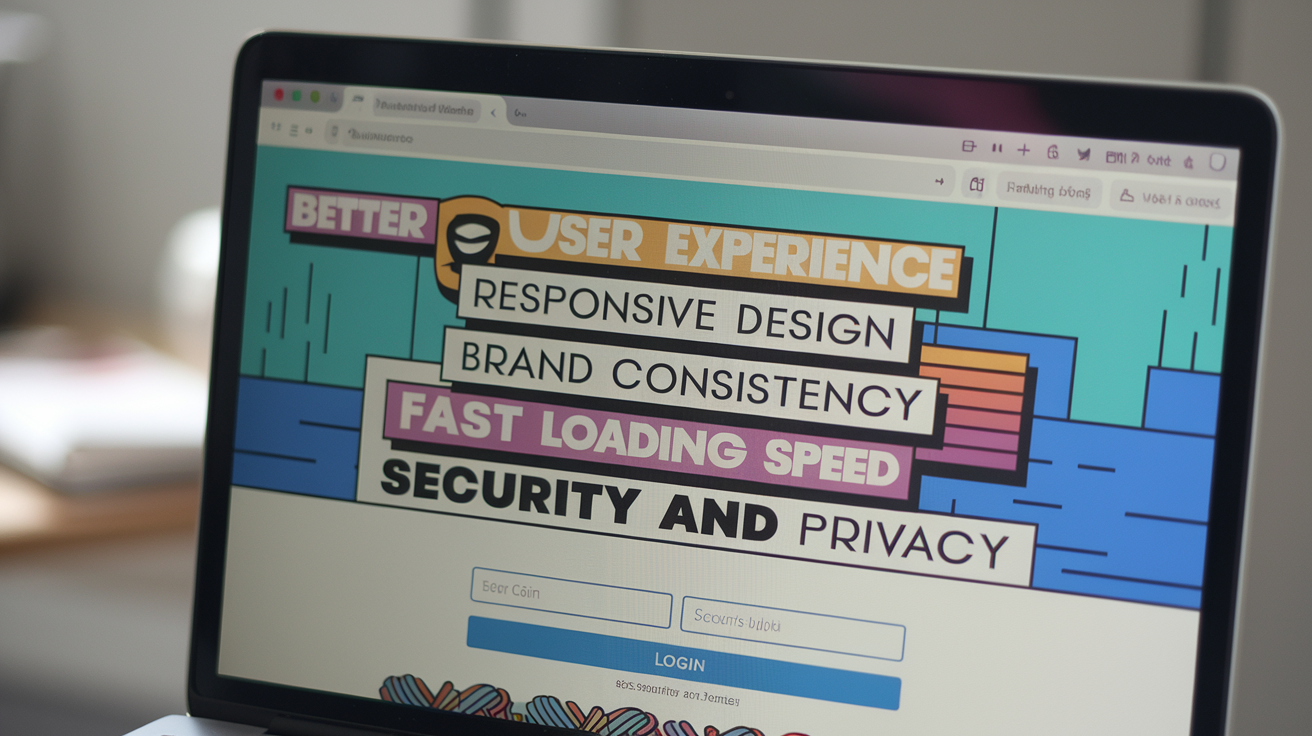
A visually engaging outline of must-have elements for startup websites, emphasizing user experience, brand consistency, and security.
Creating an engaging website for startups involves integrating specific elements that ensure both functionality and appeal. Here’s a breakdown of the essentials every startup site needs to succeed:
1. Domain Name and Hosting
A memorable domain name is your startup’s first impression online. Choose one that is simple, reflects your brand, and is easy to spell. Along with this, opt for a reliable hosting provider to ensure your site is fast, secure, and accessible around the clock. Many startups benefit from platforms that offer integrated hosting options, such as WordPress and Wix.
2. Responsive Design
For a successful website for startups, it’s essential to have a responsive design that adapts effortlessly to various screen sizes, especially since most users are now browsing on mobile devices. This adaptability ensures a seamless experience across all devices, boosting user engagement and positively impacting SEO performance.
3. Brand Consistency
Your website should echo your brand’s identity, which means consistently using your brand’s colors, fonts, and style throughout. Consistency helps reinforce brand recognition and conveys professionalism. Consider creating a brand style guide to maintain consistency across all digital channels. For a deeper dive into the importance of brand guidelines, check out our article Why Brand Identity and Brand Guidelines Matter for Success.
4. Fast Loading Speed
Page speed is crucial—websites that load within three seconds retain significantly more visitors. Ensure your site is optimized with compressed images, minimal plugins, and clean code to keep loading times short. Fast-loading sites also rank better on search engines, attracting more traffic and creating a positive user experience.
5. Security and Privacy
Startups often overlook security, but it’s critical for user trust. Basic measures include an SSL certificate, which encrypts data and shows users your site is secure. For startups handling personal data, ensure compliance with data privacy laws, especially if your startup operates globally.
Need help finding the right design team for a startup website? Our Ultimate Guide to Choosing the Right Website Design Agency covers how to evaluate and select experts in web design, ensuring you partner with a team that understands your brand’s vision.
Steps to Building a Startup Website
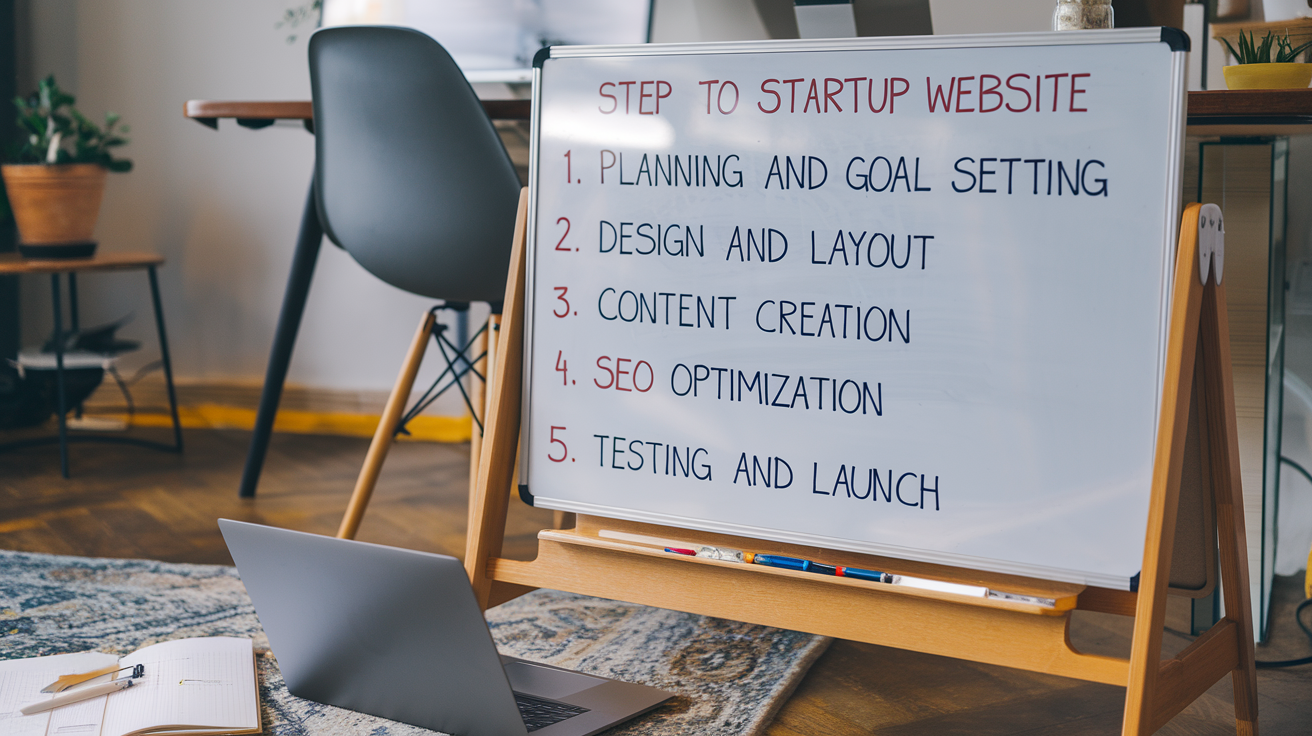
Key steps for building a startup website, from goal setting and design to SEO and launch testing.
Creating an effective website for startups involves clear, actionable steps. Here’s a practical guide to help startups design a website that communicates their mission, appeals to users, and drives engagement.
1. Planning and Goal Setting
Start by defining the main purpose of your website. Are you selling products, building a brand, or showcasing a service? Clarify goals for your site and the needs of your target audience, as this will shape every other step. A well-defined plan ensures your website aligns with business objectives.
2. Design and Layout
When creating a website for startups, aim for a design that captures your brand’s unique identity while maintaining simplicity and usability. Minimalist designs work particularly well for startups—they’re clean, intuitive, and keep users focused on the essentials. Choose colors, fonts, and images that reflect your brand’s character, ensuring all elements align seamlessly. If you’re new to design, website builders like Wix and Squarespace offer templates that balance visual appeal with functionality, making it easier to create a professional and engaging website for startups.
3. Content Creation
Each page on your site should have relevant, engaging content. Essential pages include:
- Homepage: Summarizes what your brand offers and hooks visitors.
- About Page: Shares your brand story, mission, and values.
- Product or Service Pages: Clearly detail what you offer.
- Contact Page: Make it easy for customers to reach out with questions or feedback.
Consistent tone and messaging across these pages help build brand recognition. For insight into maintaining brand identity, see What Makes Online Branding Effective.
4. SEO Optimization
For a successful website for startups, optimizing each page for search engines is essential to increase online visibility. Basic SEO practices, such as including relevant keywords, optimizing images, and crafting meta descriptions for each page, can make a significant difference. By implementing these strategies, startups can attract organic traffic effectively, reaching potential customers without large advertising costs. SEO is a valuable tool for startups looking to grow their audience and gain traction in a competitive digital landscape.
5. Testing and Launch
Before going live, test the site’s functionality across various devices and browsers to ensure smooth user experiences. Check all links, forms, and load times. After thorough testing, launch the site and continue monitoring it to fix any unforeseen issues.
For those looking to dive deeper into SEO essentials, Moz’s Beginner’s Guide to SEO is a comprehensive resource that helps even non-experts enhance their site’s search visibility.
Website Features Essential for Startups
Creating a website for startups isn’t just about having an online presence; it’s about building a platform that supports your growth, attracts the right audience, and communicates your value clearly. Here’s a rundown of critical features every startup website should incorporate.
1. Homepage
The homepage is often the first point of contact with potential customers. It should capture the essence of your startup, include an engaging headline, and explain what your startup offers. This page should clearly direct visitors to other parts of the site, whether it’s through product highlights, call-to-action (CTA) buttons, or direct links to relevant sections.
2. About Page
A well-crafted About page goes beyond general descriptions; it tells your startup’s story, outlines your mission, and humanizes your brand. This section builds trust and allows potential customers to connect with your brand’s purpose. Startups should also highlight any unique achievements, values, or noteworthy partnerships here.
3. Product or Service Pages
Clearly describe your products or services, including visuals, benefits, and any unique selling points (USPs). These pages should communicate value effectively and guide visitors on how your offerings solve specific problems. Use simple language and high-quality visuals, which are especially helpful in capturing your audience’s interest and converting it into leads.
4. Blog
A blog is a powerful tool for building authority in your industry and establishing your brand voice. Regular blog updates improve SEO, help engage your audience, and position your startup as a knowledgeable resource. For additional insights on the power of consistent brand messaging, see our guide on What Makes Online Branding Effective.
5. Contact Page
The Contact page should be easy to find and navigate, with clear information on how visitors can reach you. Including a contact form, email, phone number, and links to social media platforms can make it simple for visitors to get in touch, ask questions, or provide feedback.
For those just getting started on their website journey, check out The Ultimate Guide to Choosing the Right Website Design Agency to find the right design partner for your needs.
Common Mistakes to Avoid While Building A Website for Startups
Creating a website for startups is an exciting journey, but common pitfalls can hinder your site’s effectiveness and user experience. Here’s a look at some of the mistakes to watch out for:
1. Overloading with Features
New startups often try to cram too many features into their website, thinking it will attract a broader audience. In reality, a cluttered design and excess functionality can overwhelm visitors. Focus on a clean, user-friendly interface and include only the essential features that serve your business goals.
2. Neglecting SEO and Responsiveness
SEO and mobile-friendliness are essential for visibility and accessibility. An optimized website improves search rankings and helps potential customers find you easily. With most users accessing websites from mobile devices, having a responsive design is critical. Neglecting these aspects can reduce traffic and diminish engagement.
3. Ignoring User Experience in Favor of Aesthetics
When designing a website for startups, it’s essential to balance visual appeal with user experience (UX). While an attractive website catches users’ attention, the true value lies in a smooth, functional experience that keeps visitors engaged. A user-friendly website for startups should load quickly, be easy to navigate, and provide intuitive access to information. By prioritizing both aesthetics and UX, you create an inviting environment that not only captures visitors’ interest but also encourages them to explore more deeply, supporting long-term engagement and brand loyalty.
4. Inconsistent Branding
Startups often overlook the importance of consistent branding. Mismatched logos, colors, or messaging across different pages and platforms create a fragmented image that can confuse potential customers. Consistency is key to building trust and brand recognition.
For more insights on maintaining consistency, read our article on Why Brand Identity and Brand Guidelines Matter for Success.
5. Weak Call-to-Actions (CTAs)
CTAs are vital for guiding users toward taking action, such as signing up for a newsletter or purchasing a product. Avoid generic CTAs like “Click Here” and instead use descriptive language like “Explore Our Services” or “Get Your Free Consultation.”
With these common errors in mind, you can create a user-friendly, consistent, and effective startup website.
How to Choose a Web Development Approach
When building a website for startups, you have a few main options to consider for development: doing it yourself (DIY), using a website builder, or hiring a professional agency. Each approach has unique advantages and challenges, depending on your budget, expertise, and long-term goals.
1. DIY with Content Management Systems (CMS)
Platforms like WordPress or Joomla are popular among startups because they provide flexibility without requiring in-depth technical knowledge. A DIY approach allows you to learn as you go, tailoring your website’s features and aesthetics according to your brand vision.
- Pros:
- Greater control over design and customization.
- Cost-effective as you only need to cover hosting and a domain.
- Easy access to themes, plugins, and a supportive community.
- Cons:
- Requires time and a willingness to learn.
- Customization may be limited unless you have coding skills.
- Ongoing maintenance and troubleshooting are the user’s responsibility.
2. Website Builders (e.g., Wix, Squarespace)
Website builders simplify the development process through drag-and-drop interfaces, making them ideal for startups wanting a fast, easy setup. These platforms typically offer a range of templates and customization options, enabling you to create a professional-looking website without coding knowledge.
- Pros:
- User-friendly with minimal technical skills needed.
- Offers built-in hosting, security, and maintenance.
- Affordable, with clear pricing plans for startups on a budget.
- Cons:
- Limited scalability, which can hinder long-term growth.
- Restricted customization and less flexibility.
- Some website builders are less SEO-friendly than custom solutions.
3. Hiring a Professional Agency
For startups with specific branding needs and a long-term growth strategy, a professional web design agency may be the best choice. An agency can create a customized website tailored to your startup’s unique identity and goals, ensuring quality in both design and functionality.
- Pros:
- Professional-level design and functionality tailored to your needs.
- SEO-friendly, optimized for user experience and conversions.
- Ongoing support for updates, maintenance, and scalability.
- Cons:
- Typically the most expensive option.
- Requires a vetting process to find the right agency for your needs.
- Development may take longer, as agencies follow a detailed design and development process.
Weighing Your Options
Choosing the best approach to build a website for startups depends on key factors such as budget, technical skills, and the unique needs of your business. For simpler websites with basic functionality, DIY platforms or website builders can be affordable and accessible options, ideal for startups on a tight budget. However, if your goal is to create a scalable, professional website that supports long-term growth, partnering with a professional agency can provide the expertise and strategic support needed to bring your vision to life effectively.
To learn more about the pros and cons of each approach, check out our guide on Web Development: How Appropriate It Is to Do on Your Own. This will help you determine the right fit for your startup’s unique needs.
Frequently Asked Questions for Building a Website for Startups
A website for startups often raises common questions about the essentials, costs, features, and overall importance. Here are some key FAQs that address these topics, designed to help new business owners make informed decisions.
What is a startup website?
A startup website is a dedicated digital platform created to introduce and promote a new company’s products, services, or mission to potential customers, investors, and partners. Designed with the unique needs of emerging businesses in mind, a website for startups often emphasizes a clean, straightforward layout that highlights the brand’s core message and value proposition.
Such websites are typically crafted to showcase brand identity through cohesive visuals, color schemes, and messaging that resonate with target audiences. The design is usually user-friendly, focusing on easy navigation, mobile compatibility, and quick loading times to enhance accessibility and user experience. A startup website acts as the central online hub, aiming to build credibility, generate interest, and encourage engagement with the brand.
Does my startup need a website?
Absolutely, having a website is crucial for startups. A well-designed website for startups establishes a professional online presence, enhances credibility, and serves as a vital platform for engaging with customers. It acts as a central hub for brand information, offering visitors insight into your startup’s mission, products, and services, while also providing channels for customer support. For startups, a website is more than just an online address; it’s a powerful tool for driving visibility, fostering customer trust, and creating a lasting impression that can set you apart in a competitive market. Additionally, a website optimized for search engines can help your startup reach a broader audience, attracting potential customers and investors.
How much does it cost to build a startup website?
Costs vary widely based on complexity, features, and development approach. DIY sites on platforms like WordPress can cost a few hundred dollars, while custom-designed websites by an agency might range from $3,000 to $10,000 or more. For cost-effective options and professional support, check out The Ultimate Guide to Choosing the Right Website Design Agency.
What should be included in my startup website?
A website for startups should include essential pages like a homepage that highlights your value proposition, an about page to share your story and build credibility, product or service pages with detailed descriptions and customer testimonials, and a contact page for easy connection. Adding a blog or resource section can drive engagement and improve SEO by sharing relevant insights.
Incorporate consistent brand elements, such as your logo, color scheme, typography, and messaging, to create a professional, memorable experience. Lastly, ensure your site is mobile-friendly and optimized for fast loading to enhance user experience.
How can I make my startup website stand out?
To make a startup website truly stand out, it’s essential to focus on a few key elements that resonate with users and reflect your brand’s unique identity. Start with cohesive branding—ensure your logo, color scheme, and typography align with your startup’s values and appeal to your target audience. Strong, high-quality visuals can capture attention immediately, so invest in custom graphics, professional photography, or engaging videos to bring your brand to life.
Engaging content is equally critical; craft clear, compelling copy that speaks directly to your audience’s needs and highlights your startup’s solutions. Additionally, applying user experience (UX) principles is vital. Prioritize a clean, intuitive layout with easy navigation, as well as quick load times, which not only improve customer engagement but also enhance your SEO rankings. Finally, consider interactive elements like customer testimonials, blogs, or even a live chat feature, which can help make your website for startups feel more dynamic and accessible, setting you apart from competitors.
What are brand guidelines, and why do they matter?
Brand guidelines are a set of standards that define how your brand elements (logos, fonts, colors) are used consistently across platforms. They help ensure your brand’s look and message remain consistent, building trust and recognition. For more insights, visit Why Brand Identity and Brand Guidelines Matter for Success.
The post 10 Essential Tips for Building a Website for Startups appeared first on Best Media Agency.
]]>But what does it truly mean to align your online presence with your brand identity and follow established brand guidelines? And how does this alignment impact long-term success? In this article, we explore the critical role a cohesive digital appearance plays in building trust, avoiding pitfalls in mismatched branding, and actionable steps to ensure your digital presence is a true reflection of who you are.
Understanding Brand Identity and Brand Guidelines
What is Brand Identity?
Brand identity is the heart and soul of your brand. It’s everything that defines who you are to the world, encompassing your company’s values, tone, visuals, and overall personality. Imagine brand identity as the essence of your business—visible to your audience through every interaction, design, and message. Core elements of brand identity include:
- Visual Elements: This includes your logo, color palette, typography, and any other graphics that make your brand easily recognizable. These visuals help your audience recognize your brand instantly, even without seeing your company name.
- Brand Personality and Voice: Just like people, brands have personalities. Your brand could be playful, professional, friendly, or formal. Similarly, the voice of your brand is how it “speaks” to your audience. A consistent voice helps convey your brand’s values and connect with your audience emotionally.
- Core Values and Mission: What your business stands for should be evident in its brand identity. These values and mission guide how your brand interacts with the world, setting the tone for everything from customer service to marketing messages.
Think of these elements as the building blocks of your brand’s public image. Together, they create a cohesive identity that makes your business memorable and trustworthy. A well-defined brand identity gives your business personality and makes it relatable, ultimately driving customer loyalty and enhancing your digital presence.
Why are Brand Guidelines Essential?
Brand guidelines are the instructions that keep your brand identity consistent. They’re a set of rules for how your brand should be represented across every medium—social media, your website, ads, emails, and more. Having brand guidelines is essential for maintaining brand integrity because they ensure everyone involved with your brand is on the same page, even when working with external partners.
Core elements in brand guidelines include:
- Logo Usage: Your logo is often the most recognizable part of your brand. Guidelines will specify when and how to use it, including sizing, positioning, and background colors to maintain clarity and consistency.
- Color Scheme: Colors are powerful for setting a mood. Brand guidelines define the exact shades to use for your brand across all digital and physical media, which helps ensure consistency and makes your brand easily recognizable.
- Fonts and Typography: From headings to body text, your brand guidelines specify which fonts to use to keep your brand’s visual appearance consistent.
- Tone and Messaging: Guidelines around language style and tone ensure all communications are aligned. Whether your brand voice is professional, conversational, or inspiring, guidelines keep messaging consistent and reflective of your brand’s personality.
In other words, brand guidelines act as a rulebook that maintains the quality and consistency of your brand across all channels. This consistency is essential to build trust with your audience. In fact, studies show that brands with consistent messaging across platforms see revenue increases of up to 23%.
How Brand Identity and Brand Guidelines Work Together
When brand identity and brand guidelines are aligned, you create a seamless, recognizable experience for your audience. For instance, if you’re working with a website design agency, providing clear brand guidelines helps them tailor their work to your unique brand. This unity tells your audience that you are professional, reliable, and serious about maintaining a consistent, high-quality brand experience.
By establishing a strong brand identity and enforcing it with brand guidelines, you enhance trust and recognition. These elements work together to create a cohesive identity that not only draws in your target audience but also builds long-term loyalty and brand equity.
The Importance of Aligning Your Online Presence with Your Brand Identity
your online presence is a key touchpoint between your brand and your audience. Potential customers often see your brand online before they encounter your product or service in person. Therefore, aligning your online presence with your brand identity is vital for creating a cohesive and trustworthy experience. Let’s explore why this alignment is so essential and the benefits it brings to your business.
Why is Brand Consistency Important?
When your online appearance matches your brand identity, it builds familiarity and trust. Each time a customer interacts with your brand online—whether it’s your website, social media, or ads—they experience a piece of your brand identity. Consistency across these touchpoints reassures them that your brand is professional and reliable, and it reinforces the unique character of your business.
- Trust and Credibility: Consistency in your brand identity shows professionalism. If a customer visits your website and finds a cohesive design and consistent messaging that matches your social media profiles, they’re more likely to trust your business.
- Increased Recognition: When customers see the same colors, logos, and messaging repeatedly across platforms, it becomes easier for them to recognize your brand instantly. Over time, this consistency increases brand recall and helps your business stand out in a crowded market.
- Enhanced Engagement and Loyalty: Customers are drawn to brands they trust and understand. A consistent brand identity makes it easier for them to connect emotionally, which builds loyalty. This connection is especially important online, where customers make quick decisions about whether to engage or move on.
In fact, according to a study by LucidPress, brands that maintain consistent visuals and messaging see an average revenue increase of 23%. This statistic demonstrates the tangible impact of maintaining a unified brand presence.
What Happens When Your Online Presence Doesn’t Align?
Mismatched online elements can lead to confusion, mistrust, and missed opportunities. For instance, if your social media profiles feel lively and informal but your website is overly formal or outdated, customers may feel unsure about who you are as a brand. Some common issues include:
- Customer Confusion: If your website, social media, and advertisements don’t align, customers may struggle to understand what you offer. Confusion can make potential customers hesitate to engage or trust your business.
- Decreased Brand Credibility: Imagine a business with a polished, high-quality logo but an outdated, cluttered website. This inconsistency can cause customers to doubt your business’s reliability, leading them to competitors.
- Missed Opportunities: An inconsistent brand presence can limit customer engagement. For example, a sleek, user-friendly website that doesn’t match the messaging on social media may lead to lower conversions and missed leads.
For new businesses especially, it’s crucial to establish consistent branding from the start. You can explore more about establishing a cohesive digital appearance in our guide to designing a website for your startup.
The Role of Brand Guidelines in Ensuring Consistency
Having well-defined brand guidelines is a practical step to avoid inconsistencies and strengthen your online brand identity. When creating digital content, your guidelines serve as a reference to ensure that every element—colors, fonts, tone, and style—is in sync across platforms.
By integrating brand guidelines with your online presence, you’re better positioned to deliver a cohesive brand experience that speaks to your audience, builds trust, and ultimately drives loyalty and engagement.
Key Elements of a Strong Online Brand Appearance
Aligning your online presence with your brand identity involves ensuring that every digital touchpoint represents your brand in a cohesive and intentional way. From website design to social media profiles, let’s dive into the core elements of a strong online brand appearance and how each contributes to building a consistent and engaging brand identity.
1. Website Design: The Core of Your Digital Identity
Your website is often the first impression potential customers have of your brand. It should be designed to reflect both the aesthetics and the personality of your brand. When developing or updating your site, consider these elements:
- Visual Consistency: Your website should align with your brand’s color scheme, logo, and fonts. Consistency here reinforces your brand’s look and feel across all pages, enhancing recognition.
- User Experience (UX): A well-designed website doesn’t just look good—it also works seamlessly. UX design ensures that your website is easy to navigate, loads quickly, and delivers a smooth experience. Visitors should easily find the information they need, reflecting your brand’s professionalism and commitment to customer satisfaction.
- Content Tone and Style: Every piece of content on your website—from product descriptions to blog posts—should reflect your brand’s tone and style. Whether your brand is friendly and casual or formal and authoritative, consistency in content strengthens brand recognition.
For more insights on optimizing your website to align with brand identity, explore our guide to choosing the right website design agency.
2. Social Media Profiles: Daily Brand Interaction
Social media is an extension of your brand where you interact with your audience daily. To maintain a cohesive brand identity across platforms, consider the following:
- Profile Pictures and Banners: Use your logo as your profile picture to keep branding consistent. Your banners should also reflect your brand’s identity, using similar color schemes and themes as seen on your website.
- Content Consistency: Every post, story, or update should match your brand’s tone and visual style. Social media is an opportunity to reinforce your brand’s message daily. For instance, if your brand identity is educational, share informative posts and insights relevant to your industry.
- Engagement Style: How you respond to comments and messages contributes to brand identity. If your brand tone is approachable, keep responses friendly. If it’s more formal, ensure that replies reflect that tone.
3. Visual Elements: Colors, Logo, and Fonts
Your brand’s logo, color palette, and fonts are core visual elements that customers associate with your identity. Consistency in these elements across all platforms helps your brand stand out and creates familiarity:
- Logo: Your logo should be consistently used in its correct form across your website, social media, and any digital materials. Avoid altering its shape or color, as this can weaken brand recognition.
- Color Scheme: The colors you use should align with your brand’s personality. Stick to the same color palette on all digital channels to create a unified look. This helps reinforce brand identity and makes it easier for customers to identify your content.
- Fonts: Typography also conveys personality. Consistent fonts across platforms help establish a professional look. Ensure fonts match your brand’s tone—bold and modern for an innovative brand, or classic and serif for a traditional one.
4. Brand Tone and Messaging: Voice Consistency
How you communicate with your audience is just as crucial as the visuals. Brand tone and messaging build familiarity and reflect your brand’s values:
- Language Style: Consistency in language style—whether formal, casual, or technical—enhances your brand’s relatability and authenticity. Define key phrases and language specific to your brand in a brand guidelines document to ensure uniformity.
- Content Themes: The topics you choose to cover across your content should reflect your brand’s expertise and values. If you focus on educational content, stick with that theme across all platforms.
Brand tone and messaging should be documented in your brand guidelines to ensure all team members align with your brand’s voice and can create content that resonates with your audience. For more on why brand tone matters, see our guide to effective online branding.
5. Case Study: Airbnb’s Brand Evolution
A strong example of cohesive branding online is Airbnb. Early on, Airbnb realized that its digital presence didn’t fully reflect its goal of offering unique travel experiences. The company revamped its website, updated mobile user experiences, and ensured that all digital elements—from emails to social media—aligned with its brand message. This cohesive branding helped Airbnb establish a recognizable identity and reinforce its brand values, significantly enhancing user engagement.
Maintaining a Cohesive Brand Identity
Creating a consistent online appearance requires dedication, especially as your brand grows and evolves. Regularly auditing your digital platforms for consistency in visuals and messaging will help ensure that your brand identity remains strong and recognizable across channels.
Steps to Align Your Online Presence with Your Brand Identity
Creating a cohesive online presence that mirrors your brand identity is a strategic process. Here’s a step-by-step approach to ensure that your brand appears consistent, reliable, and professional across all digital channels.
1. Audit Your Current Digital Presence
The first step is to take a close look at how your brand currently appears online. Conduct a detailed audit of all digital channels—website, social media, email marketing, online ads, and any other platforms where your brand is active. As you do this, look for areas where your branding might be inconsistent, such as:
- Visual design differences, including color schemes and fonts
- Inconsistent use of logos and taglines
- Variations in tone, language, and messaging style
- User experience issues, like outdated website functionality or slow loading times
For startups or newer brands, Things to Keep in Mind While Designing a Website for Your Startup can be a valuable resource as you start building a cohesive digital presence.
2. Create a Brand Style Guide
A brand style guide is essential for consistency. This document should outline your brand’s colors, fonts, logo use, tone of voice, and messaging guidelines, offering a comprehensive reference for all digital and offline content. A good brand style guide includes:
- Logo Use: Guidelines on logo size, placement, and variations.
- Color Palette: Specific color codes (hex, RGB) for digital and print.
- Typography: Fonts for headings, subheadings, and body text.
- Imagery and Iconography: Types of images, illustrations, and icons that reflect your brand.
- Tone and Language: Examples of brand-appropriate language and phrases.
With a brand style guide, you and your team have a clear roadmap for representing the brand across platforms, reducing the likelihood of inconsistencies.
3. Update Your Website to Reflect Your Brand Identity
Your website is a primary touchpoint for customers, so it must showcase your brand identity accurately. A few updates to ensure consistency include:
- Design Alignment: Ensure the visual elements—colors, fonts, logo—match those in your brand style guide.
- Content Review: Go over existing website content to ensure the tone and language align with your brand voice.
- Technical Optimization: Consider factors like website loading speed, navigation, and mobile-friendliness. A professional website that’s easy to use reflects well on your brand.
For guidance on finding a team to help with these updates, read our Ultimate Guide to Choosing the Right Website Design Agency.
4. Align Your Social Media Profiles
Consistency across social media channels is critical, as these platforms offer direct engagement with your audience. Key areas to focus on include:
- Profile Pictures and Banners: Use your logo or branded imagery to keep social profiles aligned visually with your brand identity.
- Content Themes and Style: Post content that reflects your brand’s personality. For example, if your brand identity is educational, focus on informative posts, tips, and relevant industry news.
- Engagement Tone: Respond to comments, messages, and interactions with a tone that matches your brand. A professional brand might respond formally, while a more casual brand may use emojis and lighthearted language.
To efficiently manage posts and maintain a regular schedule, tools like Hootsuite or Buffer are excellent for aligning content across multiple platforms.
5. Monitor and Adapt Over Time
Building a cohesive brand identity online isn’t a one-time task; it requires ongoing monitoring and adjustments. Conduct regular audits, especially as your brand grows or enters new markets, to ensure everything aligns with your established brand identity.
Stay informed about trends in digital branding and adjust your content or visuals as needed to keep your brand fresh and relevant. Be sure to assess the impact of updates to your brand guidelines as you add new products, services, or messages. Regular adaptation is key to a strong, lasting brand identity.
Case Study: Airbnb’s Brand Evolution
Airbnb is a powerful example of a brand that successfully aligned its online presence with its brand identity, demonstrating how strategic branding and consistent online presence can lead to global success.
Early Challenges and Realizations
In its early days, Airbnb’s website and mobile app did not fully capture the brand’s vision of offering unique, personalized travel experiences. The user experience was often mismatched with the brand’s ethos, creating a disconnect for users. This inconsistency led to challenges in brand perception, as users found it difficult to see Airbnb as a distinctive, authentic alternative to traditional hospitality services.
As the company grew, they recognized the importance of having a digital presence that not only aligned with their brand identity but also enhanced user experience. To fix this, Airbnb committed to a major brand evolution to create a consistent and unified identity.
Brand Identity Transformation
Airbnb took a holistic approach to revamp its brand. Here’s how they went about it:
- Revamping Visual Elements
Airbnb’s team focused on unifying its brand with consistent colors, fonts, and imagery across all digital platforms. They introduced the “Bélo” logo, representing a sense of belonging, and rolled it out across the website, app, and all marketing materials. - Enhanced User Experience (UX)
Airbnb’s design team worked to ensure that the user experience was seamless, easy to navigate, and visually aligned with the brand’s promise of unique, memorable travel experiences. This involved a redesigned website with clean layouts, intuitive navigation, and better mobile compatibility to make booking easier for users. - Unified Content and Messaging
Airbnb redefined its brand voice, focusing on messaging that was friendly, inclusive, and aimed at fostering community. This was consistent across all channels, from social media to email marketing, giving the brand a distinctive tone that resonated with its audience. - Aligning Social Media and Advertising
Airbnb maintained consistency in its digital ads and social media by using imagery that reflected real travel experiences, often featuring actual hosts and travelers. This authenticity was key in aligning its brand identity with its online appearance.
Impact of the Rebranding Effort
The brand evolution helped Airbnb establish a stronger emotional connection with its audience, leading to increased brand loyalty, engagement, and trust. By aligning its digital presence with its core brand identity, Airbnb was able to capture a larger market share and foster a sense of belonging among users.
Today, Airbnb serves as an industry benchmark for brands looking to create a cohesive online identity that truly represents their brand values and promises.
Steps to Align Your Online Presence with Your Brand Identity
Building brand presence across multiple social media platforms is essential for a cohesive online identity.
Creating a cohesive online presence that aligns with your brand identity is essential for building trust and attracting your target audience. Here’s a step-by-step guide on how to ensure your business’s online appearance matches your brand identity:
1. Audit Your Current Digital Presence
Start by examining your existing digital platforms—your website, social media profiles, email marketing, and any other channels. Ask yourself:
- Do these platforms look consistent in terms of colors, fonts, logos, and visual style?
- Does the tone and messaging reflect your brand’s personality?
- Are there any areas where the branding seems disjointed or outdated?
By identifying gaps in your current digital presence, you can prioritize the areas that need improvement. Use this internal guide to help with the review: What Makes Online Branding Effective.
2. Develop a Brand Style Guide
A brand style guide serves as a reference document to ensure consistency across all visual and verbal elements. It typically includes:
- Logo Usage: Guidelines for size, positioning, and color variants.
- Color Palette: Specific brand colors with hex codes for exact matching.
- Typography: Fonts used in headings, body text, and other elements.
- Tone and Messaging: Defining the voice of your brand, whether formal, casual, or humorous.
- Image and Visual Guidelines: Standards for the types of images to use across platforms.
Having a brand style guide ensures everyone involved in content creation, from website designers to social media managers, has a clear vision of your brand.
3. Update Your Website
Your website is the cornerstone of your digital identity. Make sure it reflects your brand’s essence with the following tips:
- Consistent Visuals: Match the color scheme, fonts, and images with your brand style guide.
- User-Friendly Experience (UX): Make sure the website is intuitive and visually aligned with your brand identity. A good website design agency, as discussed in The Ultimate Guide to Choosing the Right Website Design Agency, can help you make these updates smoothly.
- Clear Messaging: Craft content that uses your brand’s tone, whether that’s friendly, formal, or adventurous. Ensure that it’s also optimized for SEO, improving visibility in search engine results.
4. Align Social Media Profiles
Each social media profile should look and feel like a seamless extension of your brand. To do this:
- Consistent Profile Images and Banners: Use your logo or other brand-related images that create a cohesive look.
- Tone and Content Style: Keep your tone consistent, whether you’re sharing informative posts or engaging with followers in comments.
- Content Themes: Stick to a few core themes related to your brand to build a cohesive feed.
Platforms like HubSpot’s Social Media Marketing Hub offer great resources for creating engaging, on-brand social media content that resonates.
5. Monitor and Adapt Over Time
Branding isn’t static—it evolves with your business and customer expectations. Regularly monitor your digital platforms and adapt to ensure that each reflects your brand as it grows. Collect feedback from your audience, track engagement metrics, and look for emerging trends that could improve your brand consistency.
Summary Checklist
To help keep track of your alignment efforts, ask yourself:
- Is your logo consistent on all platforms?
- Do your website and social media have a similar look and feel?
- Are your brand tone and messaging cohesive across all channels?
- Are your colors and fonts used consistently in every post, ad, or update?
Following these steps ensures that your brand identity shines through every digital interaction, creating a strong, memorable experience for your audience.
Conclusion
Maintaining a consistent online appearance that aligns with your brand identity is not just an optional task; it’s essential for building trust, encouraging customer engagement, and fostering loyalty. In today’s competitive digital landscape, where users make snap judgments about a brand’s credibility, the consistency and quality of your online presence can be a deciding factor.
When your website, social media, and other digital touchpoints accurately reflect who you are as a brand, customers feel more connected and confident in choosing your products or services. Consistency in your visual elements, messaging, and tone helps build a strong brand identity, which ultimately drives conversions and strengthens customer loyalty.
By following the steps outlined in this article—conducting a digital audit, developing a brand style guide, enhancing your website, aligning your social media profiles, and regularly adapting to customer needs—you can make significant strides in ensuring that your brand’s digital presence is unified, recognizable, and impactful.
In the long run, investing in brand alignment across all platforms yields lasting benefits: stronger customer relationships, heightened brand recognition, and ultimately, better business outcomes.
Quick Reference: Key Questions Answered
How to build a strong brand identity?
To build a strong brand identity, begin by defining your brand’s core values and target audience. Create a unique visual identity that includes a logo, color scheme, and typography that all reflect your brand’s personality. Ensure that these elements are cohesive and used consistently across all platforms. Additionally, develop a tone of voice that speaks directly to your audience and resonates with them emotionally. Craft a style guide to help maintain consistency and ensure that anyone representing your brand stays aligned with these guidelines.
How to create brand identity for yourself?
Creating a brand identity for yourself starts with understanding your personal values, mission, and the unique qualities you want to portray. Think of the qualities or traits that you wish to be known for, such as reliability, creativity, or expertise. Use these traits to craft a visual and verbal style that reflects who you are, choosing colors, fonts, and a tone of voice that aligns with your personality. Whether it’s a personal website or a social media profile, these elements should be consistent, representing a cohesive image to your audience.
What are the 5 pillars of brand identity?
The five pillars of brand identity are logo, color palette, typography, tone of voice, and brand messaging. Together, these elements create a cohesive and recognizable brand. The logo serves as a visual representation of your brand, while the color palette and typography add to the brand’s visual consistency. Tone of voice dictates how you communicate, and brand messaging conveys what you stand for. When unified, these pillars form a distinct and memorable brand.
What are the 4 C’s of branding?
The 4 C’s of branding are clarity, consistency, creativity, and customer engagement. Clarity involves having a clear understanding of your brand’s mission and message. Consistency ensures that every representation of your brand—across visuals, messaging, and customer interactions—remains uniform. Creativity helps your brand stand out in a crowded market, while customer engagement fosters a deeper connection and loyalty by actively involving your audience.
Why is brand identity so important?
Brand identity is vital because it creates a strong first impression and helps your audience connect with and remember your brand. A consistent identity builds trust by showing customers that your brand is reliable and professional. In a crowded digital space, a clear brand identity differentiates you from competitors, making it easier for customers to choose you and return in the future.
What should I include in my brand guidelines?
A comprehensive brand guide should include your logo (with instructions for correct usage), color palette, typography guidelines, and tone of voice. Additionally, outline messaging guidelines, image styles, and any specific dos and don’ts for maintaining a cohesive brand presentation. These guidelines ensure that anyone working with your brand has a clear understanding of how to maintain consistency across all touchpoints.
What are core values in brand guidelines?
Core values in brand guidelines define the principles that guide your brand’s purpose and actions. They serve as the foundation for how you interact with your audience and the tone you convey across all platforms. Examples of core values include integrity, customer focus, innovation, and sustainability. These values are reflected in every aspect of the brand, helping customers understand what your brand stands for.
What is a brand storyline?
A brand storyline is a narrative that encapsulates your brand’s mission, values, and journey. It often includes how and why the brand was created, challenges it overcame, and the vision it aims to fulfill. A strong brand storyline creates an emotional connection, helping your audience to relate to the brand on a deeper level and understand its purpose.
How do you stick to brand guidelines?
To adhere to brand guidelines, ensure that all team members have easy access to the style guide, and periodically review content to maintain alignment. Regular training sessions or creative reviews can reinforce the guidelines and ensure consistent application. It’s also beneficial to appoint a brand manager or designated person to oversee brand consistency and adapt guidelines as the brand evolves.
Do you need brand guidelines?
Yes, brand guidelines are essential for any business or individual aiming to build a recognizable and professional brand. They serve as a roadmap, ensuring that everyone representing your brand uses consistent visuals, messaging, and tone. Without guidelines, brand elements can become fragmented, leading to confusion and weakening the brand’s impact on its audience.
The post Why Brand Identity and Brand Guidelines Matter for Success appeared first on Best Media Agency.
]]>In today’s digital world, online branding is no longer just an option—it’s essential. With so many businesses competing for visibility and consumer attention, having a strong online brand presence can be the difference between thriving and merely surviving. But what exactly makes online branding effective? What separates a forgettable brand from one that sticks in the minds of consumers and becomes synonymous with trust and value?
In this guide, we’ll take a closer look at the key elements that make online branding successful. We’ll also explore strategies to help brands stand out and provide actionable tips to strengthen your digital presence.
Why Online Branding Matters
Before we get into the details of effective online branding, it’s important to first understand why it matters. In short, online branding is about creating a unique and recognizable identity for your business across all digital platforms. This identity helps you build trust with your audience, engage customers, and set yourself apart from the competition.
In fact, research from LucidPress shows that businesses with consistent branding across all channels can increase revenue by up to 23%. This demonstrates that companies that prioritize their brand’s presence online are more likely to see significant returns.
The primary goals of online branding include:
- Building Trust: A consistent brand signals professionalism and reliability.
- Creating Emotional Connections: A strong brand resonates with your audience and fosters loyalty.
- Boosting Recognition: When your brand is easily recognizable, it enhances visibility and market share.
- Driving Conversions: Effective branding leads to better customer experiences, which ultimately increase sales and engagement.
Now, let’s move on to the key elements that make online branding effective.
Core Elements of Effective Online Branding
1. Consistency is Key
One of the most important aspects of successful online branding is consistency. Your brand needs to be cohesive across all platforms, whether it’s your website, social media profiles, or email campaigns. This consistency reassures your audience and helps them form a stronger connection with your brand.
Visual Consistency:
The visual elements of your brand—such as your logo, color palette, typography, and imagery—should be instantly recognizable no matter where customers interact with you. For instance, whether they see a social media post, visit your website, or receive an email from your company, the look and feel should be consistent.
Tone and Messaging Consistency:
In addition to visuals, the tone and messaging of your brand should also remain consistent across all platforms. For example, if your website has a formal tone but your social media posts are casual and humorous, it can confuse your audience. This inconsistency can weaken your brand’s identity.
Moreover, using consistent messaging helps reinforce your brand’s values and mission. When customers encounter your content, they should immediately recognize your brand’s voice and know what to expect.
Actionable Tip:
Create a brand style guide to ensure that all visuals, tone, and messaging are aligned. This guide can be shared with your team to keep your brand consistent no matter who is creating content or marketing materials.
To learn more about aligning your business’s appearance with your brand, check out our article on Aligning Your Business with Your Appearance.
2. Authenticity Builds Trust
In today’s world of information overload, consumers are constantly bombarded with marketing messages. As a result, people are looking for brands that feel authentic and genuine. Brands that stay true to their values and communicate honestly with their audience are more likely to build long-term trust.
Why is authenticity vital in Online Branding?
Authenticity is a cornerstone of successful online branding because it builds genuine connections with your audience. In a world where consumers are flooded with marketing messages, people are drawn to brands that feel human, transparent, and relatable. According to a Stackla study, 86% of consumers say that authenticity is a major factor in deciding which brands to support. This means that brands showing real stories, honest messaging, and a clear commitment to their values are more likely to gain trust and loyalty. When your online branding reflects authenticity, it helps people feel they can trust your brand and rely on it, fostering a lasting relationship that goes beyond simple transactions. Authentic brands resonate more deeply with their audience, leading to stronger, more meaningful customer relationships.
How to Build Authenticity in Your Online Branding:
- Share your company’s mission and values openly.
- Show behind-the-scenes moments or stories that highlight your brand’s personality and culture.
- Be honest and admit mistakes when they happen. This shows integrity and builds trust over time.
Actionable Tip:
Engage with your audience in an authentic way, especially on social media. Respond to comments, share user-generated content, and participate in discussions about your industry. The more genuine your interactions, the stronger your connection with your audience will be.
3. SEO is Essential for Online Branding
SEO is essential to effective online branding because it boosts your brand’s visibility across search engines like Google. When you optimize your website content, keywords, and structure, you increase the chances that people searching for products or services in your industry will find you at the top of their search results. This visibility is crucial for building brand awareness and attracting more visitors to your site. By appearing higher in search rankings, SEO helps establish your brand’s authority and credibility, making you the go-to choice in your niche. In short, strong SEO practices make your brand more accessible and recognizable to potential customers, supporting long-term growth and trust in your online branding.
Why is SEO Important for Branding?
SEO helps build your brand’s online authority. By ranking high on search engines, your business becomes more visible and trustworthy in the eyes of potential customers. In fact, 75% of users never scroll past the first page of search results, according to HubSpot. This makes it crucial for your brand to appear at the top.
Key SEO Strategies for Branding:
- Optimize Your Website: Use relevant keywords, meta descriptions, and well-structured content that reflects your brand.
- Create High-Quality Content: Focus on solving problems, educating, or entertaining your audience.
- Leverage Local SEO: If your business targets a specific area, make sure you use local SEO tactics to improve visibility.
Actionable Tip:
Make sure your business is listed on Google My Business and other local directories to improve local SEO. This is especially important if you’re targeting customers in a specific region.
4. A Strong Social Media Presence
Social media is a powerful tool for building your brand. It allows you to connect with your audience directly and build relationships in real-time. Social platforms like Instagram, Facebook, and LinkedIn give your brand a voice and make it more approachable.
How Does Social Media Boost Branding?
Your social media profiles serve as extensions of your brand. They offer opportunities to tell your brand’s story, engage with followers, and promote your products or services in creative ways.
Here’s What to Focus On:
- Engaging Content: Post content that encourages likes, shares, and comments. The more engagement your posts receive, the more your brand’s visibility grows.
- Consistency: As mentioned earlier, keep your branding consistent across all platforms, from visuals to tone.
- Storytelling: Share behind-the-scenes content, success stories, or employee highlights to create a deeper connection with your audience.
If you’re just getting started with a new business or revamping your website, take a look at our guide on Things to Keep in Mind While Designing a Website for Your Startup. A well-designed website goes hand-in-hand with a strong social media presence.
Additionally, social media allows for user-generated content, which can significantly boost your brand’s reach. According to Crowdtap, user-generated content is 35% more memorable and 50% more trusted than traditional media.
Actionable Tip:
Use social media tools like Hootsuite or Buffer to schedule posts and keep your content consistent. Also, create branded hashtags to help build a sense of community around your brand.
5. Content Marketing for Authority and Engagement
In the digital world, content truly is king. Content marketing is one of the most effective ways to build your brand’s authority and keep your audience engaged. By creating valuable content that aligns with your brand’s message, you establish trust with your audience and position yourself as an expert in your field.
Why is Content Marketing Important for Branding?
Content marketing is essential for online branding because it allows you to share valuable information that goes beyond simply promoting your products or services. High-quality content, like blog posts, videos, guides, or case studies, provides educational and helpful insights, positioning your brand as a trusted source. By addressing your audience’s questions, needs, or challenges, you build a meaningful connection and demonstrate your brand’s expertise. This deeper engagement not only builds trust but also fosters loyalty, as customers are more likely to support brands that offer genuine value and understanding. In the long run, content marketing strengthens your brand’s identity and sets you apart as a reliable leader in your industry.
Types of Content to Focus On:
- Blog Posts and Articles: Writing blog posts and articles helps position your brand as an authority in your industry. By sharing informative, relevant insights, you show that you understand the field, which helps potential customers view your brand as knowledgeable and credible. Additionally, blog content improves your website’s SEO by targeting specific keywords, making it easier for people to find you online.
- Video Content: Videos are one of the most engaging ways to connect with audiences today. Through videos, you can tell stories, explain complex topics, or demonstrate product features in a simple, visual way. They’re a powerful tool to show your brand’s personality, making it easier for viewers to feel connected and engaged.
- Case Studies and Testimonials: Sharing real customer success stories or testimonials showcases how your product or service has positively impacted others. Case studies offer specific examples of how your brand delivers results, and testimonials build trust by providing social proof. These formats help potential customers feel confident in choosing your brand by seeing how others have benefitted.
Actionable Tip:
Plan your content using a content calendar. Include a mix of blog posts, videos, infographics, and case studies to keep your audience engaged and interested.
For more ideas on how to create effective content, you can read this article on Building Brand Recognition Through Content.
6. PPC and Paid Advertising
Lastly, while organic growth through SEO and content marketing is crucial for long-term success, paid advertising offers a faster way to increase your brand’s visibility. With pay-per-click (PPC) campaigns, you can display ads to specific audiences based on their interests, location, and browsing behavior, allowing you to reach potential customers quickly. PPC campaigns can drive traffic to your website within hours of launching, making them ideal for boosting brand awareness in a short time. By using both organic and paid strategies, you maximize your reach and ensure your brand stays top-of-mind for your target audience.
Why Use PPC for Branding?
PPC (Pay-Per-Click) ads on platforms like Google, Facebook, and Instagram are an effective way to increase brand visibility and drive targeted traffic to your website. Unlike organic methods, PPC ads give you immediate exposure and can be tailored to reach specific audiences based on their interests, demographics, and online behavior. This ensures your brand reaches the right people at the right time, boosting awareness and engagement with potential customers.
Actionable Tip:
Define your audience and create compelling, clear ad copy that resonates with them. Use eye-catching visuals or headlines that reflect your brand values and message. Regularly monitor your ad performance and make adjustments to improve targeting and engagement.
Your Top Questions Answered: Online Branding Essentials
1. What is online branding, and why is it important?
Online branding is the process of creating a consistent and recognizable identity for your business across digital platforms, including your website, social media, and search engines. It’s important because it helps you stand out in a crowded digital space, builds trust with your audience, and shapes how potential customers perceive your business. A strong online brand can lead to increased customer loyalty, better engagement, and improved sales, as people are more likely to choose brands they recognize and trust.
2. How can I make my brand stand out online?
To make your brand stand out, focus on consistency, authenticity, and a clear message. Consistency means using the same colors, logo, tone, and values across all platforms, so people instantly recognize your brand. Authenticity is about being genuine and true to your brand’s mission and values—showing the human side of your business. Lastly, communicate your brand’s unique qualities and benefits clearly, emphasizing what makes you different from competitors. When these elements work together, your brand becomes more memorable and relatable.
3. What role does social media play in online branding?
Social media plays a huge role in online branding because it lets you directly connect with your audience. Platforms like Instagram, Facebook, and LinkedIn give you the chance to show your brand’s personality, tell your story, and interact with followers in real time. Through engaging posts, live videos, and direct messaging, social media builds stronger relationships with customers, turning them into loyal supporters. Social media also makes it easy for your audience to share your content, which can expand your brand’s reach and attract new followers.
4. How does SEO support my online branding efforts?
SEO (Search Engine Optimization) helps people find your brand by improving your website’s position on search engines like Google. When your website appears at the top of search results, more people see it, which increases brand visibility. SEO also builds authority; if people consistently see your brand in search results, they’re more likely to trust it as a leader in your industry. Good SEO practices include using relevant keywords, creating valuable content, and optimizing your website’s structure, all of which contribute to a stronger online brand.
5. Can small businesses achieve effective online branding?
Absolutely! Small businesses can create strong online brands by focusing on what makes them unique. Being a small business often means you can connect with customers in a more personal and authentic way. Use your story, values, and mission to show what sets you apart, and engage actively with your audience on social media. Small businesses can often be more flexible and responsive, building loyalty by offering a unique, genuine experience that larger brands may struggle to match.
6. How long does it take to see the impact of online branding?
Building a strong online brand is an ongoing process. Some elements, like paid advertising, can create immediate visibility, but organic branding through SEO, content marketing, and social media usually takes several months to build up. Think of online branding as a long-term investment: the more consistent and authentic you are, the stronger your brand will become. Over time, this approach helps you create a lasting connection with your audience, which leads to sustainable growth and recognition.
7. Do I need a brand style guide?
Yes, a brand style guide is essential. It’s a document that outlines how your brand should look, sound, and feel across all platforms. This includes guidelines for colors, fonts, logos, and messaging tone. A brand style guide keeps everything consistent, which is important for building recognition. It also makes it easier for anyone working on your brand—like team members or outside agencies—to understand your brand’s identity and stay aligned with it, creating a cohesive and professional impression.
8. What is the role of content in online branding?
Content is the heart of online branding because it lets you share valuable information, connect with your audience, and show your expertise. Through blogs, videos, case studies, and social media posts, you’re able to address your customers’ needs, answer questions, and solve problems. This not only positions your brand as a helpful resource but also builds trust. Quality content keeps your audience engaged and gives them reasons to return to your brand, strengthening your brand’s presence over time.
9. Why is authenticity important in online branding?
Authenticity is essential because today’s customers want to support brands that feel real and trustworthy. Being authentic means showing your brand’s personality, being transparent, and staying true to your values. When you’re open about who you are and what you stand for, customers feel a stronger connection to your brand, which builds loyalty. Authentic brands tend to attract dedicated followers who appreciate honesty and are more likely to support your brand long-term.
10. How does paid advertising fit into an online branding strategy?
Paid advertising, like PPC (Pay-Per-Click) campaigns, can play an important role by boosting your brand’s visibility quickly. Ads on platforms like Google, Facebook, and Instagram allow you to reach specific audiences, making it easier to attract the right customers. While organic branding efforts take time, paid ads can create instant exposure, especially useful for promoting new products or seasonal offers. Paid ads work best when they support your ongoing branding strategy, giving your brand a boost while you continue building your presence organically.
Conclusion
Effective online branding involves more than just a great logo or catchy tagline. It’s a multi-layered approach that includes consistency, authenticity, SEO, social media, content marketing, and paid advertising. By mastering these elements, you can create a powerful brand that not only resonates with your audience but also builds lasting trust and loyalty.
When done right, online branding helps your business stand out in a crowded marketplace, creates meaningful connections with your customers, and drives long-term growth. Whether you’re just starting out or looking to strengthen your brand’s online presence, following these core principles will help you build a brand that not only looks great but delivers real, measurable results.
So, take action now! Start by ensuring consistency in your brand across all platforms, engage with your audience authentically, and make sure your website and content reflect the values that set your business apart. If you’re ready to dive deeper into specific areas of online branding, don’t forget to explore related articles on SEO strategies, social media optimization, and PPC campaigns.
Remember, building a successful brand online is an ongoing journey. Keep refining, evolving, and most importantly, staying true to what makes your brand unique.
The post What Makes Online Branding Effective? appeared first on Best Media Agency.
]]>