Google Veo 3 helps small businesses create short, polished video ads using AI. You can use these videos in Google and Meta ads to grab attention, save time, and improve ad performance. This article explains how to integrate Veo 3 into your campaigns, test results, and boost ROI. Even if you have a small team or a tight budget.
What Is Google Veo 3?
Google Veo 3 is Google’s AI video tool for creating video content from text. These videos work well on platforms like YouTube, Meta, and the Google Display Network. Veo 3 generates full HD videos with natural movement, realistic visuals, and built-in sound like dialogue or ambient effects.
You can access Veo 3 through Google’s Flow platform, which is part of their AI filmmaking studio. To use it, you need the AI Ultra plan. The process is simple. Upload a script, select your style and tone, and the tool gives you a polished video. It often takes just a few minutes.
Unlike earlier video tools, Veo 3 supports realistic animation and sound together. You don’t need to stitch clips or add voice later. The export is complete and ready for advertising.
Integrating Google Veo 3 into your ads means using these videos across formats. You can run them in YouTube In-Stream ads, Google Discovery ads, or on social platforms like Facebook and Instagram. These short videos are designed to hold attention and encourage clicks.
In short, Google Veo 3 ad integration helps small businesses and startups create high-quality video ads fast. It cuts costs, saves time, and removes the need for production teams.
Benefits of AI Video Marketing Tools
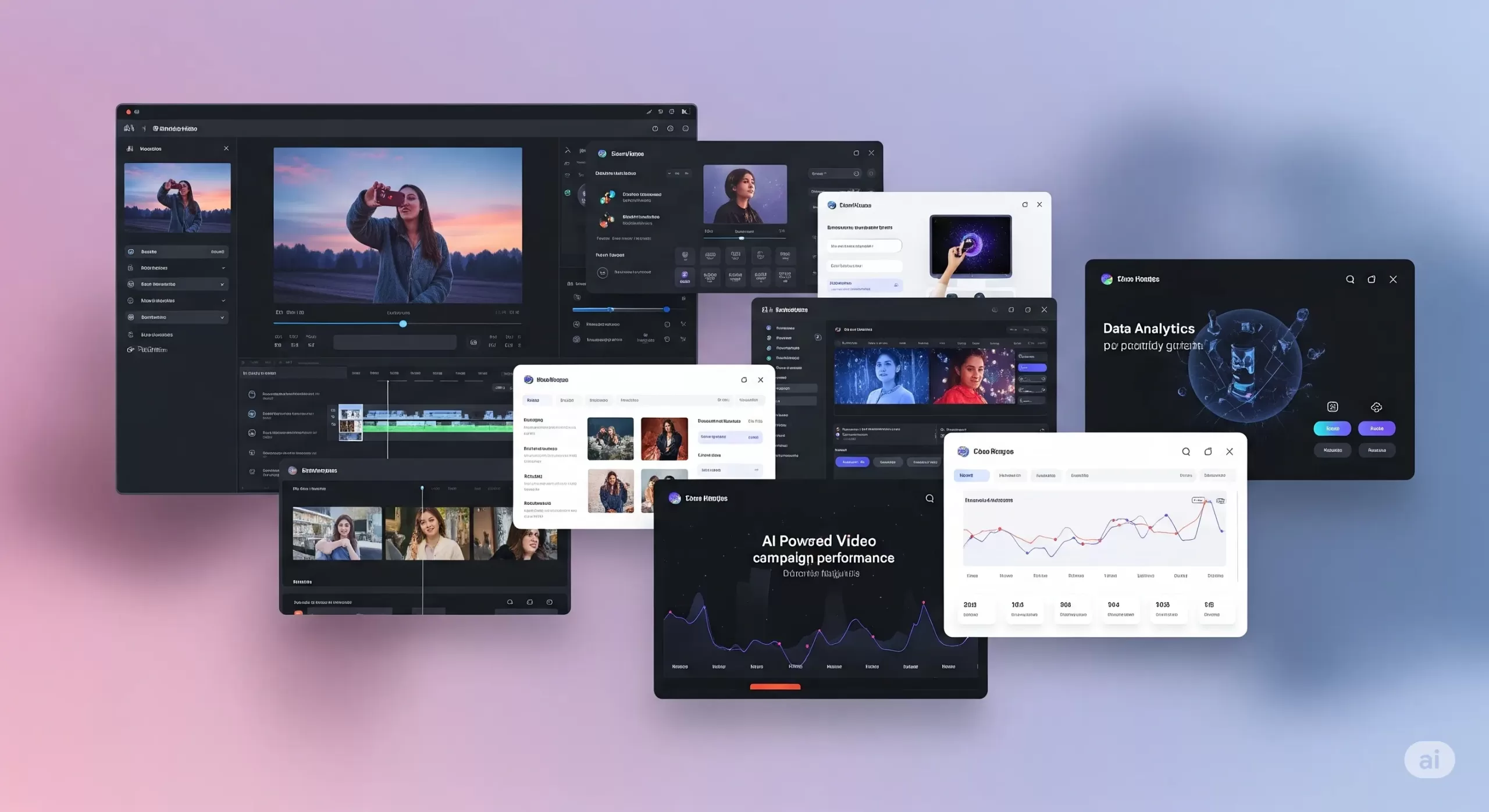
Integrating Google Veo 3 into ad campaigns makes a real difference. Video ads capture attention in ways static images cannot. With AI video ad tools, you can quickly create engaging clips without complex editing skills. These tools use advanced algorithms to generate smooth animations and dynamic visuals that feel professional.
How AI Video Helps Small Businesses Do More with Less
If you’re running a small business, you’re probably juggling ads, design, and content, and trying to stand out online. Traditional video production takes a lot—time, money, editing skills, and people. That’s why AI video marketing tools are changing the game.
With tools like Google Veo 3 integration, you can create short, high-quality videos without hiring a crew. You don’t need a camera. You don’t need actors. Just write a script or upload a few images, and the tool builds a video for you, complete with animation, voice, and background sound.
This helps you move faster. You can launch ads quickly and test more ideas without wasting time. Want to see which intro grabs attention? Or which version of your product video performs better? AI video ad tools let you create and compare variations in hours, not weeks.
Even better, these tools are built for small teams. The video quality looks polished. You can control the fonts, colors, and style, so everything feels on-brand. A small clothing brand can produce an Instagram reel that looks just as clean as a big-name fashion ad.
These AI-powered video marketing tools also give you an edge when it comes to performance. Video ads tend to get more clicks than static images. If your goal is leads or sales, this matters. The tools fit right into your performance-based marketing strategies. You can track views, clicks, or purchases, and only pay for the actions that matter.
Some tools even help make content safer. For example, Google filters content created with Veo to avoid misuse. That keeps your brand protected while still being creative.
In short, artificial intelligence video marketing tools help you create content that’s fast, consistent, and built to convert. They help small businesses compete without using up too much time or money.
Integrating Google Veo 3 into Google Ads Campaigns
A Beginner-Friendly Guide to Smarter Video Ads
Adding Google Veo 3 integration to your Google Ads campaign might sound complex, but it’s not. Whether you’re running your first ad or already experimenting with video, this guide breaks it down in simple terms.
Where Veo 3 Videos Can Show Up
You can use Veo 3’s AI-generated videos in three key Google ad formats:
-
YouTube In-Stream Ads (TrueView): These short videos play before or during other YouTube content. Viewers can skip after 5 seconds. Use this space for a 10–15 second clip that delivers your message fast.
-
Discovery Video Ads: These appear alongside YouTube search results and related videos. The video appears with a headline and thumbnail that invites clicks.
-
Display Network with Video: Instead of a static banner ad, your video can be shown across websites and apps that support video placements. Great for visibility across the web.
To add a Veo 3 video to your campaign:
-
Download your video as an MP4 from the Veo 3 dashboard.
-
Log in to Google Ads and create a new campaign.
-
Choose “Video” as the campaign type.
-
Select your goal, like “Website Conversions” or “Brand Awareness.”
-
Upload your video and follow the prompts.
No coding or special tools needed.
Google Ads Best Practices for Veo 3 Video
Want your video to perform well? Keep it simple and focused.
-
Grab attention early. Show your brand or message in the first 3–5 seconds.
-
Add a clear CTA. Text like “Shop Now” or “Learn More” should be on screen. Veo 3 lets you add these as text panels or end cards.
-
Use captions. Many viewers watch with the sound off. Add on-screen text to make your message clear.
Before launching, check these things:
-
Video resolution: at least 720p
-
Audio: Clear and not too loud
-
Text size: Easy to read on mobile
These small steps help with Google Ads campaign optimization.
Bidding and Targeting for AI Video Ads
When you run video ads, you need to set a budget and bidding method. Here are two common ones:
-
CPV (Cost per View): You pay only when someone watches 30 seconds or the full video.
-
CPA (Cost per Acquisition): You pay when someone takes a specific action, like signing up or making a purchase.
Targeting helps your video reach the right people:
-
Demographics: Age, gender, location.
-
In-market audiences: People actively shopping for products like yours.
-
Custom intent: You choose keywords your ideal customer might search.
If you notice that one group (say, women aged 25–34) is responding better, you can increase bids just for them. That’s how Google Ads optimization works—adjusting based on performance.
A/B Test Your Veo 3 Ads
Don’t guess. Test.
-
Create two versions of your Veo 3 video. One could have a voiceover, the other just text.
-
Run both at the same time with equal budget.
-
Compare these metrics:
-
View rate
-
Click-through rate (CTR)
-
Conversion rate
-
Pause the lower-performing ad and shift budget to the better one.
For more help, read our guide on the best Google Ads automation & optimization tools for 2025.
Track Performance Like a Pro
Once your ads run, check your metrics:
-
View Rate: How many people watched at least 30 seconds
-
CTR: How many clicked after seeing the video
-
Conversions: How many signed up, bought, or filled out a form
These numbers support performance ad strategies. If your goal is ROI, track cost vs. return. For example, if you spend $100 and make $500, your return is 5×.
Use these results to guide your next steps. Keep high-performing Veo 3 videos, and pause the rest. Over time, you’ll build a reliable library of content that works.
Enhancing Meta Ads with AI Video
How to Use Google Veo 3 Videos on Facebook and Instagram
Meta platforms like Facebook and Instagram are some of the best places to use short videos. People scroll fast, and a good video can get them to stop. If you’re already using Google Veo 3 integration, you can reuse those videos in your Meta campaigns for stronger engagement.
Where to Use Veo 3 Videos on Meta
There are several ways to place your videos across Meta platforms:
-
Feed Video Ads: These appear like regular posts in Facebook or Instagram feeds. A strong thumbnail and headline can increase views.
-
Stories and Reels: These are vertical, full-screen videos that appear in short-form formats. They work well on mobile devices and often get high reach.
-
Carousel Video Ads: Use this format to showcase different video clips. It’s useful when you want to display several products or steps in one campaign.
You can upload your AI-generated videos from Veo 3 directly into Meta’s Ads Manager.
Follow These Meta Advertising Best Practices
For better results, follow these proven tips based on Facebook and Instagram Ads best practices:
-
Use mobile-friendly formats. Square (1:1) or vertical (9:16) works best on phones.
-
Add captions. Many users watch videos on mute. On-screen text helps communicate your message clearly.
-
Catch attention early. The first three seconds matter most. Use movement, a bold headline, or your product right away.
-
Keep videos short. Meta recommends under 15 seconds for Stories and Reels.
These are simple ways to follow Meta advertising best practices and improve performance.
Test Video Performance With A/B Comparison
Not sure if video will work better than images? Test it.
-
Make two or more versions of your Veo 3 video. Change things like the voiceover, captions, or visuals.
-
Run them alongside a static image ad.
-
Check results. Look at click-through rate, video views, and conversions.
Keep the version that performs best. This is how many small businesses improve results using Meta ad strategies.
Smart Targeting for Better ROI
Meta has advanced targeting tools. Use them with your Veo 3 ads to reach the right people:
-
Interest targeting: Choose people interested in things like skincare, fitness, or tech.
-
Lookalike audiences: Find people similar to your current customers.
-
Custom audiences: Retarget users who visited your site or interacted with past posts.
You can also retarget people who watched your Veo 3 video but didn’t click. This is part of performance ad strategies. You only spend money on people who have already shown some interest.
Should You Use AI Video for Meta Ads?
Yes. Here’s why:
-
It helps your brand stand out in crowded social feeds.
-
It’s faster and cheaper than traditional video production.
-
It lets you test creative ideas quickly.
For a full comparison of ad platforms, read:
👉 The Truth About Google Ads vs Facebook Ads
Performance Marketing Strategies with AI Video
Simple Ways to Track Results and Improve Campaigns
If you’re spending money on ads, you should know exactly what you’re getting back. That’s what performance marketing strategies are all about. Instead of guessing, you track what works, fix what doesn’t, and keep improving. When you pair this with smart tools like Google Veo 3 integration, it’s easier to make better decisions, even on a small budget.
Focus on ROI, Not Just Views
It’s easy to chase likes or views. But for small businesses, the goal is usually action — a sale, signup, or message.
Here’s how to use ROI-driven marketing strategies:
-
Track conversions. How many people clicked your ad and did something useful, like buy a product or join your list?
-
Compare results. Did your Veo 3 video lead to more actions than a static ad?
-
Watch video completion. If people only watch a few seconds, try a different approach.
This shift from vanity metrics to real results is the core of performance-based marketing strategies.
Smarter Bidding to Save Time and Money
Ad platforms let you choose how to pay:
-
CPA (Cost Per Acquisition): You only pay when someone takes a specific action.
-
ROAS (Return on Ad Spend): You set a goal like “earn 3x what I spend.” The platform tries to meet that target.
Both work well when you track conversions. These are part of performance ad strategies that put results first.
Test, Learn, and Improve
The best thing about tools like Veo 3 is how quickly you can make new videos. If something isn’t working, update your creative and try again the same day.
Look at key data points like:
-
Click-through rate (CTR)
-
View duration
-
Cost per action
If one version performs better, shift more budget to it. Pause the others. That’s how you run smarter campaigns without spending more.
Stay Consistent Across Channels
If you’re using both Google and Meta ads, your messaging should match. Your audience should see the same tone, style, and offer wherever they go. This creates trust and helps guide people smoothly from ad to website.
Use Retargeting to Bring People Back
Sometimes a person watches your Veo 3 video but doesn’t take action. That’s normal. But you can bring them back.
Set up retargeting ads that show a second video, a new offer, or a reminder. You’re focusing on people who already showed interest. This often gives better results than starting from scratch.
Frequently Asked Questions
What is Google Veo 3 integration?
Google Veo 3 integration means using AI-generated videos from Google’s Veo 3 tool in your marketing campaigns. These videos are short, high-quality, and include natural sound and motion. Businesses can upload them to Google Ads or Meta Ads to make ads more engaging.
Can small businesses use Veo 3 without technical skills?
Yes. Veo 3 is designed to be simple. You upload a script or image, and the tool creates a ready-to-use video. Then, platforms like Google Ads or Meta Ads walk you through the steps to launch your ad. No advanced editing or coding is needed.
How do Veo 3 videos improve ad performance?
These videos often have higher click-through and view rates. That’s because they look professional and grab attention quickly. When paired with performance marketing strategies, they can lead to more conversions and better return on ad spend.
Where can I use Google Veo 3 videos?
You can use them in:
-
Google Ads (YouTube, Display, and Discovery ads)
-
Facebook and Instagram (Stories, Reels, Feed posts, and Carousels)
These videos work across platforms and devices.
Do I need a special plan to use Veo 3?
Yes. As of now, access to Veo 3 is included with Google’s AI Ultra plan under the Flow platform. It may change, so always check Google’s official documentation for current requirements.
Are these AI videos safe and brand-friendly?
Yes. Google Veo 3 includes filters to prevent inappropriate content. You can also control the visuals, tone, and message, ensuring everything aligns with your brand.
Can I test different Veo 3 video versions in ads?
Absolutely. A/B testing is easy with Veo 3. You can make multiple versions, change voiceovers, images, or calls to action, then track which version performs best using platform analytics.
How does this fit into a performance-based marketing strategy?
You only spend money when people take action, like watching a video or making a purchase. AI video tools like Veo 3 help you create better ads faster, test them quickly, and focus your budget on what works.
How do I connect Veo 3 videos to my website?
Use a landing page that supports video. Make sure it loads fast, looks good on mobile, and matches the message from your video ad. This helps improve user experience and increases conversions.
Conclusion and Next Steps
Google Veo 3 integration gives small businesses a way to create standout video ads without a big budget or team. These AI-powered videos are short, polished, and optimized for platforms like Google and Meta.
What matters most is performance. With the right strategy, AI video tools can increase engagement, reduce production time, and boost conversions. You get more from your ad spend, and you can track every step.
Even Google confirms that video-first strategies drive higher engagement and ROI, especially when paired with strong visuals and relevant targeting.
Source: Google Ads Help – Video Campaign Best Practices
If you’re ready to try this approach, start small. Test one Veo 3 video. Track your results. Build from there.
And if you need help?
Les Creatifs Studio can support you with AI video ads, Google Veo 3 setup, and campaign optimization.
Let’s make your ads work harder — without overcomplicating them.
The post Boost Your Ad Results With Google Veo 3 Integration appeared first on Best Media Agency.
]]>Why Use Automation Tools for Google Ads?
Have you ever felt like there aren’t enough hours in the day to tweak and perfect your Google Ads campaigns? That’s where Google Ads automation tools come in handy. They’re designed to make your life easier and your campaigns more effective by taking over the repetitive, time-consuming tasks. This lets you focus on the creative and strategic aspects that really make a difference.
These tools can significantly boost your campaign’s efficiency. Imagine not having to manually adjust bids or shift through endless data to test every ad variation. Automation tools can manage these tasks continuously, optimizing your ads based on real-time data. This consistent attention to detail can lead to noticeably improved performance and higher returns on investment.
Furthermore, leveraging Google Ads automization and optimization tools ensures your advertising budget is used more effectively. These tools shift through vast amounts of data to pinpoint the best opportunities for ad placements, minimizing wasted spend and increasing the likelihood of reaching your target audience with precision. The result is a more streamlined approach that delivers more impactful outcomes.
So, no matter the size of your business, incorporating automation tools into your Google Ads strategy can lead to more efficient campaigns and a more robust bottom line. Curious to see how these tools can transform your advertising efforts? Let’s explore some of the top tools available.
To supercharge these automation tools with real‑world competitive edge, pair them with our free Google Ads Competitor Analysis Tools: 10 Ways guide for a 360° view of the auction.
Features to Look for in Google Ads Automation and Optimization Tools
When choosing Google Ads automation tools, it’s essential to understand which features will enhance your advertising efforts most effectively. Here’s a closer look at crucial features to guide your selection process.
AI Capabilities:
Look for tools that incorporate advanced artificial intelligence. AI in Google Ads tools can analyze patterns from your past ad performance to make predictive adjustments automatically. This means your ads are continually optimized based on evolving data, targeting more effectively and improving outcomes with each campaign iteration. AI-driven tools adapt and learn, ensuring that your advertising becomes more refined and successful over time.
User Interface:
Ease of use is critical. The interface should be straightforward, allowing you to navigate through various functions easily. A well-designed interface reduces the learning curve and helps you focus on optimizing campaigns rather than figuring out how to use the tool. This feature is particularly beneficial for teams with varying levels of tech savviness, as it ensures that everyone can contribute to the campaign’s success.
Analytics:
Detailed analytics are a cornerstone of effective Google Ads tools. Beyond tracking standard metrics like clicks and impressions, look for tools that provide insights into conversion rates and user interactions. These analytics help paint a clear picture of your campaign’s performance, showing you which aspects are working and which need adjustment. By understanding user behavior and the journey through your ads, you can make data-driven decisions that significantly boost your campaign’s effectiveness.
Integration Capabilities:
Your Google Ads tool should integrate seamlessly with other tools and platforms you use, such as CRM software, email marketing systems, and other analytics tools. This integration is vital for maintaining a smooth flow of data across platforms, which helps in creating a unified marketing strategy. When all your tools communicate effectively, you can manage campaigns more efficiently and with greater accuracy.
Customization Options:
Customizability is key for tailoring a tool to fit your specific needs. Whether it’s setting parameters for automatic bidding or customizing reports to highlight essential metrics, the ability to adjust the tool’s functionality can make a significant difference. Customization ensures that the tool works for you, not the other way around, allowing you to optimize your campaigns according to your unique business goals and market conditions.
Selecting a Google Ads automation and optimization tool with these features will not only simplify your advertising operations but also amplify their impact. With the right tool, you can expect to see enhanced performance, greater efficiency, and ultimately, higher returns on your advertising investments.
Review of Top Google Ads Automation and Optimization Tools
Navigating the world of Google Ads automation tools can be complex, but understanding key players in the market can streamline your decision-making process. Here’s an in-depth look at some of the top tools currently dominating the market, complete with pricing details and direct links for more information.
Revealbot
Revealbot simplifies the advertising process through automated ad management, targeting both brands and individuals aiming to master their campaigns efficiently.
What is Revealbot? Revealbot streamlines advertising by automating ad setup, enabling users to quickly launch campaigns based on proven templates. This automation helps manage, launch, and analyze ads, providing comprehensive support throughout the advertising lifecycle.
How Does Revealbot Work? Revealbot automates the ad setup process, allowing users to utilize templates for quick campaign launches. It integrates with platforms like Slack, Google Sheets, and Google Analytics, enhancing its utility across multiple channels.
Key Features of Revealbot:
- Cross-Platform Management: Manages ads across platforms including Facebook, Twitter, and Google.
- Integration: Seamlessly integrates with key tools to enhance functionality.
- Bulk Creation and Boosting: Automates bulk uploads and boosts top-performing posts efficiently.
- Look-Alike Builder: Streamlines creation of look-alike audiences to enhance targeting.
Pricing: Revealbot’s pricing is based on monthly ad spend, starting at $83 for a $10K limit, scaling up to $2,519 for a $3 million limit. A 14-day free trial allows users to test its full capabilities.
User Experience: Users commend Revealbot for its user-friendly interface and automation capabilities, though the rich feature set may initially overwhelm new users.
Conclusion: Revealbot is a powerful tool that enhances ad management efficiency, making it a valuable asset for marketers looking to streamline operations and improve campaign outcomes.
For more details and to start a free trial, visit Revealbot.
Madgicx
Madgicx is an AI-driven advertising platform that enhances ad campaigns on Facebook and Google by automating and optimizing various aspects of advertising strategy. It aims to improve ROAS and CTR through advanced targeting, comprehensive analytics, and creative intelligence.
Key Features of Madgicx:
- AI-Driven Ad Optimization: Uses algorithms to continuously refine ads based on real-time data.
- Seamless Integration: Integrates with Facebook and Google Ads for a unified management dashboard.
- Creative Production Tools: Features tools for producing compelling ad creatives backed by AI-generated suggestions.
Benefits of Madgicx:
- Structured Marketing Formula: Incorporates acquisition, retargeting, and scaling strategies to optimize all campaign facets.
- Adaptability: Stays effective in a cookie-less future by leveraging first-party data, ensuring robust targeting capabilities.
Impact on Businesses: Madgicx automates routine tasks, freeing marketers to focus on strategic initiatives, thus proving particularly beneficial for small to medium-sized businesses looking to maximize efficiency without extensive resources.
Considerations: Businesses should evaluate factors such as ease of use, scalability, and customer support when selecting an ad optimization platform. Alternatives like AdEspresso, Smartly.io, and Revealbot offer varied features that might better match specific needs.
Conclusion: Madgicx offers a powerful solution for automating and optimizing digital advertising, making it a strong contender for businesses seeking to enhance their online advertising efforts efficiently.
For further details or to try Madgicx, visit their website.
AdEspresso
AdEspresso, developed to simplify Facebook ad management, has evolved to enhance advertising across Facebook, Instagram, and Google. It is particularly suited for small businesses, offering tools for easy ad creation, optimization, and reporting.
Key Features:
- A/B Testing: Streamlines the process of testing ad elements.
- Smart Optimization: Shifts budget from underperforming ads to successful ones.
- Detailed Reporting: Provides metrics beyond basic analytics, including sales and engagement.
Pricing:
- Starter Plan: $49/month for managing campaigns with a $1,000 ad spend limit.
- Plus Package: $99/month, adds performance triggers and white label reporting.
- Enterprise Package: $259/month, includes a marketing consultant and API access.
Ease of Use: Setting up is straightforward, involving a simple account setup and connection to social media platforms, making campaign management accessible and efficient.
Conclusion: AdEspresso by Hootsuite offers a powerful yet user-friendly platform that enables small to medium-sized businesses to optimize their online ads efficiently. It is a good fit for those looking to maximize ad performance with minimal effort.
For more information or to try AdEspresso, visit their website: AdEspresso by Hootsuite.
Marpipe
Marpipe is an advertising platform designed for ecommerce brands that want to scale catalog-driven ads using AI. It focuses on automating creative production and improving performance through structured testing across platforms like Google and Meta.
Key Features:
- Multivariate Testing: Enables comparison of multiple creative variations to identify high-performing combinations.
- Creative Automation: Generates large volumes of product ads efficiently using catalog data.
- AI Enhancements: Supports copy generation, background removal, and creative optimization.
- Product-Level Video Ads: Creates video ads directly from product catalogs.
- Cross-Platform Support: Works across major advertising platforms for seamless deployment.
Pricing:
- Marpipe offers custom pricing based on business needs and scale. Businesses can request a demo to explore features and capabilities.
Ease of Use: Marpipe integrates directly with product feeds, allowing teams to automate ad creation and launch multiple variations with minimal manual effort. The platform is designed to simplify large-scale creative management for ecommerce campaigns.
Conclusion: Marpipe is a strong solution for ecommerce and DTC brands managing large product catalogs. It helps streamline creative production while enabling data-driven optimization, making it suitable for teams looking to scale catalog advertising efficiently.
For more details or to request a demo, visit Marpipe.
How to Choose the Right Tool for Your Needs
Selecting the right Google Ads optimization software can feel daunting, but with a clear understanding of your business size, budget, and specific advertising needs, it becomes much simpler. Here’s a straightforward guide to help you find the perfect fit.
Consider Your Business Size: Small businesses might prioritize tools that offer simplicity and cost efficiency, while large enterprises might need robust features like extensive data integration and cross-platform management. Therefore, start by assessing the scale of your operations and the complexity of your needs.
Budget Matters: Next, establish a clear budget. Various tools come with different pricing structures — some charge a flat rate, others might offer pricing based on ad spend or additional features. It’s crucial to choose software that fits comfortably within your financial plan without compromising on necessary features.
Specific Needs: Identify the specific challenges you face with your Google Ads campaigns. Are you struggling with ad creative, data analysis, or perhaps audience targeting? Look for software that excels in these areas. For instance, if crafting compelling headlines is crucial for your campaigns, consider resources that enhance creative content, like the insights from this article.
Test and Decide: Finally, take advantage of free trials or demos offered by most platforms. Testing the software with your actual data and campaigns can provide a clear picture of how well it meets your needs and integrates with your workflow.
By carefully considering these factors, you can choose a Google Ads optimization tool that not only fits your budget and business size but also addresses your specific marketing challenges effectively. Remember, the right tool should make your ad management more efficient and yield better campaign results.
Conclusion
Choosing the right Google Ads optimization software is essential for achieving effective and efficient ad campaigns. These tools simplify complex processes, automate repetitive tasks, and provide valuable insights to help your ads perform better. From AI-driven optimization to detailed analytics, they offer features that make a real difference in your results.
By integrating these tools into your marketing strategy, you can save time, reduce costs, and boost ROI. Whether you’re a small business or a large enterprise, there’s a solution tailored to your specific needs. Transitioning to automation doesn’t just streamline your workflow—it empowers you to focus on strategy and creativity.
Take the time to evaluate your options and test what works best for your campaigns. With the right tool in place, you’ll be well-equipped to achieve your marketing goals and stay ahead of the competition in the fast-evolving world of digital advertising.
We’d love to hear your thoughts! Have you tried any Google Ads optimization software or tools from this list? Share your experiences or questions in the comments below. If you’re looking for more insights on boosting your ad performance, subscribe to our newsletter for expert tips and strategies.
The post The Best Google Ads Automation & Optimization Tools for 2025 appeared first on Best Media Agency.
]]>