TL;DR
To run effective Meta Ads, you need a clear funnel strategy. This means understanding how to speak to cold, warm, and hot audiences differently. Start with awareness campaigns to reach new people (TOFU), move to trust-building content for those who’ve shown interest (MOFU), and then focus on converting high-intent users (BOFU). Match your campaign objectives to each stage and run both prospecting and retargeting ads. In this article, I’ll walk you through a beginner-friendly blueprint to structure your first Meta Ads funnel that actually works.
If you’re running ads without a plan, you’re wasting money. A good meta ads funnel gives every campaign a purpose. It helps you speak to people based on how well they know your brand. Cold audiences need awareness. Warm audiences need trust. Hot audiences need a clear offer. In this article, I’ll walk you through how to set up your funnel using Meta Ads. I’ll also show you the difference between prospecting and retargeting so you can build a strategy that works from day one.
What Are the Three Stages of the Meta Ads Funnel?
Most people run Meta Ads and hope for quick results. However, the truth is that most people don’t buy the first time they encounter your brand. That’s why a clear meta ads funnel matters. It helps you tailor your message to people based on their level of familiarity with your brand.
There are three main stages. I use this structure for every campaign I build.
1. TOFU – Top of Funnel (Cold Audiences)
This is where the journey starts. These people don’t know who you are. They haven’t visited your site or interacted with your brand before. Your goal here is to introduce yourself, not to sell.
You want to give value and start a conversation. This is where you build awareness.
What works well at TOFU:
-
Short videos that show what you do
-
Quick tips or educational content
-
Thoughtful posts that spark curiosity
-
Stories that make your brand relatable
Avoid asking for anything at this stage. Just give people a reason to notice you.
2. MOFU – Middle of Funnel (Warm Audiences)
This group knows you. They may have liked your content, followed your page, or clicked an ad. They’re interested, but not ready to buy.
At this stage, your job is to build trust. Help them understand your offer and why it matters. Remove doubts. Give proof.
What works at MOFU:
-
Testimonials or case studies
-
How-to content or product explainers
-
Comparisons and before-and-after stories
-
Free downloads or lead magnets
The goal is to move them closer to a decision without pressure.
3. BOFU – Bottom of Funnel (Hot Audiences)
These people are ready. They’ve visited your pricing page, added something to their cart, or engaged multiple times.
Now it’s about conversion. You don’t need to reintroduce your brand. You need to give them a reason to act now.
What works at BOFU:
-
Limited-time offers
-
Free trials or consultations
-
Clear benefits and strong CTAs
-
Content focused on making the final decision easy
This is where sales happen, but only if you’ve done the earlier work.
A strong meta ads funnel moves people from cold to warm to hot. Each stage plays a different role. Skipping one will cost you money. When you build the full journey, your ads work better and convert more.
If you’re not yet familiar with how Meta Ads actually work behind the scenes, start with this breakdown of what really drives results. It’ll give you the right mindset before you build your strategy.
The classic TOFU–MOFU–BOFU framework has been used in marketing for years, and this piece by HubSpot does a great job explaining why it works across industries.
How Do Campaign Objectives Match Each Funnel Stage?
When you run Meta Ads, the platform asks you to choose a campaign objective. This isn’t just a technical setting. Your objective tells Meta what result you want. It also guides the algorithm on how to deliver your ads.
Each stage of your meta ads funnel has a different goal. You need to match that goal with the right objective. Here’s how I approach it.
Funnel Stage vs. Campaign Objective
| Funnel Stage | Audience Type | Campaign Goal | Best Meta Objectives | Example Use Case |
| TOFU | Cold audiences | Build awareness | Awareness, Video Views, Traffic | Promote a short brand video or blog article |
| MOFU | Warm audiences | Build trust, educate | Engagement, Leads, Conversions | Offer a free guide or retarget video viewers |
| BOFU | Hot audiences | Drive conversions | Sales, Website Purchases, Catalog Sales | Show a limited-time offer to cart abandoners |
Here’s how I use this in practice:
-
At TOFU, I run traffic or video view campaigns to reach new people. I keep the content focused on value and visibility.
-
For MOFU, I move to lead generation or engagement. A lead magnet or testimonial works well at this stage.
-
At BOFU, I go straight to conversions. This is where I add urgency and use direct calls to action.
A lot of new advertisers choose the wrong objective and end up wasting their budget. If you ask for sales at the top of the funnel, the cost will be high and the results will be weak. If you only boost posts at the bottom, you’ll miss conversions.
Meta explains each campaign objective clearly in this official guide, which I recommend bookmarking.
What’s the Difference Between Prospecting and Retargeting?
Every Meta Ads account should run two types of campaigns: prospecting and retargeting. Both serve different goals, and both are essential if you want consistent results.
Prospecting means reaching new people. These are cold audiences who’ve never seen your brand. It’s what you use at the top of the funnel (TOFU). Your goal is to build awareness and introduce your brand. These campaigns help you grow your audience pool.
Retargeting means speaking to people who already know you. Maybe they watched your video, visited your website, or clicked an ad. These are warm or hot audiences. You use retargeting in the middle and bottom of the funnel (MOFU and BOFU) to build trust and drive conversions.
If you only run prospecting ads, you’ll get reach but no follow-up. If you only retarget, your audience will shrink fast, and your costs will climb. A strong meta ads funnel strategy does both.
The same logic applies across platforms. If you’re unsure when to use Meta versus Google for this, I broke it down in this article on Google Ads vs Meta Ads.
How to Launch Your First Funnel Strategy
If this is your first time building a meta ads funnel, keep it simple. You don’t need a complex setup. Start with two campaigns. One to attract new people. One to follow up with those who showed interest.
This is the same structure I use when helping businesses set up their first ad system.
Step 1: TOFU Prospecting Campaign
-
Goal: Awareness or traffic
-
Audience size: At least 500,000 cold users
-
Budget: 60 percent of your total monthly spend
-
Creative tips:
-
Use short videos or carousels
-
Focus on brand value, not product features
-
Avoid direct offers or sales language
-
-
Key metric: CTR (Click-through rate)
This campaign introduces your brand to new people. You’re building visibility, not selling yet.
Step 2: MOFU + BOFU Retargeting Campaign
-
Goal: Leads or conversions
-
Audience size: Around 10,000 to 50,000 people who visited your site or engaged with your ads
-
Budget: 40 percent of your total spend
-
Creative tips:
-
MOFU: Use testimonials or explainer posts
-
BOFU: Use limited-time offers or free trials
-
-
Key metrics:
-
MOFU: CPL (Cost per lead)
-
BOFU: ROAS (Return on ad spend)
-
This is where conversions happen. These people already know you. Make the next step easy to take.
If you’re unsure about how to structure your budget or audience, you can contact us, and we’ll help you plan your first funnel effectively.
Conclusion: Build with Purpose, Then Measure
Now you have a clear structure to start your Meta Ads journey. You understand how to speak to cold, warm, and hot audiences. You know which campaign objectives to choose and how to balance prospecting with retargeting. You also have a simple, focused plan to launch your first funnel with confidence.
But once your ads are running, the next question is: how do you know what’s working?
That’s where we’re heading next. In the next article, “How to Read Meta Ad Metrics Without Getting Lost“, I’ll show you how to read your metrics, what to ignore, and how to make better decisions based on real data.
FAQ
1. What if my TOFU ads get clicks but no sales?
That’s expected. At the top of the funnel, people are just becoming familiar with your brand. They may click out of curiosity, not intent. Use this stage to build awareness, then move them into retargeting campaigns where you can build trust and eventually drive conversions.
2. Can I skip TOFU and only run conversion ads?
You can, but it usually leads to poor results. Cold audiences aren’t ready to buy. Without first seeing value or building some trust, even a great product will be ignored. Skipping TOFU means you’ll spend more and convert less.
3. How long should I wait before retargeting someone?
It depends on your funnel length and product type. For most offers, retargeting after 3 to 7 days of engagement works well. That gives people time to absorb your message but keeps your brand fresh in their minds.
4. What metrics should I track at each stage?
Start simple. Use CTR at TOFU to check engagement, CPL at MOFU to measure lead quality, and ROAS at BOFU to track return on spend. Don’t rely on one number alone. Each metric tells part of the full story.
5. What if my retargeting audience is too small?
That’s a sign you need to scale TOFU first. Retargeting only works when you have enough people in your funnel. Focus on expanding your reach with awareness or traffic campaigns, then revisit retargeting once your warm pool grows.
The post How to Build a Meta Ads Funnel That Converts appeared first on Best Media Agency.
]]>TL;DR: Understanding Meta Ads
Before you spend on Meta Ads, it’s important to get the mindset right. Unlike Google, Meta is not intent-based. You’re interrupting someone’s scroll, not answering a question. That means your ad needs to earn attention. Meta rewards ads that create a good user experience, not just the ones with high budgets. It works like an auction, where quality and relevance often beat money. The key is to test like a scientist, track what works, and treat every result as data. If you understand these four ideas, you’re already ahead of most beginners.
Understanding Meta Ads isn’t about knowing where to click. It’s about learning how to think. Most beginners jump into Ads Manager hoping the settings will do the work. But Meta doesn’t reward buttons. It rewards a mindset. Before you run your first campaign, you need to see Meta for what it is: a social platform protecting its users, not a vending machine for leads. This isn’t a how-to-click tutorial. It’s a how-to-think guide. In the next few minutes, you’ll learn four core mind-shifts that separate confident advertisers from those who waste their budgets and blame the algorithm.
Understanding Meta Ads as an Interruption: Why Attention Is Earned, Not Given
People on Google are searching for something. People on Meta are not.
That’s the first mindset shift you need to understand. On search platforms like Google, users already have intent. They’re actively looking for a product, a solution, or an answer. If you show up with a relevant offer, they’re likely to click.
But on Meta platforms like Facebook or Instagram, no one came looking for you. They’re scrolling to relax, laugh, watch reels, or catch up with friends. Your ad is an interruption. That’s not a bad thing. But it means you need to earn attention instead of assuming you’ll get it.
Think of it like this: Google is like a hardware store. People walk in already wanting to buy something. Meta is more like a dinner party. If you suddenly stand up at the table and start pitching your product, people will tune out unless you say something that’s actually interesting or helpful.
That’s why your Meta ad must feel like content, not a commercial. It must hook someone within seconds, either with curiosity, usefulness, or entertainment. The goal isn’t just to get seen. It’s to get noticed and remembered.
Try this: Instead of starting your ad by talking about your brand or features, open with a problem your audience faces, a bold question, or a surprising statement. Give them a reason to stop scrolling.
If your ad feels like an extension of what they were already enjoying, they’re far more likely to engage. That’s how you go from being an interruption to being welcome.
How Does the Three-Way Value Exchange Control Your Costs?
When you advertise on Meta, you’re not the only one with a goal. There are three players in the mix: you, Meta, and the user. And all three must benefit.
Let’s break it down.
-
The user opens Instagram or Facebook for entertainment or connection.
-
Meta wants to keep that user engaged on the platform.
-
You want to reach that user and drive a result, like a sale or lead.
Here’s the deal. If your ad makes the user stop, smile, watch, or click, Meta sees it as a good experience. That helps Meta retain the user. In return, they reward you by showing your ad more often and lowering your cost.
But if people skip or hide your ad, Meta sees it as bad content. Your reach drops. Your costs go up. Even if you’re spending a lot, poor creatives gets penalized.
That’s why it’s not just about budget or targeting. What matters most is how your ad makes people feel when they see it.
Here’s the mindset shift: You’re not buying attention. You’re earning it by respecting the user’s feed.
Tip: Test 2 or 3 different creatives at once. Compare performance. Focus on the version that gets likes, comments, saves, or clicks. Those signals tell Meta that people care. That’s how you reduce your cost and improve results.
Why Meta Ads Work Like an Auction, Not a Vending Machine
Many beginners treat Meta Ads like a vending machine. They assume that if they put in more money, they’ll automatically get better results. But Meta doesn’t work that way. Meta Ads run on a live auction system. To win, you need more than just money.
Each time an ad is about to appear, Meta holds a quick auction. You’re competing with other advertisers for the same viewer. But your bid is not only about how much you’re willing to pay. It’s made of three parts:
-
Your monetary bid
-
Your ad’s quality
-
Your ad’s relevance to the viewer
Meta calculates a total value for each ad based on these three inputs. The ad with the highest value wins the slot. This means that a smaller budget can still win if the ad is better targeted and more engaging.
If people stop scrolling to watch, read, or interact with your ad, Meta sees it as high-quality. Since Meta wants people to enjoy the platform, it rewards good ads by showing them more often and at a lower cost.
This is why relevance and quality matter more than just increasing your budget.
Pro tip: Don’t just spend more. Make better ads. Use Meta’s Ad Quality Guidelines to check your creative before you launch.
How to Think Like a Scientist When Running Meta Ads
Understanding Meta Ads means looking beyond wins or losses. It’s about treating every campaign like an experiment. One of the biggest mindset shifts in understanding Meta Ads is removing emotion from performance. A campaign that “fails” isn’t a failure. It’s a data point.
Think of yourself as a scientist in a lab. Each campaign is an experiment. You start with a hypothesis. For example, “This message will work best with this audience.” Then you test one variable at a time. That could be the headline, visual, audience, or offer. When results come in, don’t panic and don’t celebrate too soon. Just review what the data tells you. What worked? What didn’t?
This way, you stay calm and strategic. Over time, your process becomes less about guessing and more about refining what works.
Pro tip: Create a “learnings” file for every campaign. Add quick notes after each test. You’ll build your own playbook faster than most.
Want a deeper comparison between what works on Meta versus Google? This article breaks down what most marketers ignore: The Truth About Google Ads vs Facebook Ads: What No One Tells You
Conclusion: Mindset Before Mechanics
Understanding Meta Ads starts in your head, not in Ads Manager. Before you launch your first campaign, here’s a quick recap of the four mindset shifts you need:
-
Be a welcome interruption – Lead with value or curiosity to earn attention in a social feed.
-
Respect the value exchange – Create ads that users enjoy, so Meta rewards you with lower costs.
-
Think in auctions, not vending machines – Winning isn’t about budget alone. Relevance and quality play a big part.
-
Act like a scientist – Run tests, track what you learn, and keep emotion out of the process.
Most beginners jump straight into settings, hoping to “get it right.” But what separates skilled advertisers from frustrated ones is this mindset. The real work happens before the ad is live.
What’s the next step after mindset?
Build your ad strategy. Start with the funnel blueprint in Part 2 to plan your campaign the right way.
FAQ: Understanding Meta Ads
1. How long before I see results from Meta ads?
Most advertisers start seeing initial data trends within 7 to 14 days. However, consistent results take time. Meta’s algorithm needs enough data to optimize delivery. If you rush or keep changing your ads, the learning phase resets. Patience and consistency are key to understanding Meta Ads’ performance over time.
2. Can small budgets win Meta ad auctions?
Absolutely. Meta’s ad auction isn’t just about who pays the most. It also weighs ad quality and relevance. A compelling, well-targeted ad with a small budget can beat a poorly crafted one with a large budget. Focus on resonance, not just reach.
3. Why do some ads cost more than others?
Your ad costs depend on how Meta scores your ad’s relevance and engagement. If users ignore or hide your ad, costs go up. If they watch, click, or comment, Meta rewards you with lower CPMs. The better your ad experience, the less you pay.
4. What makes Meta ads different from Google ads?
Meta ads are about interruption, not intent. Users don’t come to scroll looking for your offer. You must grab their attention with storytelling or value. If you want a full comparison, read this detailed guide.
5. Why do good creatives matter so much?
Creatives are the first thing users notice. Strong visuals and copy build curiosity or connection fast. In Meta’s auction, engaging creatives improve your quality score, which directly reduces your cost per result.
6. What does Meta look for in a “good” ad?
Meta favors ads that people don’t skip, hide, or ignore. That means clean visuals, clear messaging, and content that feels native to the platform. When your ad blends into the feed experience while still offering value, Meta shows it more often.
7. How do I know if my ad is actually working?
Don’t just chase clicks. Look at key metrics like CTR, engagement rate, and conversion events. Always ask: what did I learn from this? Understanding Meta Ads means treating every result, good or bad, as valuable data.
The post Understanding Meta Ads: How It Boosts Your ROI appeared first on Best Media Agency.
]]>Why Use Automation Tools for Google Ads?
Have you ever felt like there aren’t enough hours in the day to tweak and perfect your Google Ads campaigns? That’s where Google Ads automation tools come in handy. They’re designed to make your life easier and your campaigns more effective by taking over the repetitive, time-consuming tasks. This lets you focus on the creative and strategic aspects that really make a difference.
These tools can significantly boost your campaign’s efficiency. Imagine not having to manually adjust bids or shift through endless data to test every ad variation. Automation tools can manage these tasks continuously, optimizing your ads based on real-time data. This consistent attention to detail can lead to noticeably improved performance and higher returns on investment.
Furthermore, leveraging Google Ads automization and optimization tools ensures your advertising budget is used more effectively. These tools shift through vast amounts of data to pinpoint the best opportunities for ad placements, minimizing wasted spend and increasing the likelihood of reaching your target audience with precision. The result is a more streamlined approach that delivers more impactful outcomes.
So, no matter the size of your business, incorporating automation tools into your Google Ads strategy can lead to more efficient campaigns and a more robust bottom line. Curious to see how these tools can transform your advertising efforts? Let’s explore some of the top tools available.
To supercharge these automation tools with real‑world competitive edge, pair them with our free Google Ads Competitor Analysis Tools: 10 Ways guide for a 360° view of the auction.
Features to Look for in Google Ads Automation and Optimization Tools
When choosing Google Ads automation tools, it’s essential to understand which features will enhance your advertising efforts most effectively. Here’s a closer look at crucial features to guide your selection process.
AI Capabilities:
Look for tools that incorporate advanced artificial intelligence. AI in Google Ads tools can analyze patterns from your past ad performance to make predictive adjustments automatically. This means your ads are continually optimized based on evolving data, targeting more effectively and improving outcomes with each campaign iteration. AI-driven tools adapt and learn, ensuring that your advertising becomes more refined and successful over time.
User Interface:
Ease of use is critical. The interface should be straightforward, allowing you to navigate through various functions easily. A well-designed interface reduces the learning curve and helps you focus on optimizing campaigns rather than figuring out how to use the tool. This feature is particularly beneficial for teams with varying levels of tech savviness, as it ensures that everyone can contribute to the campaign’s success.
Analytics:
Detailed analytics are a cornerstone of effective Google Ads tools. Beyond tracking standard metrics like clicks and impressions, look for tools that provide insights into conversion rates and user interactions. These analytics help paint a clear picture of your campaign’s performance, showing you which aspects are working and which need adjustment. By understanding user behavior and the journey through your ads, you can make data-driven decisions that significantly boost your campaign’s effectiveness.
Integration Capabilities:
Your Google Ads tool should integrate seamlessly with other tools and platforms you use, such as CRM software, email marketing systems, and other analytics tools. This integration is vital for maintaining a smooth flow of data across platforms, which helps in creating a unified marketing strategy. When all your tools communicate effectively, you can manage campaigns more efficiently and with greater accuracy.
Customization Options:
Customizability is key for tailoring a tool to fit your specific needs. Whether it’s setting parameters for automatic bidding or customizing reports to highlight essential metrics, the ability to adjust the tool’s functionality can make a significant difference. Customization ensures that the tool works for you, not the other way around, allowing you to optimize your campaigns according to your unique business goals and market conditions.
Selecting a Google Ads automation and optimization tool with these features will not only simplify your advertising operations but also amplify their impact. With the right tool, you can expect to see enhanced performance, greater efficiency, and ultimately, higher returns on your advertising investments.
Review of Top Google Ads Automation and Optimization Tools
Navigating the world of Google Ads automation tools can be complex, but understanding key players in the market can streamline your decision-making process. Here’s an in-depth look at some of the top tools currently dominating the market, complete with pricing details and direct links for more information.
Revealbot
Revealbot simplifies the advertising process through automated ad management, targeting both brands and individuals aiming to master their campaigns efficiently.
What is Revealbot? Revealbot streamlines advertising by automating ad setup, enabling users to quickly launch campaigns based on proven templates. This automation helps manage, launch, and analyze ads, providing comprehensive support throughout the advertising lifecycle.
How Does Revealbot Work? Revealbot automates the ad setup process, allowing users to utilize templates for quick campaign launches. It integrates with platforms like Slack, Google Sheets, and Google Analytics, enhancing its utility across multiple channels.
Key Features of Revealbot:
- Cross-Platform Management: Manages ads across platforms including Facebook, Twitter, and Google.
- Integration: Seamlessly integrates with key tools to enhance functionality.
- Bulk Creation and Boosting: Automates bulk uploads and boosts top-performing posts efficiently.
- Look-Alike Builder: Streamlines creation of look-alike audiences to enhance targeting.
Pricing: Revealbot’s pricing is based on monthly ad spend, starting at $83 for a $10K limit, scaling up to $2,519 for a $3 million limit. A 14-day free trial allows users to test its full capabilities.
User Experience: Users commend Revealbot for its user-friendly interface and automation capabilities, though the rich feature set may initially overwhelm new users.
Conclusion: Revealbot is a powerful tool that enhances ad management efficiency, making it a valuable asset for marketers looking to streamline operations and improve campaign outcomes.
For more details and to start a free trial, visit Revealbot.
Madgicx
Madgicx is an AI-driven advertising platform that enhances ad campaigns on Facebook and Google by automating and optimizing various aspects of advertising strategy. It aims to improve ROAS and CTR through advanced targeting, comprehensive analytics, and creative intelligence.
Key Features of Madgicx:
- AI-Driven Ad Optimization: Uses algorithms to continuously refine ads based on real-time data.
- Seamless Integration: Integrates with Facebook and Google Ads for a unified management dashboard.
- Creative Production Tools: Features tools for producing compelling ad creatives backed by AI-generated suggestions.
Benefits of Madgicx:
- Structured Marketing Formula: Incorporates acquisition, retargeting, and scaling strategies to optimize all campaign facets.
- Adaptability: Stays effective in a cookie-less future by leveraging first-party data, ensuring robust targeting capabilities.
Impact on Businesses: Madgicx automates routine tasks, freeing marketers to focus on strategic initiatives, thus proving particularly beneficial for small to medium-sized businesses looking to maximize efficiency without extensive resources.
Considerations: Businesses should evaluate factors such as ease of use, scalability, and customer support when selecting an ad optimization platform. Alternatives like AdEspresso, Smartly.io, and Revealbot offer varied features that might better match specific needs.
Conclusion: Madgicx offers a powerful solution for automating and optimizing digital advertising, making it a strong contender for businesses seeking to enhance their online advertising efforts efficiently.
For further details or to try Madgicx, visit their website.
AdEspresso
AdEspresso, developed to simplify Facebook ad management, has evolved to enhance advertising across Facebook, Instagram, and Google. It is particularly suited for small businesses, offering tools for easy ad creation, optimization, and reporting.
Key Features:
- A/B Testing: Streamlines the process of testing ad elements.
- Smart Optimization: Shifts budget from underperforming ads to successful ones.
- Detailed Reporting: Provides metrics beyond basic analytics, including sales and engagement.
Pricing:
- Starter Plan: $49/month for managing campaigns with a $1,000 ad spend limit.
- Plus Package: $99/month, adds performance triggers and white label reporting.
- Enterprise Package: $259/month, includes a marketing consultant and API access.
Ease of Use: Setting up is straightforward, involving a simple account setup and connection to social media platforms, making campaign management accessible and efficient.
Conclusion: AdEspresso by Hootsuite offers a powerful yet user-friendly platform that enables small to medium-sized businesses to optimize their online ads efficiently. It is a good fit for those looking to maximize ad performance with minimal effort.
For more information or to try AdEspresso, visit their website: AdEspresso by Hootsuite.
Marpipe
Marpipe is an advertising platform designed for ecommerce brands that want to scale catalog-driven ads using AI. It focuses on automating creative production and improving performance through structured testing across platforms like Google and Meta.
Key Features:
- Multivariate Testing: Enables comparison of multiple creative variations to identify high-performing combinations.
- Creative Automation: Generates large volumes of product ads efficiently using catalog data.
- AI Enhancements: Supports copy generation, background removal, and creative optimization.
- Product-Level Video Ads: Creates video ads directly from product catalogs.
- Cross-Platform Support: Works across major advertising platforms for seamless deployment.
Pricing:
- Marpipe offers custom pricing based on business needs and scale. Businesses can request a demo to explore features and capabilities.
Ease of Use: Marpipe integrates directly with product feeds, allowing teams to automate ad creation and launch multiple variations with minimal manual effort. The platform is designed to simplify large-scale creative management for ecommerce campaigns.
Conclusion: Marpipe is a strong solution for ecommerce and DTC brands managing large product catalogs. It helps streamline creative production while enabling data-driven optimization, making it suitable for teams looking to scale catalog advertising efficiently.
For more details or to request a demo, visit Marpipe.
How to Choose the Right Tool for Your Needs
Selecting the right Google Ads optimization software can feel daunting, but with a clear understanding of your business size, budget, and specific advertising needs, it becomes much simpler. Here’s a straightforward guide to help you find the perfect fit.
Consider Your Business Size: Small businesses might prioritize tools that offer simplicity and cost efficiency, while large enterprises might need robust features like extensive data integration and cross-platform management. Therefore, start by assessing the scale of your operations and the complexity of your needs.
Budget Matters: Next, establish a clear budget. Various tools come with different pricing structures — some charge a flat rate, others might offer pricing based on ad spend or additional features. It’s crucial to choose software that fits comfortably within your financial plan without compromising on necessary features.
Specific Needs: Identify the specific challenges you face with your Google Ads campaigns. Are you struggling with ad creative, data analysis, or perhaps audience targeting? Look for software that excels in these areas. For instance, if crafting compelling headlines is crucial for your campaigns, consider resources that enhance creative content, like the insights from this article.
Test and Decide: Finally, take advantage of free trials or demos offered by most platforms. Testing the software with your actual data and campaigns can provide a clear picture of how well it meets your needs and integrates with your workflow.
By carefully considering these factors, you can choose a Google Ads optimization tool that not only fits your budget and business size but also addresses your specific marketing challenges effectively. Remember, the right tool should make your ad management more efficient and yield better campaign results.
Conclusion
Choosing the right Google Ads optimization software is essential for achieving effective and efficient ad campaigns. These tools simplify complex processes, automate repetitive tasks, and provide valuable insights to help your ads perform better. From AI-driven optimization to detailed analytics, they offer features that make a real difference in your results.
By integrating these tools into your marketing strategy, you can save time, reduce costs, and boost ROI. Whether you’re a small business or a large enterprise, there’s a solution tailored to your specific needs. Transitioning to automation doesn’t just streamline your workflow—it empowers you to focus on strategy and creativity.
Take the time to evaluate your options and test what works best for your campaigns. With the right tool in place, you’ll be well-equipped to achieve your marketing goals and stay ahead of the competition in the fast-evolving world of digital advertising.
We’d love to hear your thoughts! Have you tried any Google Ads optimization software or tools from this list? Share your experiences or questions in the comments below. If you’re looking for more insights on boosting your ad performance, subscribe to our newsletter for expert tips and strategies.
The post The Best Google Ads Automation & Optimization Tools for 2025 appeared first on Best Media Agency.
]]>However, creating an impactful website requires more than just aesthetics—it demands alignment with your brand and business goals. Finding the right website design agency that understands your vision can be challenging, especially with numerous agencies offering similar promises. To select the best partner, it’s essential to choose an agency with the expertise to create a website that resonates with your audience and reflects your unique brand.
Many businesses make the mistake of choosing a web design partner based on cost alone, or without considering how the company will align with their brand identity. A mismatched partnership can result in a website that looks generic, lacks functionality, or fails to connect with your target audience. This not only harms your brand’s reputation but can also lead to lost opportunities and wasted resources. To dive deeper into why maintaining brand consistency matters online, check out our guide on Why Your Business’s Online Appearance Must Match Your Brand Identity.
That’s why we’ve created this comprehensive guide. Our goal is to help you navigate the process of selecting the right web design company. By the end of this article, you’ll have all the information you need to make an informed decision, ensuring that the company you choose will build a site that not only functions seamlessly but also reflects and elevates your brand.
In this guide, we’ll walk you through each step of the process, from identifying your website needs to evaluating a design company’s portfolio, SEO expertise, and post-launch support. Armed with this knowledge, you’ll be able to confidently select the right partner to create a website that makes a lasting impact.
The Impact of Choosing the Right Web Design Agency on Your Brand’s Success
In today’s digital-first world, your website is more than just an online address—it’s your brand’s first impression, often shaping customers’ perceptions and trust from the very start. Research consistently highlights the importance of web design: 75% of users judge a business’s credibility based on its website (Stanford). This means that the quality and professionalism of your website can make or break potential relationships with new customers.
A thoughtfully crafted website should look appealing, work seamlessly, and offer an intuitive experience for users. 88% of online users are less likely to return to a site after a bad experience (HubSpot), underscoring the importance of choosing a web design company that values user experience. A top-tier web design company knows how to strike the balance between aesthetics and usability, ensuring that every element of the website contributes to a positive user journey.
The Pitfalls of Choosing the Wrong Partner
Selecting the wrong web design company can lead to a series of costly mistakes, like an off-brand or unprofessional website. Such issues can drive potential customers away and damage your brand’s credibility. Imagine hiring an agency that lacks experience in your industry or doesn’t fully understand your target audience; this can result in a website that feels generic or mismatched with your brand identity.
Additionally, some companies may cut corners on essential features like SEO optimization, fast load times, and mobile compatibility, which are crucial for website success. Without these, even the most attractive website can struggle to attract traffic and retain visitors.
Step 1: Understand Your Website Needs
Before diving into the search for a website design agency, it’s crucial to clearly understand what you want to achieve with your website. A well-defined vision will help you communicate your goals effectively, ensuring that the chosen web design agency aligns with your objectives and brand identity. This step involves defining your business goals, selecting the right type of website, and setting a realistic budget.
Define Your Business Goals
Start by clarifying what you aim to accomplish with your website. Is your primary objective to generate sales, showcase a portfolio, inform users, or improve brand visibility? Each goal influences the design and functionality required:
- Increase Sales: If driving sales is the main goal, focus on user-friendly e-commerce features, a streamlined checkout process, and clear calls-to-action. Statistics show that even a one-second delay in load time can reduce conversions by up to 7%. Therefore, investing in quick load times and easy navigation is essential for success in an online store.
- Showcase Portfolios: For creative professionals like designers or photographers, showcasing past work is essential. This goal calls for a portfolio layout that’s visually compelling and easy to navigate, with high-quality images, testimonials, and case studies to build trust with potential clients.
- Provide Information: Websites focused on delivering information need intuitive navigation, well-structured content, and value-adding resources. Adding blogs, whitepapers, or industry insights can position your brand as a knowledgeable authority and help build long-term relationships with visitors.
- Enhance Brand Visibility: If brand visibility is the goal, emphasize design elements that communicate your brand’s personality—color schemes, typography, and logos that reinforce your identity across the site. This approach allows you to create a cohesive experience, especially when paired with consistent messaging. For further insights, you may find our article on Why Your Business’s Online Appearance Must Match Your Brand Identity helpful.
Clearly defined goals will guide your web design decisions, ensuring you attract the right audience and achieve the desired outcomes.
Different Types of Websites
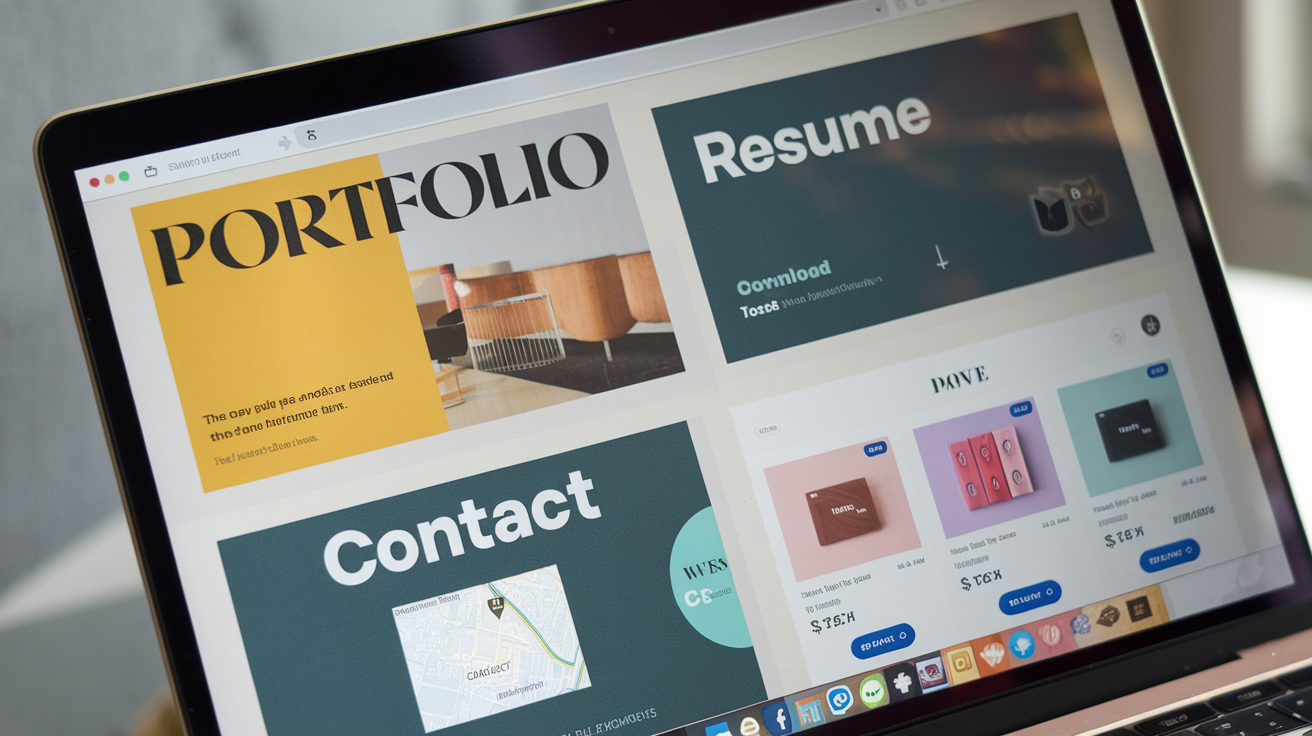
A close-up view of a website portfolio and contact page designed to showcase brand identity and project work effectively.
Each website type serves a different purpose and requires specific features. Knowing the type of website that aligns with your business objectives will help you communicate your needs to a web design agency effectively.
- E-commerce Websites: Designed for businesses that sell products or services online, e-commerce sites feature product listings, shopping carts, and secure payment gateways. Given the competitive nature of e-commerce, elements like SEO optimization, fast load times, and easy navigation are essential.
- Portfolio Websites: Ideal for creative professionals like designers, writers, or photographers, these sites prioritize visual appeal and navigation. They typically feature galleries, project pages, and client testimonials, showcasing the creator’s skills and previous work.
- Blogs: Blogs are excellent for businesses that want to share information, build an audience, or establish thought leadership in a niche. Built around a content management system (CMS), these sites require features that allow for SEO optimization and easy content updates.
- Informational Websites: Primarily designed to provide users with details about a business, service, or product, informational sites suit industries like law, healthcare, or local services. They generally include sections like “About Us,” “Services,” and “Contact,” focusing on accessible, concise information.
- Subscription or Membership Websites: If you offer exclusive content or services to members, a subscription-based model is ideal. These sites need user authentication, secure payment systems, and a well-organized content structure.
Choosing the right website type will ensure your site meets its intended purpose and provides users with an optimal experience. For further guidance, our article on Things to Keep in Mind While Designing a Website for Your Startup can provide additional insights.
Setting Your Budget
Budget considerations are a critical factor in web design. The cost of a website can vary greatly, influenced by complexity, the level of customization, and the web design company’s expertise. Here’s an overview of average costs for different types of websites in 2024:
- Basic Informational Website: Small businesses needing a simple website with a few pages (e.g., “Home,” “About,” “Contact”) may spend between $2,000 and $10,000. This covers mobile optimization, basic SEO, and easy navigation.
- E-commerce Website: Due to the added complexity of product pages, secure checkout, and payment processing, these sites can range from $5,000 to $50,000. Additional features, like customer reviews or shipping calculators, can impact cost.
- Custom Portfolio Website: If your brand requires a highly personalized design and interactive features, a custom portfolio website typically costs between $5,000 and $30,000, depending on specific design elements and customizations.
- Subscription or Membership Websites: Often more costly due to required security measures and user authentication, these sites can cost anywhere from $10,000 to $60,000 based on customization and member-exclusive content options.
- Using Website Builders or WordPress: For those with smaller budgets or a preference for DIY options, website builders like Wix or Squarespace cost between $7 to $500 monthly, depending on features. Building on WordPress with basic plugins costs $40 to $800 upfront, with additional expenses for premium themes and plugins.
When setting your budget, consider not only the initial design cost but also ongoing maintenance and potential future upgrades. While it might be tempting to minimize expenses, a well-designed website is a long-term investment that can enhance user experience, boost conversions, and support business growth.
Taking the time to clarify your website goals, understand the type of site you need, and establish a realistic budget will set you up for success as you proceed with selecting a web design partner.
Step 2: Review Their Portfolio and Past Work
Evaluating a web design company’s portfolio is one of the most effective ways to gauge its capabilities, style, and experience. A portfolio reveals not only the quality of the work but also the variety and scope of projects they’ve handled. Here’s a step-by-step approach to assessing a portfolio and the kinds of projects that signal a design company’s true expertise.
What to Look for in a Portfolio
- Design Style and Aesthetic
Every brand has a unique style, and your website’s design should align with your brand identity and resonate with your target audience. When reviewing portfolios, look at how well the design elements fit the brand. For example, do they work with clean, minimalist designs, or do they lean toward vibrant, high-energy styles? Make sure their past work aligns with the aesthetic you envision for your site. Consistency in a company’s portfolio can be a good sign of a strong design style, but versatility is equally important. - User Experience (UX)
A visually appealing website is great, but it also needs to be functional and easy to navigate. Examine the UX design in their portfolio, particularly if you’re viewing an interactive or complex site, such as an e-commerce store. Look for user-friendly layouts, clear calls-to-action, and smooth navigation paths. Research indicates that 88% of online consumers are less likely to return to a website after a bad user experience (source: HubSpot), so it’s essential that the design company demonstrates a strong UX focus. - Industry Relevance
Some industries have specific design needs—such as robust product filters for e-commerce, gallery features for portfolios, or user-friendly information hubs for resource sites. If the design company has experience in your industry, it could be a major advantage. Look for any similar projects in their portfolio to get a sense of how well they understand your market’s unique needs. - Website Functionality
For businesses that require specific features, such as booking systems, client portals, or e-commerce capabilities, make sure the design company has demonstrated experience with these functionalities. Review how well their past sites function, paying attention to elements like loading speed, mobile responsiveness, and multimedia integrations. A quality web design company will prioritize performance across devices, ensuring a smooth experience for users on any platform.
Case Studies and Client Success Stories
While portfolios offer a quick visual overview, case studies and client success stories provide a deeper insight into the design company’s approach, problem-solving skills, and the results they deliver. Case studies are particularly valuable for understanding the real impact of a web design project. Here are a few things to look for:
- Problem-Solving and Creativity
Case studies often highlight a specific challenge or goal that the client needed to address. Look for examples where the company demonstrated creative problem-solving or innovation to meet these challenges. For instance, if a client needed a unique feature or faced a specific branding challenge, the web design company’s solution can reveal their adaptability and ability to deliver on unique demands. - Measurable Outcomes
A strong case study includes data showing the impact of the redesign. Did the new website improve user engagement, boost conversion rates, or reduce bounce rates? Concrete numbers, such as “a 30% increase in conversions” or “a 20% reduction in load time,” give you a clear idea of how the company’s work impacts real business outcomes. For more insights into the power of measurable outcomes in branding, see our article on What Makes Online Branding Effective. - Adaptability Across Industries
If the web design company has handled projects across different industries, it’s a sign of their versatility and understanding of diverse audiences. This adaptability can be particularly useful if your brand requires a unique or less common design approach.
Questions to Ask About Past Projects
To gain even more insight, don’t hesitate to ask direct questions during consultations. Consider these key factors:
- What was your role in the project?
Web design companies sometimes showcase work done in collaboration with other agencies or third-party contractors. Confirming their exact role helps you understand their core strengths and how hands-on they were in the project. - What was the outcome of the project?
Ask about the specific results achieved post-launch. A reputable web design company should be able to provide statistics or anecdotal evidence that their design helped improve customer engagement, sales, or brand recognition. - Can I speak with past clients?
Testimonials are great, but direct conversations with previous clients give you a more authentic sense of the company’s communication style, project management skills, and the overall experience they provide.
When reviewing a portfolio and case studies, remember that you’re not just evaluating design skills. You’re assessing the company’s ability to solve problems, create intuitive and beautiful user experiences, and produce real, measurable results. Following this step will set you on the path to finding a web design company that can bring your vision to life in a way that resonates with your audience and drives tangible business outcomes.
Step 3: Check Client Reviews and Testimonials

A close-up of colorful post-it notes on glass reflecting client feedback, symbolizing diverse perspectives and satisfaction from working with a website design agency.
Evaluating client reviews and testimonials is crucial when choosing a reliable web design agency. Platforms like GoodFirms provide valuable insights into an agency’s reliability, quality of work, communication style, and problem-solving abilities. Here’s how to approach this step effectively:
Where to Find Authentic Reviews
- Google and Yelp: These platforms are accessible and commonly used for local and international business reviews. Google Reviews is particularly useful as it often contains detailed feedback across various industries, highlighting the agency’s strengths and weaknesses. Yelp, especially for local agencies, can provide insights into customer service, reliability, and responsiveness.
- Clutch.co: For professional services, Clutch is a reliable source offering in-depth reviews, project details, and client feedback. It’s particularly beneficial because reviews on Clutch often provide specifics about the project, such as budget, timelines, and results. This level of detail allows you to assess the agency’s effectiveness and project management capabilities.
- Social Media and LinkedIn: Many web design agencies actively engage on social platforms like LinkedIn, Facebook, and Instagram, where clients might leave comments or feedback. While these might be less comprehensive than Google or Clutch reviews, they can provide a quick snapshot of client satisfaction and how the agency handles public feedback.
Reading Between the Lines
While the number of positive reviews is important, quality matters more than quantity. Here are tips to identify genuine, relevant insights:
- Consistency: Look for patterns in the feedback. If multiple reviews highlight issues like missed deadlines or poor communication, these could be red flags. Similarly, consistent praise for design quality, creativity, or professionalism indicates a reputable agency.
- Response to Feedback: A company’s response to reviews, especially negative ones, shows its commitment to client satisfaction. If an agency handles criticism professionally and addresses concerns openly, it’s a good sign of accountability and customer focus.
- Detail-Rich Reviews: Reviews that describe specific aspects of the project, such as technical challenges or design preferences, are often more genuine. Overly generic language or sudden bursts of five-star reviews may signal fake reviews.
Questions to Ask Based on Reviews
Once you’ve analyzed reviews, bring relevant insights into your consultation:
- How do you ensure effective communication throughout the project? If communication issues appeared in reviews, ask about their communication protocols and transparency with clients.
- What’s your process for handling revisions or adjustments? If responsiveness was a concern in reviews, ask about how they manage feedback loops and revisions during the design phases.
- Can I speak with a past client? If reviews were mixed, request references or testimonials directly from the agency. This will give you an opportunity to hear an unbiased perspective.
Checking reviews and testimonials carefully gives you an inside look into the agency’s working style and track record, helping you make a more informed choice.
Step 4: Evaluate Their Communication and Project Management Skills
Effective communication and organized project management are key indicators of a successful web design partnership. Without a clear system for communication and progress tracking, even the most skilled agencies can struggle to meet client expectations. When assessing a web design agency’s communication style and project management skills, here’s what to look for:
Why Clear Communication Matters
In any web design project, seamless communication can make the difference between success and frustration. Good agencies understand this and prioritize transparency from the outset, keeping you informed on progress, timelines, and any potential issues. Look for an agency that:
- Sets Expectations Early: They should outline how often they’ll communicate, preferred communication channels (like email, Slack, or Zoom), and how updates will be delivered. For example, do they offer regular check-ins or scheduled updates?
- Responds Promptly: Pay attention to how quickly they respond to your initial inquiries. Timely responses indicate an agency’s commitment to open communication. Slow or inconsistent replies can be a warning sign of future communication gaps, which may lead to misalignment or missed deadlines.
Signs of Effective Project Management
Project management involves tracking progress, ensuring deadlines are met, and coordinating feedback. Look for agencies that use project management tools and have a structured workflow:
- Use of Project Management Tools: Agencies that utilize tools like Asana, Trello, or Monday.com are more likely to stay organized and meet deadlines. These platforms allow for task assignment, timeline visualization, and status updates, ensuring you have visibility into each phase of the project. For instance, a reliable agency might share a project board with you, so you can track progress in real time.
- Defined Processes and Timelines: A professional agency will walk you through their project phases, from initial design to final development. Each phase should have clear milestones, such as design drafts, wireframes, and content integration. Knowing their process helps you understand when to expect deliverables and when you’ll need to provide feedback.
- Regular Updates and Milestones: Regular updates keep the project on track. An experienced agency will schedule frequent check-ins to discuss completed tasks and any adjustments required. They should also set realistic milestones with specific deadlines, ensuring the project stays within the agreed timeline.
Questions to Ask During Initial Meetings
When meeting with potential agencies, ask questions that clarify their communication style and project management approach:
- How do you handle project timelines and delays? A good agency will outline their approach to handling unexpected delays, whether it’s adjusting timelines or re-prioritizing tasks. This reflects their dedication to openness and responsibility.
- Who will be our main point of contact? It’s important to know who your primary contact will be throughout the project. Ideally, this should be someone with in-depth knowledge of the project and authority to make decisions or address issues as they arise.
- How do you gather and implement client feedback? Understand how the agency incorporates your input. Ask if they allocate specific times for feedback or offer flexible communication throughout the project. Agencies that actively involve clients in the process are more likely to deliver a website that aligns with your vision.
- What project management tools do you use? Ask about the tools they rely on to manage timelines, track tasks, and facilitate communication. If they use platforms like Slack for messaging or Google Drive for document sharing, ensure you’re comfortable with their setup and can access necessary information.
- How do you handle changes to the project scope? Changes can arise unexpectedly. Knowing how the agency addresses scope adjustments, whether through formal documentation or flexible revisions, can prevent misunderstandings and additional costs.
The Importance of a Reliable Partnership
In the end, you want an agency that values partnership. A strong communication strategy paired with organized project management helps ensure that your website project flows smoothly, meeting both your expectations and deadlines. By focusing on these aspects, you’ll be able to identify an agency that’s not just building a website but is invested in your long-term success.

The post The Ultimate Guide to Choosing the Right Website Design Agency appeared first on Best Media Agency.
]]>