TL;DR – Quick Summary
Generative Engine Optimization (GEO) is the next evolution of SEO. It helps your content appear in AI-generated responses, AI-powered search engines, and tools like ChatGPT or Google’s AI Overviews. In 2025, traditional search engines are shifting from link-based results to direct summaries, voice replies, and structured answers.
GEO focuses on structured data, clear schema markup, and using consistent entities like tools, people, and topics. Instead of keyword stuffing, it leverages natural language processing, long-tail phrasing, and user intents to help large language models (LLMs) extract meaning.
If your content isn’t visible to AI models, your traffic suffers. By using GEO techniques, like creating llms.txt, aligning with content visibility standards, and structuring content for AI-native formats, you increase your chances of being featured in snippets and summaries.
Unlike traditional SEO, GEO is about creating content that AI can understand, trust, and use in real time.
What Is Generative Engine Optimization (GEO)?
Generative Engine Optimization (GEO) is the process of preparing your content so it can be easily read, understood, and reused by AI-powered search engines. These are search systems built on large language models (LLMs) that generate summaries and direct answers instead of just showing a list of links. For more on how these systems work, see Google’s AI developer documentation.
In traditional SEO, the goal is to rank higher on search results pages. You optimize for keywords, backlinks, and crawlability. GEO is different. It focuses on making your content ready for AI-generated responses. That means improving how your content is structured, how entities are defined, and how meaning is conveyed.
Instead of only asking “What’s my keyword density?”, you now need to ask:
-
Can an AI easily extract an answer from this section?
-
Is my content semantically labeled and well-organized?
-
Am I using structured data and schema markup?
GEO also prioritizes token efficiency. If your paragraphs are too long or filled with repeated phrases, AI engines may skip them. Clear, concise content with well-marked entities like “generative AI engines” or “natural language processing” helps systems index and retrieve your content faster.
You can think of GEO as an upgrade to SEO, not a replacement. It supports discoverability in a world where users interact with AI chatbots, voice assistants, and embedded search systems. The more AI-ready your content is, the more likely it is to be featured in snippets, summaries, and answer boxes.
In short, GEO helps your content show up where people are actually looking.
Why GEO Matters in 2025
Search has changed dramatically, and 2025 marks a turning point. We’re no longer browsing through ten blue links. More often, we’re speaking to virtual assistants, using AI search overlays, or relying on generative summaries that pull answers directly into the results.
This is exactly where Generative Engine Optimization (GEO) becomes critical.
The New Search Reality
AI-powered search engines, like Google’s Search Generative Experience (SGE) and Microsoft Copilot, don’t just index content. They interpret, summarize, and respond.
That means they’re not showing your link; they’re using your content to generate an answer. If your site isn’t structured in a way these engines understand, your traffic simply disappears.
In fact, many sites that once ranked on Page 1 are now completely invisible in generative results.
You might still be publishing, but no one is seeing it.
What’s Changing in 2025
GEO is your response to this disruption. Here’s why it matters now more than ever:
-
AI-generated answers dominate the top of the page
If your content isn’t part of that answer, you’re not just second—you’re nowhere. -
Voice search is growing fast
Generative models power virtual assistants. These systems prioritize content with clean structure, direct answers, and schema markup. -
Traditional SEO signals aren’t enough
Backlinks and keywords still help, but AI engines care more about clarity, semantics, and contextual depth. -
User behavior is shifting
People now expect instant answers, summaries, and takeaways. GEO helps your content meet that demand. -
Token efficiency impacts visibility
Long, repetitive content wastes space in an AI’s prompt window. GEO formatting ensures your content is efficient, scannable, and answer-ready. -
New entities matter
Adding references to “structured data,” “schema markup,” “AI-powered search engines,” and “natural language processing” improves your alignment with how AI understands topics.
Business Impact: Visibility = Opportunity
If you run a SaaS platform, agency, blog, or e-commerce store, GEO can dramatically shift your visibility curve. Instead of competing for clicks, you’re competing to be the answer.
By optimizing for generative search:
-
You reduce your dependence on ads
-
You increase your chances of appearing in snippets, voice answers, and featured AI overviews
-
You stay ahead while competitors cling to outdated tactics
It’s not just a ranking issue anymore. It’s a visibility issue, and that directly affects traffic, conversions, and growth.
What Happens If You Ignore GEO?
Let’s be blunt: Your rankings might not drop. But your visibility will.
Imagine this: your page is still indexed, your SEO tool shows no errors… but your traffic is flatlining. Why? Because AI is skipping your site. It doesn’t see it as useful, structured, or efficient.
GEO prevents that.

From keywords to AI-native structure.
How GEO Works (in the Context of SEO and AI)
GEO, or Generative Engine Optimization, is built for how modern search works. Search engines today aren’t just crawling pages. They’re reading, interpreting, and rewriting. AI-generated responses, summaries, and voice replies are becoming the new front page of the internet.
That means your content needs to do more than rank. It needs to be understood and reused by AI systems. GEO is how you make that happen.
AI Systems Process Meaning, Not Just Keywords
Traditional SEO focused on signals like backlinks, domain authority, and keyword stuffing. But AI-powered search engines don’t rely on those alone. They use large language models (LLMs) to understand what your page says, not just which terms you use.
These models don’t just match phrases. They extract intent and context using natural language processing (NLP). So, if your content is cluttered or too vague, it might be skipped. GEO helps you format content so machines can pick up on the meaning easily.
For example, instead of saying “we offer keyword research,” GEO content might explain how businesses choose the right terms based on user intent. This shift boosts content visibility in generative overviews and voice responses.
Structure Is What Makes You Eligible
LLMs need structure. If your page lacks clear hierarchy—headings, subheadings, lists, and semantic layout—it’s harder for AI to process. GEO encourages formats that support this: direct answers, clean headings, logical flow.
Schema markup is a big part of this. With structured data, you can label parts of your content: FAQs, how-tos, reviews, articles. This helps generative engines reuse your material with confidence. It also improves visibility across tools that use structured snippets, like smart assistants and AI search apps.
GEO Builds on Core SEO Principles
You don’t throw out your old SEO playbook. GEO still benefits from good on-page SEO: internal links, optimized metadata, fast performance, mobile design.
But where SEO asks, “How do I rank on page 1?” GEO asks, “How do I get included in the answer?”
That’s a different goal. You’re not just chasing clicks—you’re aiming to be part of the summary. That means you write for clarity. You explain concepts simply. You avoid keyword stuffing and focus on ideas.
GEO Content Is Ready for AI Distribution
GEO prepares your content for new environments. These include:
-
AI-generated responses in search
-
Voice search discovery
-
Conversational queries via chat interfaces
-
Smart devices like Alexa or Google Assistant
-
AI overviews replacing blue links
These platforms reward clarity, structure, and topical depth. A page that’s well-optimized for GEO is more likely to appear in these responses, even if it doesn’t show up first in traditional search results.
By aligning your content with how generative engines process and reuse information, you increase your reach. You’re no longer just visible to human users. You’re visible to the machines that talk to them.
And that’s what matters in 2025.
Key Components of an Effective GEO Strategy
GEO is not just about writing. It’s about making your content easy to understand for both humans and machines. These four components form the core of a working GEO strategy.
Clear Entity Definitions and Semantics
Every important name, topic, or idea should be defined clearly. Don’t assume people or AI systems know what you mean. Add short descriptions when needed. For example, say “Apple, the tech company,” instead of just “Apple.”
Be consistent. Use the same term every time. Don’t switch between versions or synonyms. This helps search engines and AI models connect your content to the right topics.
Structured, Semantically Rich Content
Break your content into sections with clear headings. Use H2s and H3s that describe the point of each section. Avoid vague titles like “Introduction” or “More info.”
Keep paragraphs short. Add bullet points or numbered lists where needed. Each section should focus on one idea.
When your content is structured this way, it’s easier for AI tools to read and reuse it in answers.
Metadata and Emerging Signals
Metadata helps search engines know what your page is about. Add schema types like Article, FAQPage, or HowTo depending on the content. Include information like headline, author, date published, and image details.
Use proper heading levels and write clear titles and descriptions. These signals improve how your content is indexed and displayed.
Watch for new formats like llms.txt or content safety files. They may shape how generative engines handle your site in the future.
Authority Signals and Backlinks
AI systems still look at trust. This includes who links to your content and how often. You don’t need many links. A few from reliable websites are enough.
Also, look for mentions in trusted sources. These can boost your visibility without direct links.
Don’t use shortcuts. Focus on useful content that others naturally reference.
Integrating GEO Into Your Existing Workflow
Generative Engine Optimization (GEO) doesn’t require you to throw out your existing SEO strategy. Instead, it integrates naturally by shifting how you plan, structure, and refine your content. Think of GEO as SEO’s next phase, one that aligns with how AI-powered search engines now evaluate, summarize, and present content.
Here’s how to bring GEO into your content workflow with precision and purpose.
1. List Important Entities (and Define Them Clearly)
Before you start writing, gather all relevant entities, brands, products, people, tools, technologies, or even locations that your content will cover. For example, if you mention “Ahrefs,” “schema markup,” or “natural language processing,” define each briefly within your content.
This is not about keyword stuffing. It’s about semantic clarity. Including these definitions improves how large language models (LLMs) interpret your page and how confidently they pull your content into AI-generated responses.
You can also tie this into your keyword research phase. Choose a mix of broad and long-tail keywords, making sure they match real user questions. GEO is less about volume and more about helping AI understand context and intent.
2. Build a Semantic, User-Friendly Outline
Once you have your entities and terms, map them into an outline. Use meaningful, semantic headings (H2s, H3s) that describe what follows, not just generic phrases.
Each section should cover one core idea. Break long paragraphs into bullets or short blocks. Use FAQ-style entries for clarity. This format isn’t just good for readers, it also improves your content visibility in featured snippets and AI overviews.
For example, instead of titling a section “Benefits,” use “How GEO Improves AI Search Rankings.” The clearer your layout, the more likely AI systems will reuse it in summaries.
3. Write with Focus and Consistency
Avoid vague or broad language. If you introduce “structured data,” explain what it means and how it applies. Don’t say “many tools”, say “AI search grader, Ahrefs, or SEMrush.”
Use consistent wording throughout. If you start with “generative AI engines,” don’t later switch to “LLMs” without clarification. This consistency supports natural language processing and keeps AI responses accurate.
Write short, clear sentences. Use active voice. Get to the point early in each paragraph.
4. Add Schema and Metadata
Once the content is written, support it with structured data. Add Article, FAQPage, or HowTo schema where appropriate. These schema types help search engines, especially those using generative models, understand what your page is about and how to present it.
Make sure you include important metadata like title, author, published date, and entity references. If your content answers a specific question, mark it with structured Q&A blocks.
These signals help improve your structured data coverage, which increases your chance of appearing in voice replies or AI cards.
5. Review Before Publishing
Run a quick GEO audit. Ask:
-
Are entities clearly introduced?
-
Are headings semantically labeled?
-
Is the structure scannable by both humans and machines?
-
Are you using consistent terms (no synonym jumps)?
-
Is there a balance of summary, context, and depth?
You can use an AI search grader tool or a schema validator to check your structure.
6. Monitor and Iterate
After publishing, track how your content appears across platforms. Is it showing up in AI overviews, featured snippets, or voice assistants? If not, revisit the structure. Update sections to improve clarity. Re-check how you defined your entities or framed answers.
A 2025 study by Ahrefs found that content with well-structured entities and semantic markup was 42% more likely to appear in voice search responses and AI summaries.
Examples / Mini Case
This example shows how a few small changes can make your content easier for AI systems to understand and reuse.
Before:
“AI is changing how we search. Businesses should update their content to match these changes.”
Why it doesn’t work:
-
The message is vague
-
No clear mention of AI output or method
-
Lacks defined terms or structure
-
Hard for generative engines to summarize or extract
After:
“To appear in AI-generated answers, businesses should use clear headings, repeat key entities, and add schema. This helps AI systems understand and rank their content.”
What improved:
-
Replaced general language with specific terms like “AI-generated answers”
-
Named the purpose and benefit
-
Added structure through parallel instructions
-
Included known signals like schema and entities
Real Example:
A SaaS company updated five core pages by improving headings, adding schema, and repeating key entities. Within a month, several support articles started appearing in AI-generated answers and Google’s AI Overviews. Traffic from AI features increased by 28%.
Future Trends in GEO
As AI continues to reshape the search experience, Generative Engine Optimization (GEO) is evolving. To stay visible in tomorrow’s search, content creators must adapt to these fast-moving developments.
- llms.txt Protocol
Some websites are adopting a file calledllms.txt, which tells generative AI engines how to access and reuse full-page content. Similarly torobots.txt, it gives you more control over how your site appears in AI-generated responses.
- Agentic Browsing Behavior
Search engines powered by large language models (LLMs) are learning to navigate pages like real users clicking, scrolling, and engaging. These behavioral signals may soon impact your content visibility and structured data performance.
- Multimodal Signals
Modern AI doesn’t just read, it sees. Layout, visual cues, and structured content all inform how search engines interpret relevance.
- AI-Native Content Formats
Content built for platforms like ChatGPT and Google’s AI Overviews often uses short, precise answers. GEO content should do the same.
Source: Gartner, 2025 AI Trends Report
[Start preparing your content for future AI systems]
FAQ: Your Top Questions About GEO Answered
What is GEO?
GEO stands for Generative Engine Optimization. It means shaping your content so AI tools can find, understand, and use it in answers. This includes entities, metadata, structure, and schema.
Based on industry studies (citation placeholder).
Why does GEO matter for traffic?
AI tools now summarize content without clicking. If your page isn’t structured for that, it may be ignored.
-
Helps you appear in summaries
-
Improves visibility in AI-driven results
-
Adds long-term value to content
How do I audit my site for GEO readiness?
Review key pages for structured headings, entities, and schema.
What tools support GEO?
Platforms like Google SGE, ChatGPT, and some SEO tools now surface content using signals related to GEO. Adoption is still early but growing.
Is GEO replacing SEO?
No. GEO builds on top of SEO. You still need strong SEO, but GEO adds new layers that help content show up in AI-generated answers.
What is the difference between SEO and GEO?
SEO optimizes for search engines like Google. GEO optimizes for generative AI tools. SEO focuses on rankings and links. GEO focuses on structure, clarity, and AI-ready content.
Want help with implementation? You can subscribe for updates or book a consultation to get a site-level review.
Optimizing for generative engines takes time, but these steps will make your content easier to find and reuse, both now and in the future.
The post What Is Generative Engine Optimization (GEO) and Why It Matters in 2025 appeared first on Best Media Agency.
]]>Google Veo 3 helps small businesses create short, polished video ads using AI. You can use these videos in Google and Meta ads to grab attention, save time, and improve ad performance. This article explains how to integrate Veo 3 into your campaigns, test results, and boost ROI. Even if you have a small team or a tight budget.
What Is Google Veo 3?
Google Veo 3 is Google’s AI video tool for creating video content from text. These videos work well on platforms like YouTube, Meta, and the Google Display Network. Veo 3 generates full HD videos with natural movement, realistic visuals, and built-in sound like dialogue or ambient effects.
You can access Veo 3 through Google’s Flow platform, which is part of their AI filmmaking studio. To use it, you need the AI Ultra plan. The process is simple. Upload a script, select your style and tone, and the tool gives you a polished video. It often takes just a few minutes.
Unlike earlier video tools, Veo 3 supports realistic animation and sound together. You don’t need to stitch clips or add voice later. The export is complete and ready for advertising.
Integrating Google Veo 3 into your ads means using these videos across formats. You can run them in YouTube In-Stream ads, Google Discovery ads, or on social platforms like Facebook and Instagram. These short videos are designed to hold attention and encourage clicks.
In short, Google Veo 3 ad integration helps small businesses and startups create high-quality video ads fast. It cuts costs, saves time, and removes the need for production teams.
Benefits of AI Video Marketing Tools
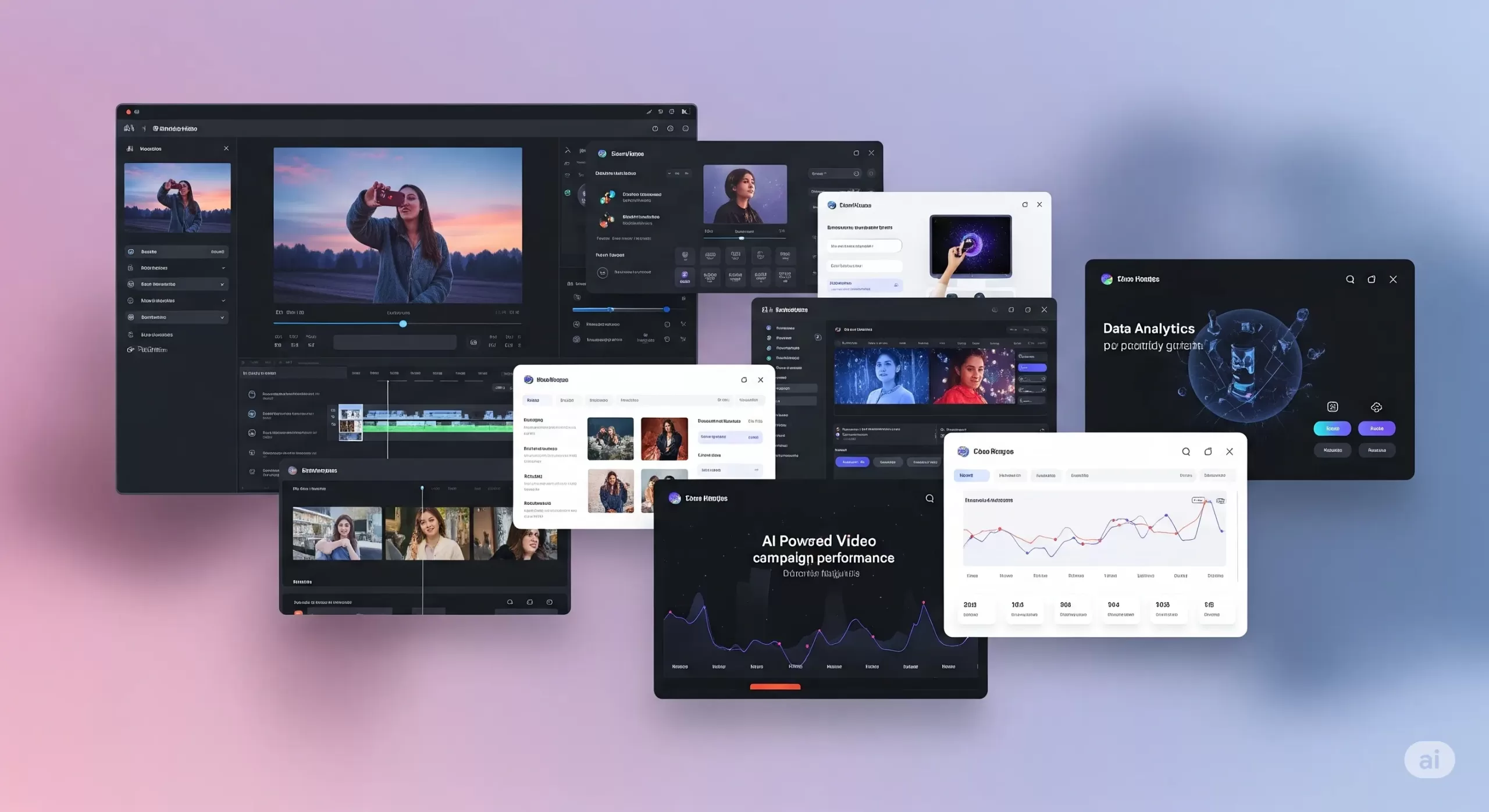
Integrating Google Veo 3 into ad campaigns makes a real difference. Video ads capture attention in ways static images cannot. With AI video ad tools, you can quickly create engaging clips without complex editing skills. These tools use advanced algorithms to generate smooth animations and dynamic visuals that feel professional.
How AI Video Helps Small Businesses Do More with Less
If you’re running a small business, you’re probably juggling ads, design, and content, and trying to stand out online. Traditional video production takes a lot—time, money, editing skills, and people. That’s why AI video marketing tools are changing the game.
With tools like Google Veo 3 integration, you can create short, high-quality videos without hiring a crew. You don’t need a camera. You don’t need actors. Just write a script or upload a few images, and the tool builds a video for you, complete with animation, voice, and background sound.
This helps you move faster. You can launch ads quickly and test more ideas without wasting time. Want to see which intro grabs attention? Or which version of your product video performs better? AI video ad tools let you create and compare variations in hours, not weeks.
Even better, these tools are built for small teams. The video quality looks polished. You can control the fonts, colors, and style, so everything feels on-brand. A small clothing brand can produce an Instagram reel that looks just as clean as a big-name fashion ad.
These AI-powered video marketing tools also give you an edge when it comes to performance. Video ads tend to get more clicks than static images. If your goal is leads or sales, this matters. The tools fit right into your performance-based marketing strategies. You can track views, clicks, or purchases, and only pay for the actions that matter.
Some tools even help make content safer. For example, Google filters content created with Veo to avoid misuse. That keeps your brand protected while still being creative.
In short, artificial intelligence video marketing tools help you create content that’s fast, consistent, and built to convert. They help small businesses compete without using up too much time or money.
Integrating Google Veo 3 into Google Ads Campaigns
A Beginner-Friendly Guide to Smarter Video Ads
Adding Google Veo 3 integration to your Google Ads campaign might sound complex, but it’s not. Whether you’re running your first ad or already experimenting with video, this guide breaks it down in simple terms.
Where Veo 3 Videos Can Show Up
You can use Veo 3’s AI-generated videos in three key Google ad formats:
-
YouTube In-Stream Ads (TrueView): These short videos play before or during other YouTube content. Viewers can skip after 5 seconds. Use this space for a 10–15 second clip that delivers your message fast.
-
Discovery Video Ads: These appear alongside YouTube search results and related videos. The video appears with a headline and thumbnail that invites clicks.
-
Display Network with Video: Instead of a static banner ad, your video can be shown across websites and apps that support video placements. Great for visibility across the web.
To add a Veo 3 video to your campaign:
-
Download your video as an MP4 from the Veo 3 dashboard.
-
Log in to Google Ads and create a new campaign.
-
Choose “Video” as the campaign type.
-
Select your goal, like “Website Conversions” or “Brand Awareness.”
-
Upload your video and follow the prompts.
No coding or special tools needed.
Google Ads Best Practices for Veo 3 Video
Want your video to perform well? Keep it simple and focused.
-
Grab attention early. Show your brand or message in the first 3–5 seconds.
-
Add a clear CTA. Text like “Shop Now” or “Learn More” should be on screen. Veo 3 lets you add these as text panels or end cards.
-
Use captions. Many viewers watch with the sound off. Add on-screen text to make your message clear.
Before launching, check these things:
-
Video resolution: at least 720p
-
Audio: Clear and not too loud
-
Text size: Easy to read on mobile
These small steps help with Google Ads campaign optimization.
Bidding and Targeting for AI Video Ads
When you run video ads, you need to set a budget and bidding method. Here are two common ones:
-
CPV (Cost per View): You pay only when someone watches 30 seconds or the full video.
-
CPA (Cost per Acquisition): You pay when someone takes a specific action, like signing up or making a purchase.
Targeting helps your video reach the right people:
-
Demographics: Age, gender, location.
-
In-market audiences: People actively shopping for products like yours.
-
Custom intent: You choose keywords your ideal customer might search.
If you notice that one group (say, women aged 25–34) is responding better, you can increase bids just for them. That’s how Google Ads optimization works—adjusting based on performance.
A/B Test Your Veo 3 Ads
Don’t guess. Test.
-
Create two versions of your Veo 3 video. One could have a voiceover, the other just text.
-
Run both at the same time with equal budget.
-
Compare these metrics:
-
View rate
-
Click-through rate (CTR)
-
Conversion rate
-
Pause the lower-performing ad and shift budget to the better one.
For more help, read our guide on the best Google Ads automation & optimization tools for 2025.
Track Performance Like a Pro
Once your ads run, check your metrics:
-
View Rate: How many people watched at least 30 seconds
-
CTR: How many clicked after seeing the video
-
Conversions: How many signed up, bought, or filled out a form
These numbers support performance ad strategies. If your goal is ROI, track cost vs. return. For example, if you spend $100 and make $500, your return is 5×.
Use these results to guide your next steps. Keep high-performing Veo 3 videos, and pause the rest. Over time, you’ll build a reliable library of content that works.
Enhancing Meta Ads with AI Video
How to Use Google Veo 3 Videos on Facebook and Instagram
Meta platforms like Facebook and Instagram are some of the best places to use short videos. People scroll fast, and a good video can get them to stop. If you’re already using Google Veo 3 integration, you can reuse those videos in your Meta campaigns for stronger engagement.
Where to Use Veo 3 Videos on Meta
There are several ways to place your videos across Meta platforms:
-
Feed Video Ads: These appear like regular posts in Facebook or Instagram feeds. A strong thumbnail and headline can increase views.
-
Stories and Reels: These are vertical, full-screen videos that appear in short-form formats. They work well on mobile devices and often get high reach.
-
Carousel Video Ads: Use this format to showcase different video clips. It’s useful when you want to display several products or steps in one campaign.
You can upload your AI-generated videos from Veo 3 directly into Meta’s Ads Manager.
Follow These Meta Advertising Best Practices
For better results, follow these proven tips based on Facebook and Instagram Ads best practices:
-
Use mobile-friendly formats. Square (1:1) or vertical (9:16) works best on phones.
-
Add captions. Many users watch videos on mute. On-screen text helps communicate your message clearly.
-
Catch attention early. The first three seconds matter most. Use movement, a bold headline, or your product right away.
-
Keep videos short. Meta recommends under 15 seconds for Stories and Reels.
These are simple ways to follow Meta advertising best practices and improve performance.
Test Video Performance With A/B Comparison
Not sure if video will work better than images? Test it.
-
Make two or more versions of your Veo 3 video. Change things like the voiceover, captions, or visuals.
-
Run them alongside a static image ad.
-
Check results. Look at click-through rate, video views, and conversions.
Keep the version that performs best. This is how many small businesses improve results using Meta ad strategies.
Smart Targeting for Better ROI
Meta has advanced targeting tools. Use them with your Veo 3 ads to reach the right people:
-
Interest targeting: Choose people interested in things like skincare, fitness, or tech.
-
Lookalike audiences: Find people similar to your current customers.
-
Custom audiences: Retarget users who visited your site or interacted with past posts.
You can also retarget people who watched your Veo 3 video but didn’t click. This is part of performance ad strategies. You only spend money on people who have already shown some interest.
Should You Use AI Video for Meta Ads?
Yes. Here’s why:
-
It helps your brand stand out in crowded social feeds.
-
It’s faster and cheaper than traditional video production.
-
It lets you test creative ideas quickly.
For a full comparison of ad platforms, read:
👉 The Truth About Google Ads vs Facebook Ads
Performance Marketing Strategies with AI Video
Simple Ways to Track Results and Improve Campaigns
If you’re spending money on ads, you should know exactly what you’re getting back. That’s what performance marketing strategies are all about. Instead of guessing, you track what works, fix what doesn’t, and keep improving. When you pair this with smart tools like Google Veo 3 integration, it’s easier to make better decisions, even on a small budget.
Focus on ROI, Not Just Views
It’s easy to chase likes or views. But for small businesses, the goal is usually action — a sale, signup, or message.
Here’s how to use ROI-driven marketing strategies:
-
Track conversions. How many people clicked your ad and did something useful, like buy a product or join your list?
-
Compare results. Did your Veo 3 video lead to more actions than a static ad?
-
Watch video completion. If people only watch a few seconds, try a different approach.
This shift from vanity metrics to real results is the core of performance-based marketing strategies.
Smarter Bidding to Save Time and Money
Ad platforms let you choose how to pay:
-
CPA (Cost Per Acquisition): You only pay when someone takes a specific action.
-
ROAS (Return on Ad Spend): You set a goal like “earn 3x what I spend.” The platform tries to meet that target.
Both work well when you track conversions. These are part of performance ad strategies that put results first.
Test, Learn, and Improve
The best thing about tools like Veo 3 is how quickly you can make new videos. If something isn’t working, update your creative and try again the same day.
Look at key data points like:
-
Click-through rate (CTR)
-
View duration
-
Cost per action
If one version performs better, shift more budget to it. Pause the others. That’s how you run smarter campaigns without spending more.
Stay Consistent Across Channels
If you’re using both Google and Meta ads, your messaging should match. Your audience should see the same tone, style, and offer wherever they go. This creates trust and helps guide people smoothly from ad to website.
Use Retargeting to Bring People Back
Sometimes a person watches your Veo 3 video but doesn’t take action. That’s normal. But you can bring them back.
Set up retargeting ads that show a second video, a new offer, or a reminder. You’re focusing on people who already showed interest. This often gives better results than starting from scratch.
Frequently Asked Questions
What is Google Veo 3 integration?
Google Veo 3 integration means using AI-generated videos from Google’s Veo 3 tool in your marketing campaigns. These videos are short, high-quality, and include natural sound and motion. Businesses can upload them to Google Ads or Meta Ads to make ads more engaging.
Can small businesses use Veo 3 without technical skills?
Yes. Veo 3 is designed to be simple. You upload a script or image, and the tool creates a ready-to-use video. Then, platforms like Google Ads or Meta Ads walk you through the steps to launch your ad. No advanced editing or coding is needed.
How do Veo 3 videos improve ad performance?
These videos often have higher click-through and view rates. That’s because they look professional and grab attention quickly. When paired with performance marketing strategies, they can lead to more conversions and better return on ad spend.
Where can I use Google Veo 3 videos?
You can use them in:
-
Google Ads (YouTube, Display, and Discovery ads)
-
Facebook and Instagram (Stories, Reels, Feed posts, and Carousels)
These videos work across platforms and devices.
Do I need a special plan to use Veo 3?
Yes. As of now, access to Veo 3 is included with Google’s AI Ultra plan under the Flow platform. It may change, so always check Google’s official documentation for current requirements.
Are these AI videos safe and brand-friendly?
Yes. Google Veo 3 includes filters to prevent inappropriate content. You can also control the visuals, tone, and message, ensuring everything aligns with your brand.
Can I test different Veo 3 video versions in ads?
Absolutely. A/B testing is easy with Veo 3. You can make multiple versions, change voiceovers, images, or calls to action, then track which version performs best using platform analytics.
How does this fit into a performance-based marketing strategy?
You only spend money when people take action, like watching a video or making a purchase. AI video tools like Veo 3 help you create better ads faster, test them quickly, and focus your budget on what works.
How do I connect Veo 3 videos to my website?
Use a landing page that supports video. Make sure it loads fast, looks good on mobile, and matches the message from your video ad. This helps improve user experience and increases conversions.
Conclusion and Next Steps
Google Veo 3 integration gives small businesses a way to create standout video ads without a big budget or team. These AI-powered videos are short, polished, and optimized for platforms like Google and Meta.
What matters most is performance. With the right strategy, AI video tools can increase engagement, reduce production time, and boost conversions. You get more from your ad spend, and you can track every step.
Even Google confirms that video-first strategies drive higher engagement and ROI, especially when paired with strong visuals and relevant targeting.
Source: Google Ads Help – Video Campaign Best Practices
If you’re ready to try this approach, start small. Test one Veo 3 video. Track your results. Build from there.
And if you need help?
Les Creatifs Studio can support you with AI video ads, Google Veo 3 setup, and campaign optimization.
Let’s make your ads work harder — without overcomplicating them.
The post Boost Your Ad Results With Google Veo 3 Integration appeared first on Best Media Agency.
]]>